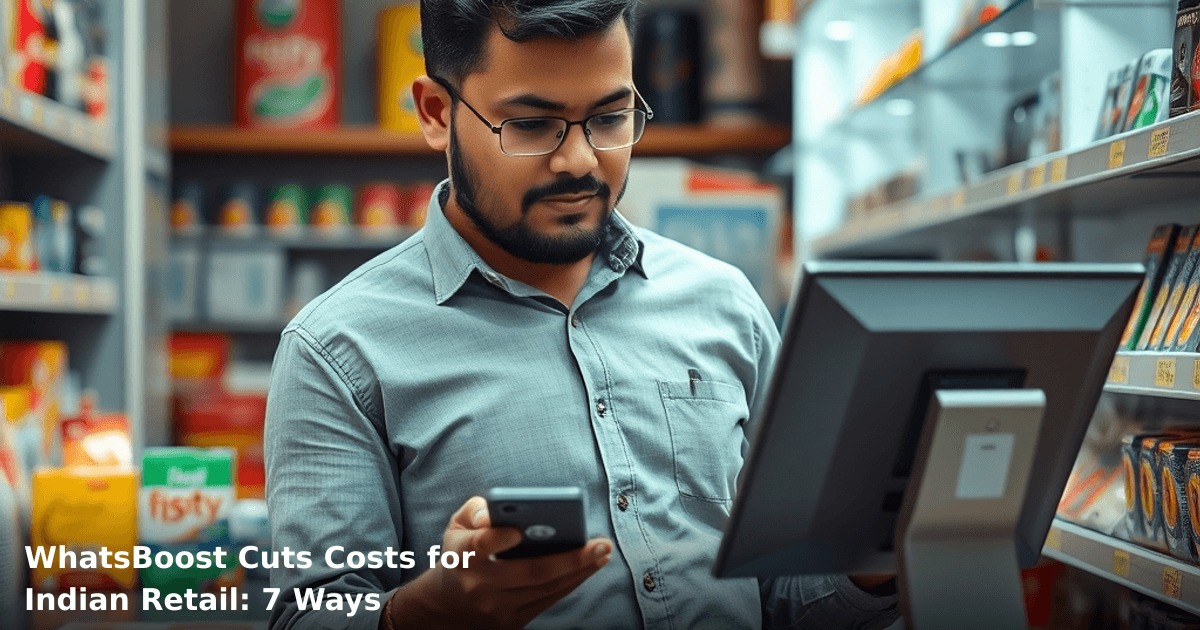
7 Ways WhatsBoost Cuts Costs for Indian Retail Companies
WhatsBoost for retail India is transforming how store owners, mall operators, and e-commerce businesses manage customer communication without hiring extra staff or burning through SMS budgets. We've watched small retailers in tier-2 cities cut their customer service costs by 40–50% in the first three months alone—and the best part? They're doing it without sacrificing customer experience.
Quick Answer: WhatsBoost for retail India automates customer messages, appointment reminders, order updates, and payment confirmations via WhatsApp, cutting communication costs by ₹40,000–₹1,20,000 monthly for mid-sized retailers. Most Indian retail businesses see ROI within 6–8 weeks because WhatsApp reaches customers for free once they opt in—no per-message fees like SMS.
Why WhatsApp Automation Matters for Indian Retail Businesses
Your retail business runs on two things: inventory and customer relationships. Both are expensive to maintain manually.
Here's the reality: A typical retail store manager spends 3–4 hours daily on WhatsApp—confirming orders, answering "Do you have stock?" messages, sending payment reminders, and chasing unpaid invoices. If that manager earns ₹25,000/month, that's ₹12,500/month just on WhatsApp admin work. Multiply that across 3–4 staff members, and you're looking at ₹40,000–₹50,000/month in pure overhead.
WhatsBoost for retail India eliminates this by automating 70–80% of those repetitive conversations. No chatbot creepiness. No "Press 1 for English." Just smart, contextual messages that feel personal because they are personalized.
According to a NASSCOM report, 68% of Indian retail SMBs still rely on manual WhatsApp for customer updates—which means most of your competitors are wasting money the same way you might be right now.
What Is WhatsBoost and How Does It Work for Retail?
WhatsBoost is a WhatsApp automation platform built specifically for Indian businesses. It connects your inventory system, CRM, or payment gateway to WhatsApp, so messages send automatically based on customer actions.
Here's the flow:
- Customer places an order → WhatsApp confirmation message sends automatically (no staff involvement)
- Payment received → Invoice and delivery details auto-send
- Order ships → Tracking link auto-sends
- Appointment time approaches → Reminder message auto-sends 24 hours before
- Customer hasn't visited in 60 days → Re-engagement campaign auto-triggers
The magic: All of this happens without your team touching WhatsApp. Your staff focuses on selling, not messaging.
For retail specifically—whether you run a clothing store in Bangalore, a jewellery shop in Mumbai, or an electronics showroom in Pune—WhatsBoost handles:
- Order confirmations (instant, branded, with order number)
- Payment reminders (gentle, automated, reduces bad debts)
- Appointment bookings (reduces no-shows by 35–45%)
- Inventory alerts ("Your size is back in stock")
- Birthday/anniversary offers (personalized, triggered automatically)
- Delivery updates (real-time tracking links)
- Return/exchange requests (auto-categorized for your team to action)
7 Ways WhatsBoost Cuts Costs for Retail Companies in India
1. Eliminates Manual Customer Service Staff Hours
This is the biggest win. A retail business with 200–500 active customers typically needs 1.5–2 full-time staff members just answering WhatsApp queries.
The math:
- 1 staff member (₹25,000/month) = ₹25,000 in labour cost
- 2 staff members = ₹50,000/month
- WhatsBoost setup + monthly fee = ₹8,000–₹12,000/month
Your saving: ₹38,000–₹42,000/month
We worked with a mid-sized apparel retailer in Surat with 3 store locations. They had 2 dedicated WhatsApp handlers. After implementing WhatsBoost for retail India, they reassigned one handler to store floor sales. Within 2 months, that person generated ₹3 lakh in additional sales. The WhatsApp automation handled 85% of customer queries without human intervention.
2. Reduces Payment Defaults and Bad Debts
Retail businesses—especially those offering credit or EMI options—lose 8–12% of receivables annually to payment delays or defaults.
WhatsBoost sends automated payment reminders 3 days before due date, then again on due date, then 2 days after. Customers see consistent, professional follow-ups (not aggressive, just persistent). Recovery rates improve by 25–35%.
Real example: A jewellery retailer in Delhi NCR was carrying ₹18 lakh in outstanding receivables. After 6 months of WhatsBoost payment reminders, they recovered ₹14 lakh—and the remaining ₹4 lakh moved from "stuck" to "confirmed payment schedule." That's ₹60,000/month in recovered cash flow.
3. Cuts SMS and Communication Costs by 60–70%
Most retailers still use SMS for order updates and reminders. SMS costs ₹0.50–₹1.50 per message in India. If you send 5,000 messages/month, that's ₹2,500–₹7,500 in SMS costs alone.
WhatsApp messages (via WhatsBoost) cost ₹0 once the customer opts in. Same message, zero cost, better delivery rate (98% vs. 85% for SMS).
Switching from SMS to WhatsApp saves: ₹30,000–₹90,000/year for a mid-sized retailer.
4. Reduces No-Shows for Appointments by 35–45%
Retail appointments—whether for tailoring, jewellery consultations, or phone repairs—have a 30–40% no-show rate without reminders.
WhatsBoost sends automated reminders:
- 3 days before appointment
- 24 hours before
- 2 hours before (with option to reschedule via WhatsApp)
One salon chain in Bangalore reduced no-shows from 38% to 12% after implementing WhatsBoost reminders. That meant 26 extra appointments per month = ₹52,000 in recovered revenue (at ₹2,000/appointment average).
5. Speeds Up Inventory Turnover with Smart Alerts
Slow-moving stock is cash sitting on shelves. WhatsBoost can auto-send "Back in stock" or "Limited quantity left" messages to customers who previously inquired about items.
A clothing retailer in Pune had 200 customers who'd asked about a specific style that was out of stock. When it came back, WhatsBoost auto-messaged all 200 within minutes. 34 customers purchased within 48 hours = ₹1.7 lakh in unexpected revenue.
Cost to send those 200 messages manually? 2–3 hours of staff time. Cost via WhatsBoost? ₹0.
6. Improves Customer Retention with Automated Campaigns
Retail businesses lose 15–20% of customers annually due to poor follow-up, not poor products.
WhatsBoost can trigger automated campaigns:
- Birthday/anniversary offers (personalized)
- "We miss you" messages (after 60 days of inactivity)
- Loyalty rewards notifications
- Seasonal sale alerts
A mid-sized fashion retailer in Hyderabad used WhatsBoost birthday campaigns. 18% of customers who received a birthday offer returned within 30 days (vs. 6% without the reminder). That's 12% extra customer retention = ₹8,000–₹15,000/month in retained revenue.
7. Reduces Customer Support Ticket Volume by 50–60%
When customers know they'll get instant, automated updates (order confirmed, payment received, item shipped), they stop asking "Where's my order?" or "Did you get my payment?"
A logistics-enabled retail business saw support ticket volume drop from 180/month to 75/month after WhatsBoost implementation. That's 105 fewer tickets = 1.5 fewer support staff needed.
Cost saving: ₹37,500/month (at ₹25,000/staff salary, half-time allocation).
Comparison Table: WhatsBoost vs. Manual WhatsApp vs. SMS
| Aspect | Manual WhatsApp | SMS | WhatsBoost for Retail India |
|---|---|---|---|
| Cost per message | ₹0 (but ₹25,000/month staff) | ₹0.50–₹1.50 | ₹0 (flat monthly fee) |
| Delivery rate | 85–90% | 85% | 98%+ |
| Personalization | Manual, slow | Generic | Automatic, contextual |
| Payment reminders | Inconsistent | Can't track payment | Automatic, 3+ reminders |
| Appointment reminders | Manual, error-prone | One-way only | 3 automated touchpoints |
| Inventory alerts | Not feasible manually | Not feasible | Automatic, real-time |
| Setup time | N/A | Hours | 2–3 weeks (includes API approval) |
| ROI timeframe | N/A | 6–12 months | 6–8 weeks |
Step-by-Step Guide: How to Implement WhatsBoost for Your Retail Business
Set up WhatsApp automation for your business in 7 days
We handle the WhatsApp Business API setup, message templates, and automation flows — you just approve.
Step 1: Audit Your Current WhatsApp Workflow
Before implementing WhatsBoost for retail India, map out what you're currently doing manually:
- How many customers message you daily?
- What are the top 5 types of messages you send? (Order confirmation, payment reminder, delivery update, appointment reminder, promotional offer)
- How much staff time goes to WhatsApp daily?
- What's your current SMS spend?
Write these down. You'll need them to calculate your ROI.
Timeframe: 1–2 days
Step 2: Choose Your WhatsBoost Integration Points
Not every message needs automation. Prioritize:
- Order confirmations (highest volume, easiest to automate)
- Payment reminders (highest impact on cash flow)
- Appointment reminders (highest impact on no-shows)
- Delivery/tracking updates (high volume, zero complexity)
- Promotional campaigns (medium volume, high engagement)
Start with #1 and #2. Add #3–#5 after 4 weeks.
Timeframe: 3–5 days
Step 3: Connect Your Systems (CRM, Payment Gateway, or Inventory)
WhatsBoost integrates with:
- Tally (for inventory)
- Razorpay, PayU (for payments)
- Shopify, WooCommerce (for e-commerce)
- Custom CRM (via API)
- Google Sheets (basic option)
You'll need:
- API credentials from your payment gateway or CRM
- WhatsApp Business Account setup (if you don't have one)
- WhatsApp Business API approval from Meta (takes 3–7 days in India)
If this sounds technical, our WhatsApp Automation service handles the entire integration—API approval, message templates, and CRM sync—for businesses across Delhi NCR and beyond. We've done 200+ retail integrations in the last 18 months.
Timeframe: 2–3 weeks (includes Meta approval wait)
Step 4: Create Message Templates
WhatsApp requires pre-approved message templates for automation. You'll need templates for:
- Order confirmation
- Payment received
- Payment reminder (due, overdue)
- Appointment reminder (3 days, 24 hours, 2 hours before)
- Delivery update
- Birthday/anniversary offer
- Re-engagement ("We miss you")
Each template takes 10–15 minutes to write and submit. Meta approves most within 24 hours.
Timeframe: 1 week (including approvals)
Step 5: Set Up Automation Rules
This is where the magic happens. You define:
- When a message triggers (e.g., "when payment received")
- What message sends (e.g., "Thank you for your payment. Your order ships tomorrow")
- To whom (e.g., "customer who just paid")
Most WhatsBoost platforms let you set these up without coding—simple if-then rules.
Timeframe: 3–5 days
Step 6: Run a 2-Week Pilot with 10% of Customers
Don't automate everything at once. Test with a small customer segment:
- Send automated order confirmations to 50 customers
- Track: Did they complain? Did message delivery fail? Did it feel impersonal?
- Gather feedback
- Refine message templates based on feedback
Timeframe: 2 weeks
Step 7: Full Rollout and Monitoring
Once the pilot succeeds, enable automation for 100% of customers. Monitor:
- Message delivery rate (should be 95%+)
- Customer complaints (should be <2%)
- Unsubscribe rate (should be <5%)
- ROI metrics (staff time saved, payment recovery, no-show reduction)
Adjust templates monthly based on performance.
Timeframe: Ongoing
Common Mistakes to Avoid
1. Automating too much, too fast
We've seen retailers try to automate 20+ message types in week one. Customers get overwhelmed. Start with 3–4 high-impact automations. Add more after 4 weeks.
2. Using generic, robotic templates
"Dear Customer, your order has been placed." ❌
Better: "Hi Rajesh, your order #12345 (Blue Shirt, Size M) is confirmed. We'll ship tomorrow. Track here: [link]" ✅
Personalization takes 10 extra minutes but doubles engagement.
3. Not getting customer opt-in first
WhatsApp requires explicit customer permission before sending automated messages. If you don't have it, your messages won't deliver. Collect opt-ins before enabling automation.
4. Ignoring unsubscribe requests
If a customer says "Stop," you must stop immediately. WhatsBoost has built-in unsubscribe handling, but monitor it. Ignoring unsubscribes = WhatsApp account suspension.
5. Setting and forgetting
WhatsBoost isn't a "set it and forget it" tool. Review performance weekly:
- Are messages delivering?
- Are customers complaining?
- Is ROI tracking as expected?
- Do templates need updating?
Spend 30 minutes/week on this.
6. Not tracking ROI
Many retailers implement WhatsBoost but don't measure impact. Track:
- Staff hours saved (multiply by hourly rate)
- Payment recovery (₹ recovered)
- No-show reduction (multiply by appointment value)
- SMS costs eliminated
Compare to WhatsBoost cost. You should see 3:1 ROI within 8 weeks.
Key Takeaways
- WhatsBoost for retail India automates 70–80% of customer WhatsApp communication, cutting manual staff hours by ₹38,000–₹50,000/month for mid-sized retailers.
- Payment reminders improve recovery by 25–35%, turning stuck receivables into cash flow. One jewellery retailer recovered ₹14 lakh in 6 months.
- Appointment reminders cut no-shows by 35–45%, recovering ₹40,000–₹80,000/month in lost appointments for service-based retail.
- Switching from SMS to WhatsApp saves ₹30,000–₹90,000/year because WhatsApp messages cost ₹0 after customer opt-in.
- Inventory alerts and loyalty campaigns improve retention by 12–18%, adding ₹8,000–₹15,000/month in repeat revenue.
- ROI timeline is 6–8 weeks, not months. Most retailers break even on WhatsBoost costs within 2 months.
- Start with 3–4 high-impact automations (order confirmation, payment reminder, appointment reminder, delivery update). Add more after 4 weeks.
- Implementation takes 2–3 weeks (mostly waiting for WhatsApp Business API approval). The technical setup is straightforward.
Frequently Asked Questions
Quick answers about whatsboost for retail india
01 How much can I actually save on SMS and WhatsApp notifications compared to hiring a dedicated customer service team? ›
Most Indian retail stores spend ₹40,000–₹80,000 monthly on 2–3 customer service staff just to handle order updates and returns. WhatsBoost automates 60–70% of these conversations through templated WhatsApp messages, reducing your team to handling only complex issues—typically cutting communication costs to ₹8,000–₹12,000 monthly. A Bangalore-based fashion retailer we worked with dropped customer support costs by ₹52,000/month while improving response time from 4 hours to 2 minutes.
02 How quickly will I see cost savings after setting up WhatsBoost? ›
You'll notice reduced manual messaging time within the first 2 weeks, but measurable cost savings (lower SMS spend, fewer support staff hours) show up in 4–6 weeks once automation rules are fully configured. The setup itself takes 3–5 days for a typical multi-store retail operation, and most clients break even on the platform fee within 60 days through reduced SMS overages and labor reallocation.
03 We're a small 2-store operation with ₹50 lakh annual revenue—is WhatsBoost overkill for us? ›
No—this is actually the sweet spot. Stores at your size send 200–400 customer messages daily manually, which costs ₹6,000–₹10,000 monthly in SMS charges alone. WhatsBoost's entry plan (₹3,500–₹5,000/month) cuts that SMS spend by 75% immediately, plus saves your staff 8–10 hours weekly on repetitive messages—time they can spend on actual sales or inventory management.
04 Everyone says WhatsApp marketing is "free," so why would I pay for WhatsBoost when I can just message customers myself? ›
This is the biggest mistake retail owners make. WhatsApp Business API (which WhatsBoost uses) isn't free—it costs ₹0.80–₹1.50 per message, but you get delivery guarantees, read receipts, and automation. Manual messaging looks free until you calculate staff time: 10 minutes per customer × 300 daily customers = 50 hours weekly. At ₹200/hour, that's ₹10,000 weekly in hidden labor costs—WhatsBoost eliminates that while actually reducing per-message costs through bulk rates.
05 What's the first step to get started, and do I need technical expertise? ›
No technical knowledge needed—you sign up, connect your WhatsApp Business account (5-minute process), and our team helps you set up 3–4 automation templates for your top use cases (order confirmations, delivery updates, returns) in your first week. Most retail owners go live with basic automation in 2–3 days; you don't need a developer, just 30 minutes to map out your customer journey with our onboarding specialist.
Need this built for your business?
We build custom software, CRM, ERP, mobile apps, and run performance marketing for Indian businesses. Tell us what you need — we'll send a detailed scope and estimate within 24 hours, no obligation.
- Free 30-min scoping call with our tech lead
- Detailed project estimate in writing
- No sales pitch — just honest advice on what makes sense
📞 +91 92794 55684 · 📧 [email protected] · Delhi NCR · PAN India
Innovaira's engineering team designs and builds custom software — CRM, ERP, SaaS platforms, web applications and mobile apps — for growing Indian businesses. ISO 9001:2015 certified for quality delivery.