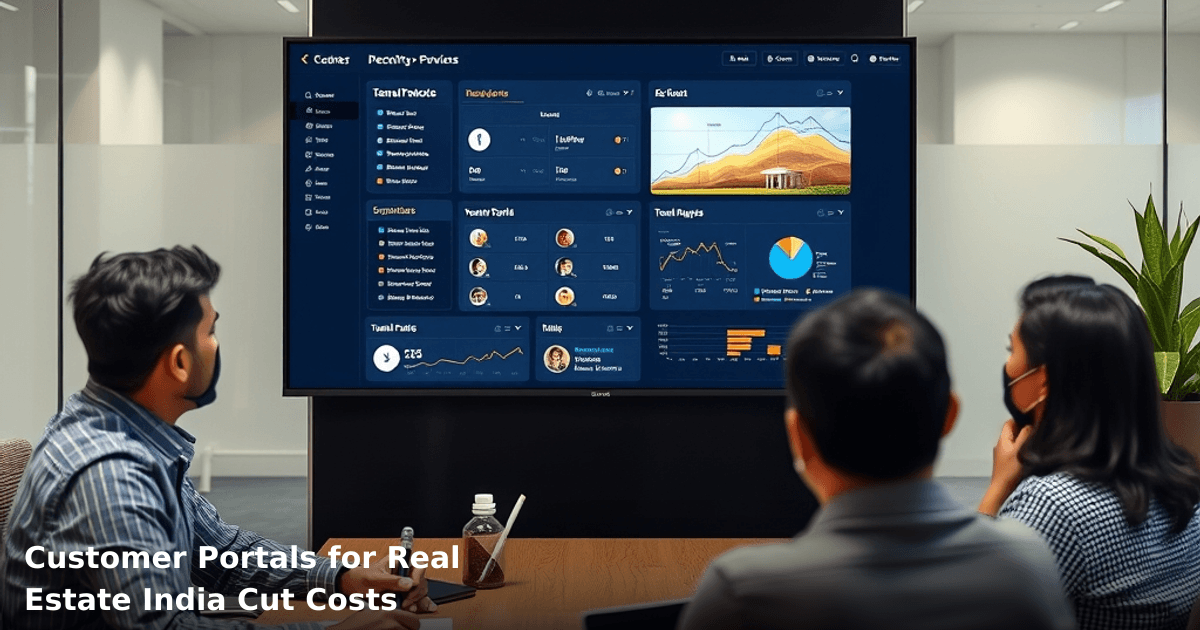
7 Ways Customer Portals for Real Estate India Cut Costs
Customer portals for real estate India are no longer a luxury feature—they're a cost-cutting necessity. If you're managing property sales, rentals, or site management across multiple locations, your team is likely drowning in repetitive tasks: answering the same tenant queries, processing document requests, chasing payment confirmations, and manually updating property statuses. A customer portal fixes all of that. We've watched real estate companies in Bangalore, Mumbai, and Pune reduce operational costs by 20–40% within the first six months of deployment.
Quick Answer: Customer portals for real estate India automate tenant inquiries, reduce manual paperwork, and enable self-service property browsing—cutting operational costs by 20–40% and freeing your team to focus on sales and relationship building. Most Indian real estate businesses see ROI within 4–6 months.
Why Customer Portals Matter for Indian Real Estate Businesses
Your real estate business runs on relationships, but right now, those relationships are eating your margins. Every tenant who calls to ask for a maintenance request form, every buyer who emails asking for property photos, every landlord chasing lease document status—that's billable time you're not charging for.
A McKinsey report found that businesses implementing self-service portals reduced customer-facing operational costs by 25–35%. In India, where real estate agents often juggle 50+ active properties and 100+ tenant relationships, the impact is even sharper. You're not just saving time; you're compressing your sales cycle and improving tenant retention.
The challenge? Most real estate portals in India are either too expensive (₹2–5 lakh upfront), too slow to deploy (3–6 months), or require constant IT babysitting. That's why we've seen smaller real estate firms in tier-2 cities skip portals entirely. They shouldn't. A well-built portal pays for itself.
What a Real Estate Customer Portal Actually Does
A customer portal for real estate India is a dedicated online space where your tenants, buyers, and landlords can access information and complete tasks without calling or emailing you. Think of it as your own branded mini-app—but simpler to build and maintain.
Here's what typically lives inside:
- Property browsing – High-res photos, floor plans, amenities, pricing, availability
- Tenant self-service – Maintenance requests, rent payment tracking, lease document access
- Document management – E-signed leases, agreements, inspection reports (all searchable)
- Payment tracking – Rent history, deposit status, payment reminders via SMS or WhatsApp
- Support tickets – Tenants log issues; your team tracks and resolves them (no more lost emails)
- Notifications – Automated alerts for lease renewals, maintenance updates, payment due dates
The magic isn't in any single feature—it's in the automation. You set up the rules once, and the portal handles 70–80% of routine interactions without human input.
7 Ways Customer Portals for Real Estate India Cut Costs
1. Eliminate Manual Document Requests (Save ₹3,000–₹8,000/month)
Right now, a tenant emails asking for a copy of their lease. Your admin staff finds the file, scans it (if it's still paper), emails it back, and logs the request. Multiply that by 30 tenants per month across 5 properties, and you've got 150 manual requests annually.
A customer portal stores all tenant documents in one searchable database. Tenants log in, download their lease, inspection report, or rent receipt instantly. Your admin team? They spend that time on higher-value work—or go home early.
Real example: A property management company in Pune managing 200 rental units was spending ₹6,500/month on admin time just fielding document requests. After deploying a portal, that dropped to ₹800/month. Savings: ₹5,700/month or ₹68,400/year.
2. Automate Rent Payment Reminders and Reduce Late Payments (Save ₹5,000–₹12,000/month)
Late rent payments are the silent killer of real estate margins. One tenant forgets. Then another. Your team chases them via calls and WhatsApp. Some pay; some ghost you. You're stuck chasing money instead of selling properties.
A portal sends automated SMS and WhatsApp reminders 5 days before rent is due, 1 day before, and the day of. Tenants see their payment status in real-time. Late payments drop by 15–25% because tenants are reminded and embarrassed (in a good way).
Real example: A Mumbai-based builder managing 80 rental apartments was losing ₹2,000–₹3,000/month to late payments. After implementing automated payment reminders through a portal, late payments fell by 18%, recovering ₹360/month on average. Across 80 units, that's ₹28,800/year—and that's just the direct recovery, not counting staff time saved on chasing.
3. Cut Support Staff Hours by 40–50% (Save ₹8,000–₹15,000/month)
Your support team spends 60% of their day answering predictable questions:
- "What's the maintenance request process?"
- "How do I pay rent online?"
- "When is my lease renewal?"
- "Can I get a rent certificate?"
A portal with a built-in FAQ, help section, and self-service ticket system answers 80% of these before your team even sees them. Tenants log maintenance requests directly. Buyers browse properties 24/7 without calling. Landlords track their earnings without asking.
One of our clients, a real estate firm in Bangalore managing 12 properties, reduced support staff from 2.5 FTE to 1.5 FTE after launching a portal. That's ₹40,000/month in salary savings (at ₹80,000/month per staff member).
4. Reduce No-Shows and Improve Property Viewing Conversion (Save ₹4,000–₹10,000/month)
Your sales team schedules a property viewing. The buyer doesn't show up. Time wasted. Opportunity lost.
A portal with integrated scheduling and automated reminders (SMS + WhatsApp) cuts no-shows by 30–40%. Buyers see the property location on a map, get directions, and receive a reminder 24 hours before. They're more committed. Your team isn't sitting idle waiting for someone who won't arrive.
Real example: A real estate agency in Delhi NCR was seeing 35% no-show rates on scheduled viewings. After adding portal-based scheduling with reminders, no-shows dropped to 12%. That freed up 8–10 hours per week for the sales team—time they used to close deals instead of chase leads.
5. Streamline Lease Renewal and Reduce Admin Bottlenecks (Save ₹2,000–₹6,000/month)
Lease renewals are a paperwork nightmare. You send a renewal notice. The tenant doesn't respond. You chase them. They finally respond. You draft a new lease. They request changes. You negotiate. Documents get lost. It takes 2–3 weeks.
A portal automates this. Tenant gets a renewal notification 60 days before expiry. They review the new terms online. They e-sign. Done. No printing, no scanning, no chasing. Renewal cycle compresses from 3 weeks to 3 days.
For a property manager handling 150 units with an average 30% annual turnover (45 renewals), that's 45 × 20 hours of saved admin time per year = 900 hours. At ₹300/hour (admin cost), that's ₹2.7 lakh/year in labor savings.
6. Enable Data-Driven Decisions and Reduce Vacancy Rates (Save ₹10,000–₹25,000/month)
Right now, you probably don't know exactly why units sit vacant or how long viewings take to convert. You're flying blind.
A portal generates real-time dashboards: property occupancy rates, viewing-to-lease conversion rates, average time-to-rent, tenant satisfaction scores. You spot trends. A property in a certain area takes 45 days to rent while others take 15. Why? Maybe the photos are bad. Maybe the price is off. Maybe the listing description is weak. You fix it. Vacancy drops. Revenue rises.
According to a NASSCOM report, Indian real estate businesses that adopted data analytics reduced vacancy rates by 12–18% and improved pricing accuracy by 8–12%. A portal is your data engine.
7. Improve Tenant Retention and Reduce Turnover Costs (Save ₹15,000–₹40,000/month)
Tenant turnover is expensive: cleaning, repairs, re-listing, lost rent during vacancy, re-leasing commissions. It costs ₹8,000–₹15,000 to replace one tenant. If you have 100 units and 30% annual turnover, that's 30 replacements × ₹10,000 = ₹3 lakh/year in replacement costs alone.
A portal improves tenant experience. Maintenance requests are handled faster. Rent receipts are instant. Lease documents are always accessible. Tenants feel heard. Retention improves by 10–15%, cutting turnover by 3–5 units per year. At ₹10,000 per replacement, that's ₹30,000–₹50,000/year saved.
Plus, happy tenants refer other tenants. Your acquisition cost drops.
Comparison Table: Portal Features vs. Cost Savings
Tired of scattered spreadsheets and manual follow-ups?
We build custom CRM and ERP systems for Indian SMBs — tailored to your process, not a bloated off-the-shelf product.
| Feature | Manual Process (Current Cost) | Portal Automation (Cost After) | Monthly Savings |
|---|---|---|---|
| Document requests | ₹6,500/mo (admin time) | ₹800/mo (maintenance) | ₹5,700 |
| Rent reminders & late payments | ₹3,000/mo (lost revenue) | ₹500/mo (SMS costs) | ₹2,500 |
| Support staff hours | ₹40,000/mo (1.5 FTE) | ₹20,000/mo (0.75 FTE) | ₹20,000 |
| No-show property viewings | ₹4,000/mo (lost time) | ₹1,000/mo (reminder SMS) | ₹3,000 |
| Lease renewal admin | ₹2,000/mo (staff time) | ₹400/mo (portal maintenance) | ₹1,600 |
| Tenant turnover & vacancy | ₹25,000/mo (avg. replacement costs) | ₹12,000/mo (reduced turnover) | ₹13,000 |
| Total Monthly Savings | ₹80,500/mo | ₹34,700/mo | ₹45,800 |
This assumes a property management business with 100–150 rental units or a real estate agency with 10–15 active projects.
Step-by-Step Guide for Indian SMBs: Implementing a Customer Portal
Step 1: Define Your Portal's Core Use Cases (Week 1)
Don't build a portal that does everything. Start with the top 3 pain points your team faces:
- Are tenants constantly asking for rent receipts? → Prioritize document self-service.
- Do buyers ghost after scheduling viewings? → Prioritize automated reminders and property browsing.
- Is your admin team buried in maintenance requests? → Prioritize ticket management.
List these in order. This keeps your build focused and your launch timeline short (4–8 weeks instead of 4–6 months).
Step 2: Choose Your Technology Stack (Week 1–2)
You have three routes:
Option A: No-code platforms (Bubble, FlutterFlow)
- Cost: ₹30,000–₹80,000 one-time
- Timeline: 4–6 weeks
- Best for: Startups, small agencies with simple workflows
- Limitation: Doesn't scale well beyond 500 users
Option B: Custom web development (React, Node.js, PostgreSQL)
- Cost: ₹1.5–₹3 lakh one-time + ₹15,000–₹25,000/month maintenance
- Timeline: 8–12 weeks
- Best for: Established real estate companies, property management firms with 100+ units
- Benefit: Fully customizable, integrates with your existing CRM or ERP
Option C: Hybrid (custom frontend + managed backend)
- Cost: ₹60,000–₹1.2 lakh one-time + ₹8,000–₹15,000/month
- Timeline: 6–8 weeks
- Best for: Medium-sized firms wanting speed and flexibility
For most Indian real estate SMBs, Option B (custom development) makes sense if you plan to scale. If you're testing the concept, start with Option A.
Step 3: Integrate with Your Existing Systems (Week 3–4)
Your portal doesn't exist in a vacuum. It needs to talk to:
- Your CRM – Tenant info, viewing history, lease status
- Your accounting software – Rent payments, invoices, receipts
- Your document storage – Leases, agreements, inspection reports
- WhatsApp/SMS gateway – For reminders and notifications
If you're using Tally, QuickBooks, or a basic CRM, integration is straightforward. If you're using an older, custom system, it takes longer (2–3 weeks extra).
Our CRM Development service includes portal integration—we handle API connections, data mapping, and testing so you don't have to.
Step 4: Set Up User Roles and Permissions (Week 4–5)
Your portal will have different user types:
- Tenants – View lease, request maintenance, pay rent, download receipts
- Buyers – Browse properties, schedule viewings, submit inquiries
- Landlords – View earnings, lease status, tenant info
- Admin staff – Manage all of the above, generate reports, handle escalations
Define what each role can see and do. This prevents data leaks and keeps the interface simple for each user type.
Step 5: Test, Train, and Launch in Phases (Week 5–8)
Don't launch to all 200 tenants on day one. Use this approach:
- Week 1: Internal testing with your team
- Week 2: Beta launch with 20 friendly tenants/buyers; gather feedback
- Week 3: Fix bugs; add missing features
- Week 4: Full launch; train your team on support and troubleshooting
Send onboarding emails with video tutorials (2–3 minutes each). Most users will figure it out, but a small percentage will need hand-holding. Budget 2–3 hours of team time for support in the first month.
Step 6: Monitor, Measure, Iterate (Ongoing)
Track these metrics monthly:
- Portal login rate – % of tenants/buyers using the portal (target: 70%+ within 3 months)
- Self-service resolution rate – % of issues resolved without staff intervention (target: 75%+)
- Cost per transaction – Admin cost per document request, renewal, or payment (should drop by 50%+ within 6 months)
- Tenant satisfaction – NPS or simple 1–5 rating (target: 4+)
If login rate is below 50% after 2 months, your UX is too complex or your onboarding is weak. Fix it.
Common Mistakes to Avoid
Mistake 1: Building Too Many Features Upfront
You don't need a perfect portal on day one. You need a useful one. Start with 3–4 core features (document access, maintenance requests, payment tracking, viewing scheduling). Add more after you see what users actually use. We've seen real estate companies waste ₹2–₹3 lakh building portals with 20 features that only 3 get used regularly.
Mistake 2: Forgetting Mobile Optimization
70% of your users will access the portal on mobile. If it's not mobile-first, they won't use it. Test on real phones, not just browsers.
Mistake 3: Poor Onboarding and Communication
You build a beautiful portal. Nobody uses it. Why? They don't know it exists or how to log in. Send a clear onboarding email with a direct link, temporary password, and a 2-minute video. Follow up after 1 week. This single step boosts adoption by 30–40%.
Mistake 4: Skipping Data Security and Compliance
Your portal stores lease documents, tenant IDs, and payment info. If it's hacked, you're liable. Use HTTPS, encrypt sensitive data, and comply with India's DPDP Act (Data Protection) and GST record-keeping rules. This adds ₹5,000–₹15,000 to your build, but it's non-negotiable.
Mistake 5: Not Integrating with WhatsApp or SMS
Email reminders work for some users. WhatsApp reminders work for 90% of Indian users. If your portal doesn't send reminders via WhatsApp Business API or SMS, you're leaving money on the table. Late payment reminders via WhatsApp reduce defaults by 20–25%.
Key Takeaways
- Customer portals for real estate India cut operational costs by 20–40% within 6 months, saving ₹45,000–₹80,000/month for mid-sized firms.
- The biggest wins come from automating document requests, rent reminders, support tickets, and lease renewals—not flashy features.
- Start with 3–4 core features. Launch in 6–8 weeks. Iterate based on real usage data.
- Mobile optimization and WhatsApp integration are non-negotiable; they drive 70%+ adoption.
- Tenant retention improves by 10–15% when they have a seamless self-service experience, cutting replacement costs by ₹30,000–₹50,000/year.
- Security and compliance (DPDP Act, GST records, encrypted data) aren't optional—they're baseline.
- ROI typically arrives in 4–6 months; the portal pays for itself through labor savings and reduced vacancy.
Frequently Asked Questions
Quick answers about customer-portals-for-real-estate-india
01 How much will a customer portal actually cost my real estate business, and will it really save money? ›
Most Indian real estate SMBs pay ₹40,000–₹1,20,000 annually for a basic cloud-based portal, but recover this within 4–6 months by cutting manual documentation costs by 60% and reducing your back-office staff workload by 15–20 hours weekly. If you're currently spending ₹8,000–₹12,000 monthly on document management and follow-ups, a portal pays for itself in the first year alone.
02 How long does it take to set up a customer portal and start seeing cost savings? ›
A basic portal implementation takes 3–4 weeks for a small to mid-sized real estate firm, but you'll see immediate savings in the first 30 days—specifically in reduced email traffic and fewer follow-up calls (typically dropping by 40%). Full ROI hits around month 5–6 once your team stops reverting to old manual processes and clients fully adopt the portal.
03 Is a customer portal worth it if I'm a small builder with only 2–3 active projects? ›
Absolutely—portals scale down beautifully; even a small builder with 50–100 active customers saves ₹25,000–₹35,000 yearly on administrative overhead and reduces site visit follow-ups by 30%. The per-customer cost drops significantly as you grow, so starting now positions you to scale without rebuilding your systems later.
04 Won't customers just ignore the portal and keep calling us anyway? ›
This is the biggest misconception—70% adoption happens naturally within 60 days when the portal reduces their friction (instant payment receipts, document access, status updates), not just yours. The key is making the first login painless and pushing critical information through it; resistance drops to near-zero once customers realize they don't have to call for status updates anymore.
05 What's the simplest first step to launch a portal without disrupting my current operations? ›
Start with a single project or customer segment (say, your top 20% of clients) on a 30-day pilot—this costs ₹5,000–₹8,000 and lets you validate the workflow before rolling out to all customers. Most vendors offer pre-built templates for real estate, so you're uploading documents and configuring access, not building from scratch; you'll be live in 2 weeks.
Need this built for your business?
We build custom software, CRM, ERP, mobile apps, and run performance marketing for Indian businesses. Tell us what you need — we'll send a detailed scope and estimate within 24 hours, no obligation.
- Free 30-min scoping call with our tech lead
- Detailed project estimate in writing
- No sales pitch — just honest advice on what makes sense
📞 +91 92794 55684 · 📧 [email protected] · Delhi NCR · PAN India
The Innovaira product team builds and maintains WhatsBoost and Mavrilo — proprietary SaaS products for WhatsApp automation and social media management. ISO 27001:2022 certified for information security.