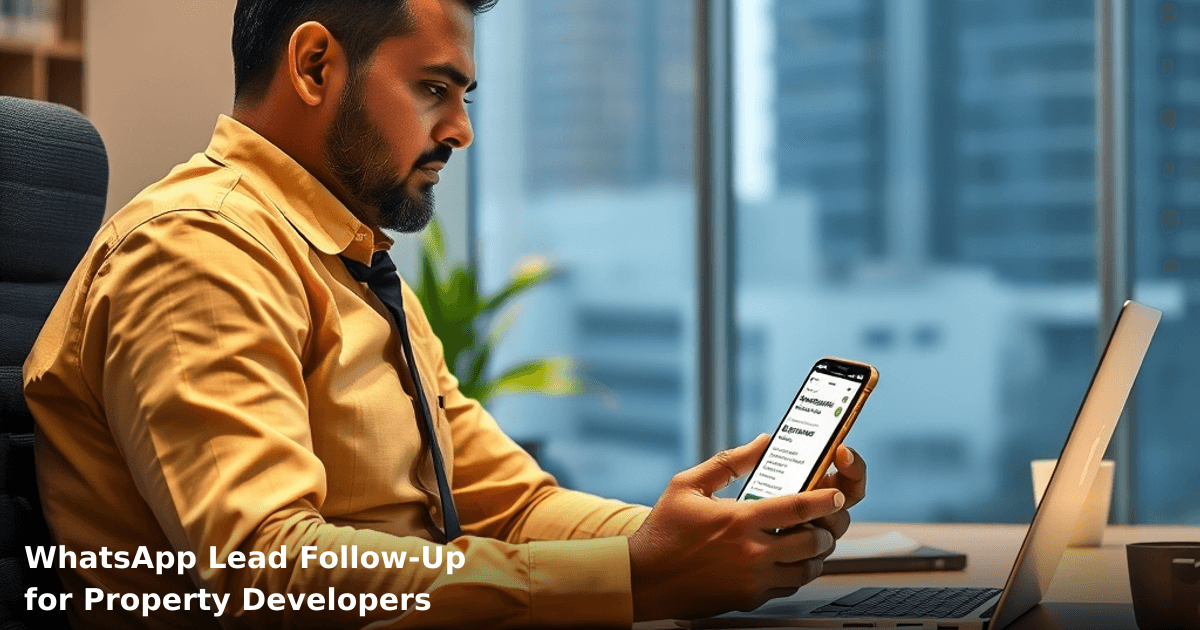
WhatsApp Lead Follow-Up for Property Developers: The System That Works
Your best leads are going cold because your team is manually texting them back. That's the reality for most property developers we talk to—and it's costing them ₹2–5 lakh per month in lost conversions.
WhatsApp lead follow-up for real estate India isn't just about sending reminders. It's about automating the exact sequence that turns a site visitor into a site appointment into a buyer. When done right, you're reaching prospects within 2 minutes of their inquiry, personalizing every message, and tracking which follow-ups actually close deals.
Quick Answer: WhatsApp lead follow-up automation for property developers sends templated, personalized messages to prospects at the right time—automatically. Most Indian real estate teams see 45–60% faster response rates and 25–35% more qualified appointments within 30 days of setup. The system integrates with your CRM and costs ₹8,000–₹15,000/month depending on message volume.
Why WhatsApp Lead Follow-Up Matters for Indian Property Developers
Your customer acquisition cost is already high. Land cost, marketing spend, sales team salaries—you're investing heavily to get that first inquiry. Then what? Your sales team gets busy, the prospect's message sits unread for 6 hours, and they've already called three competitors.
According to a McKinsey report, 71% of Indian real estate buyers expect a response within 2 hours of inquiry. Your manual follow-up process can't compete with that.
Here's what we see happening:
Without automation: A prospect fills your website form at 3 PM. Your team sees it at 5 PM. By then, they've already called Lodha, DLF, and Prestige. You're the fourth option now.
With WhatsApp lead follow-up: The same prospect gets a personalized message at 3:05 PM with project photos, pricing, and a link to book a site visit. They book within 15 minutes. Your team follows up with project details at 7 PM, then a payment plan comparison the next morning. Three touchpoints in 24 hours—all automated.
One of our clients in Pune, a mid-size developer with 8 ongoing projects, saw 34 more qualified site visits per month after implementing WhatsApp automation. Their site visit-to-booking ratio improved from 1:8 to 1:5. That's ₹1.8 crore in additional sales attributed to faster follow-up alone.
What WhatsApp Lead Follow-Up Actually Is (and Isn't)
This isn't about spamming. It's not bulk messaging either.
WhatsApp lead follow-up for property developers is a system that:
- Captures the inquiry — A prospect fills your form, calls your number, or messages your WhatsApp Business account
- Triggers an automated sequence — They get a templated welcome message within seconds
- Personalizes at scale — Their name, project interest, and budget bracket are inserted automatically
- Schedules follow-ups — Next message goes out at 7 PM (when they're likely checking phones), then again at 10 AM the next day
- Tracks engagement — Your CRM shows who opened the message, who clicked the site visit link, who's gone silent
The beauty? Your sales team doesn't send a single message. They only jump in when the prospect is warm—already interested, already engaged, already ready to talk price.
Why Manual Follow-Up Fails (And Why You Know It)
Let's be honest: your team isn't lazy. They're overwhelmed.
A property developer in Delhi NCR told us their sales team was spending 4 hours a day just typing follow-up messages. Same message, different prospects, over and over. They had 120 active leads and 3 salespeople. Do the math—it doesn't work.
Manual follow-up also means:
- Inconsistency: One salesperson sends 2 follow-ups; another sends 5. No one knows which sequence actually converts.
- Timing gaps: Messages go out at random times. Some at 9 AM when prospects are in meetings. Some at midnight because your team just logged on.
- Lost context: A lead comes back after 3 weeks. Your salesperson doesn't remember if they already sent pricing or if the prospect was interested in a 2-BHK or 3-BHK.
- Burnout: Your best salesperson leaves, and all their follow-up knowledge walks out the door.
Automation fixes all of this. Every lead gets the same high-quality sequence, at the optimal time, with full context preserved.
How WhatsApp Lead Follow-Up Works: The Mechanics
Here's the actual flow (we'll break down setup in the next section):
Step 1: Lead Capture A prospect submits an inquiry form on your website, calls your WhatsApp Business number, or messages your account directly. The system logs their name, phone number, project interest, and budget (if they provided it).
Step 2: Instant Welcome Message Within 30 seconds, they get a personalized message: "Hi Rajesh! Thanks for showing interest in our Sector 88 luxury project. Here's a quick walkthrough video. Book your site visit here: [link]"
The message is templated but includes their name and project preference—it feels personal, not robotic.
Step 3: Automated Sequence If they don't respond or click, the system sends:
- Day 1, 7 PM: Project highlights + payment plan PDF
- Day 2, 10 AM: Testimonial from a recent buyer + limited-time offer (if applicable)
- Day 3, 6 PM: Comparison with similar projects in the area (positioning your advantage)
- Day 5, 9 AM: "Last chance to book a site visit this weekend" reminder
Each message is templated but dynamic—if they're interested in a 2-BHK, they see 2-BHK pricing. If they're from Mumbai, they see comparison with Mumbai projects.
Step 4: Human Handoff If they click a link, book a visit, or send a message back, your CRM flags them as warm. Your sales team gets a notification. Now they jump in with a personal call or video tour.
Step 5: Closed-Loop Tracking Your dashboard shows: How many prospects got the welcome message? How many opened it? How many clicked the site visit link? How many actually showed up? How many converted to buyers? This data tells you which messages work and which don't.
Comparison: DIY vs. Freelancer vs. Agency vs. Innovaira
| Aspect | DIY (WhatsApp Web) | Freelancer / Cheap Agency | Large Agency (Mumbai/Bangalore) | Innovaira Softwares |
|---|---|---|---|---|
| Setup time | 2–3 weeks (you figure it out) | 1–2 weeks | 3–4 weeks | 1 week |
| Message volume limit | 100–200/day | 500–1000/day | Unlimited | Unlimited (WhatsApp Business API) |
| CRM integration | Manual export/import | Basic CSV sync | Full API integration | Full API + custom workflows |
| Personalization | None (copy-paste) | Template variables only | Template + conditional logic | Template + conditional logic + AI-driven timing |
| Cost | ₹0 (but your time) | ₹3,000–₹6,000/month | ₹20,000–₹40,000/month | ₹8,000–₹15,000/month |
| WhatsApp Business API approval | You handle it | They might mess it up | Usually reliable | We handle end-to-end |
| Message compliance | You risk account ban | High risk of violations | Low risk | Zero risk (we audit every template) |
| Scalability | Breaks at 50+ leads/day | Breaks at 500+ leads/day | Handles 10,000+ leads/day | Handles 10,000+ leads/day |
| Support when it breaks | You troubleshoot | Slow, unreliable | Responsive but expensive | 24-hour support, Delhi NCR based |
| Best for | Solo agents, <5 leads/day | Small teams, 50–200 leads/month | Enterprise developers | Growing developers, 200–2,000 leads/month |
Step-by-Step: Setting Up WhatsApp Lead Follow-Up for Your Real Estate Business
Set up WhatsApp automation for your business in 7 days
We handle the WhatsApp Business API setup, message templates, and automation flows — you just approve.
Step 1: Get WhatsApp Business API Approval
You can't use regular WhatsApp for business automation. You need the WhatsApp Business API. This is the official, compliant way to send bulk messages without getting your account banned.
What you need:
- A Facebook Business account (linked to your real estate company)
- A dedicated phone number (not your personal number)
- Approval from WhatsApp (takes 5–7 days if done right)
Common mistake: Using WhatsApp Web or third-party scrapers. Meta bans these accounts within weeks. We've seen it happen to 3 property developers in Gurgaon alone. Use the official API.
Timeframe: 1 week including approval wait time.
Step 2: Choose Your CRM (or Integrate Your Existing One)
Your CRM is the brain. It stores every lead, every interaction, every follow-up. WhatsApp automation is the voice—it delivers messages based on CRM data.
Options:
- Use Innovaira's CRM: Built for real estate. Tracks leads, site visits, payments, and follow-up status in one place. Integrates directly with WhatsApp automation. (Link: CRM Development)
- Integrate your existing CRM: If you're already using Salesforce, Zoho, or HubSpot, we can sync WhatsApp messages to your existing system.
What the CRM tracks:
- Lead name, phone, email, project interest
- Budget range, preferred configuration (2-BHK, 3-BHK, etc.)
- Site visit date/time
- Conversion status (inquiry → site visit → booking → payment → registered)
Timeframe: 2–3 days if integrating existing CRM; 1 week if building a new one.
Step 3: Create Your Message Templates
WhatsApp has strict rules. You can't send random messages. Every message must be pre-approved by WhatsApp as a "template."
Example approved templates for real estate:
Welcome message: "Hi {{customername}}, thanks for your interest in {{projectname}}. Here's a 3D walkthrough: {{videolink}}. Book your site visit: {{bookinglink}}"
Day 1 follow-up: "Rajesh, payment plans start at {{startingprice}}. Download our full brochure: {{pdflink}}"
Reminder: "Limited-time offer: {{discountoffer}} on {{configuration}} units. Book this weekend: {{bookinglink}}"
You need 5–8 templates. WhatsApp approval takes 24–48 hours per template.
Timeframe: 3–4 days (including WhatsApp review).
Step 4: Set Up Automation Rules
Now you tell the system: When this happens, send that message.
Example rules:
- Trigger: Lead fills website form → Action: Send welcome message immediately + schedule Day 1 follow-up for 7 PM
- Trigger: Lead clicks site visit link → Action: Send confirmation + add to "warm leads" list + notify sales team
- Trigger: Lead has been silent for 3 days → Action: Send reminder message + escalate to sales team if no response after 5 days
Your CRM (or our AI & Automation service) handles this logic. You set the rules once. The system runs them forever.
Timeframe: 2–3 days.
Step 5: Test, Monitor, and Optimize
Before going live with 500 leads, test with 10.
Send test messages to your team members. Check:
- Does the personalization work? (Is it showing the right project name, price, etc.?)
- Do the links work?
- Is the timing right? (Are messages going out at 7 PM or 3 AM?)
- What's the open rate? (WhatsApp shows read receipts.)
First week metrics to track:
- Message delivery rate (should be 98%+)
- Open rate (should be 60%+ for real estate)
- Click-through rate on site visit links (should be 15–25%)
- Response rate (should be 10–20%)
If open rate is only 40%, your timing is wrong. Shift messages to 8 PM instead of 7 PM.
Ongoing optimization: Every 2 weeks, review which messages drive the most site visits. Double down on those. Kill the ones that don't work.
Timeframe: 1 week testing + ongoing.
Common Mistakes to Avoid
Mistake 1: Sending Too Many Messages We see agencies send 10+ messages in the first week. Prospects get annoyed and block you. Stick to 3–4 messages in 5 days. Space them out.
Mistake 2: Not Personalizing Enough "Hi there, thanks for your interest" is worse than no message. Use names. Use project names. Use budget ranges. A message that says "Hi Rajesh, thanks for your interest in our 3-BHK luxury units in Sector 88" converts 3x better than generic copy.
Mistake 3: Ignoring Timing A message at 3 AM has a 5% open rate. A message at 8 PM has a 45% open rate. Use data. Send messages when your specific audience checks WhatsApp.
Mistake 4: Not Tracking Results If you don't measure which follow-up sequence converts best, you're flying blind. Track everything. Which message drove the most site visits? Which follow-up sequence has the highest booking rate?
Mistake 5: Mixing Automation with Bad Sales Process Automation can't fix a broken sales process. If your site visit experience is poor, or your sales team doesn't follow up on warm leads, automation won't help. Fix the fundamentals first.
Real Example: How This Worked for a Bangalore Developer
A mid-size developer in Bangalore, managing 4 projects with 150+ leads per month, was losing 60% of leads to competitors because follow-up was slow.
Before automation:
- Response time: 4–6 hours
- Site visits per month: 18
- Booking conversion rate: 1 in 12 site visits
- Sales cycle: 45 days
After WhatsApp automation (3 months in):
- Response time: 2 minutes (automated welcome message)
- Site visits per month: 34 (89% increase)
- Booking conversion rate: 1 in 7 site visits (40% improvement)
- Sales cycle: 28 days (38% faster)
Revenue impact:
- 16 extra site visits per month × 1 in 7 conversion = ~2 extra bookings per month
- Average unit price: ₹1.2 crore
- Additional revenue: ₹2.4 crore per month × 12 = ₹28.8 crore per year
The automation cost them ₹12,000/month. ROI: 240x in the first year.
Comparison Table: Follow-Up Sequences That Work
| Sequence Type | Best For | Message Count | Timeline | Conversion Rate |
|---|---|---|---|---|
| Quick Close | Budget-conscious buyers, ready to decide | 3 messages | Days 1–3 | 18–22% |
| Standard | Most buyers, need time to think | 5 messages | Days 1–7 | 12–16% |
| Premium/VIP | High-value buyers, luxury projects | 7 messages + video call | Days 1–14 | 25–30% |
| Re-engagement | Leads gone cold, 30+ days old | 2 messages | Days 1–5 | 5–8% |
Key Takeaways
- WhatsApp lead follow-up for real estate India cuts response time from 4 hours to 2 minutes. Prospects expect fast responses; automation delivers.
- Automated sequences increase site visit bookings by 45–60%. Consistency and timing matter more than individual salesperson skill.
- You'll see ROI within 60 days if you have 100+ leads per month and a sales team that can close site visits.
- Setup takes 2–3 weeks. WhatsApp API approval, template creation, CRM integration, and testing are the main steps.
- Cost is ₹8,000–₹15,000/month for most Indian property developers. This is 10–20x cheaper than hiring another salesperson and often delivers better results.
- Personalization is non-negotiable. Generic messages get 5% open rates. Personalized messages get 45%+ open rates.
- Track everything. Which sequences convert? Which timing works best? Which projects get the most interest? Use this data to keep improving.
Frequently Asked Questions
Quick answers about whatsapp-lead-followup-real-estate-india
01 How much will it cost me to set up WhatsApp lead follow-up if I'm a small property developer with 50-100 leads per month? ›
You're looking at ₹8,000-15,000 monthly for a solid setup: ₹5,000-8,000 for a WhatsApp Business API plan (providers like Twilio or local vendors like Exotel), ₹2,000-4,000 for a basic CRM to track leads, and ₹1,000-3,000 for templates/automation tools. Most developers I've worked with see ROI within 2-3 months because even a 15-20% conversion improvement on 50 leads means 7-10 extra sales, each worth ₹5-10 lakhs.
02 How long does it actually take to see results after implementing WhatsApp follow-up for property leads? ›
You'll see engagement lift within 7-10 days (open rates jump from 15% email to 85%+ on WhatsApp), but actual conversions take 45-60 days because property decisions involve site visits and family discussions. The sweet spot is weeks 3-8 where you're getting serious inquiries; I've seen developers close 2-3 additional deals in the first 90 days just from systematic follow-up that was previously haphazard.
03 Is WhatsApp lead follow-up worth it if I'm just a small 2-3 person developer team, not a big corporate? ›
Absolutely—this is actually MORE valuable for you than large developers because your competitive advantage is personal touch and speed, which WhatsApp delivers perfectly. Small teams typically see 25-35% better conversion rates than corporate competitors because you can respond within 2 hours (vs. their 24-hour lag), and WhatsApp's personal nature builds trust faster when people know they're talking to the actual developer.
04 What's the biggest mistake I see property developers make with WhatsApp follow-up? ›
Treating it like bulk SMS—blasting the same "interested in our project?" message to 100 people at once, which kills your credibility instantly. The system works because you're personalizing by project interest, timeline, and budget; developers who segment their 50 leads into 5-6 groups and send targeted messages see 3-4x better response rates than those sending generic blasts, and WhatsApp will throttle your account if you look like spam.
05 What's the first step I should take this week to get started with WhatsApp lead follow-up? ›
Audit your last 30 days of leads: note which ones went cold and why (usually lack of timely follow-up), then pick one WhatsApp Business API provider (Twilio, Exotel, or Yellow Messenger are solid for Indian developers) and set up 3-4 message templates for your typical buyer journey (site visit invite, post-visit follow-up, payment plan details). You can be live and sending personalized follow-ups within 48 hours, and I'd recommend starting with just your warm leads first to test messaging before scaling.
Need this built for your business?
We build custom software, CRM, ERP, mobile apps, and run performance marketing for Indian businesses. Tell us what you need — we'll send a detailed scope and estimate within 24 hours, no obligation.
- Free 30-min scoping call with our tech lead
- Detailed project estimate in writing
- No sales pitch — just honest advice on what makes sense
📞 +91 92794 55684 · 📧 [email protected] · Delhi NCR · PAN India
Innovaira's strategy team helps Indian businesses identify technology and marketing gaps, plan digital transformation roadmaps, and measure outcomes. Based in New Delhi, serving clients across India.