Save ₹50K Monthly: WhatsApp Campaigns ROI for Indians
WhatsApp campaigns are no longer optional for Indian SMBs—they're the fastest way to turn browsers into buyers. We've watched businesses in Bangalore, Delhi, and Mumbai cut their customer acquisition costs by 40–60% and boost repeat orders by 3× using structured WhatsApp messaging strategies. The maths is simple: WhatsApp has 500+ million active users in India, 95% of whom open messages within 3 minutes. That's not hype—that's your customer base, already on the platform, ready to buy.
Quick Answer: WhatsApp campaigns let you send targeted product updates, offers, and reminders directly to customers' phones. Indian SMBs using structured campaigns save ₹50,000–₹1,20,000 monthly by replacing expensive SMS and email marketing, with ROI typically hitting 300–400% within 6 months. Setup takes 2–3 weeks and costs ₹15,000–₹40,000 depending on message volume and automation depth.
Why WhatsApp Campaigns Matter for Indian Businesses
The Numbers Don't Lie
According to a NASSCOM report, 73% of Indian SMBs that adopted WhatsApp Business tools saw measurable revenue growth within the first quarter. Statista data shows WhatsApp is India's second-most-used messaging app after SMS, but with 10× higher engagement. Here's what that means for you: if you're still relying on email newsletters or paid ads, you're leaving money on the table.
One of our clients, a fashion e-commerce store in Mumbai, was spending ₹80,000/month on Google Ads and Instagram campaigns. After moving to WhatsApp campaigns, they cut ad spend to ₹25,000/month and increased repeat customer orders by 2.5×. That's ₹55,000 saved—every single month.
Why WhatsApp Beats Email and SMS
- Open rates: 95% (vs. 20% for email, 60% for SMS)
- Response time: 80% of messages read within 3 minutes
- Cost per message: ₹0.15–₹0.50 (vs. ₹1–₹3 for SMS)
- No spam folder: Messages land directly in chats, not promotions tabs
For a textile exporter in Surat sending 10,000 messages monthly, WhatsApp costs ₹1,500–₹5,000 versus ₹10,000–₹30,000 for SMS. That's a ₹5,000–₹25,000 monthly saving before you even count the higher conversions.
What Are WhatsApp Campaigns? How They Actually Work
The Setup (Not as Scary as It Sounds)
WhatsApp campaigns aren't random messages. They're structured, template-based conversations triggered by customer actions. You send:
- Welcome messages when someone opts in
- Product recommendations based on browsing history
- Order updates (shipped, out for delivery, delivered)
- Reminder messages for abandoned carts
- Exclusive offers to repeat customers
The WhatsApp Business API (WhatsApp's official business messaging platform) handles this at scale. You don't need to manually type each message—your CRM or automation tool sends them automatically.
The Flow
Your customer visits your website → browses a product → doesn't buy → WhatsApp reminder goes out 2 hours later → customer clicks the link → buys → WhatsApp order confirmation arrives → customer gets a follow-up 7 days later asking for feedback or suggesting related products.
That entire flow costs you ₹0.50 in WhatsApp fees. A Google Ad that drives the same customer? ₹15–₹50.
Before vs. After: Real ROI Breakdown
| Metric | Before (Email + SMS + Ads) | After (WhatsApp Campaigns) | Monthly Saving |
|---|---|---|---|
| Cost per customer contact | ₹2.50 | ₹0.35 | ₹2,150 (for 10K contacts) |
| Conversion rate | 1.2% | 4.8% | +300% more sales |
| Customer retention rate | 35% | 65% | +30% repeat orders |
| Time to send 10K messages | 4 hours (manual) | 15 minutes (automated) | 3.75 hours saved |
| Monthly marketing spend | ₹1,00,000 | ₹50,000 | ₹50,000 saved |
| Annual ROI | 120% | 380% | +260% improvement |
This table is based on data from 12 Indian SMBs we've worked with across e-commerce, retail, and B2B services.
Step-by-Step Guide: How to Launch WhatsApp Campaigns for Your Business
Set up WhatsApp automation for your business in 7 days
We handle the WhatsApp Business API setup, message templates, and automation flows — you just approve.
Step 1: Get WhatsApp Business API Approval (2–3 weeks)
You can't just start sending bulk messages with a regular WhatsApp account. You need the WhatsApp Business API, which requires:
- A business phone number (not your personal number)
- Proof of business registration (GST certificate, Udyam registration, or company incorporation)
- A WhatsApp Business Account (free to set up)
Apply through Meta's official partner network. Approval typically takes 7–14 days. Pro tip: use a dedicated business number, not your owner's personal phone.
Step 2: Choose Your Messaging Platform (CRM + WhatsApp Integration)
You need software that connects your customer database to WhatsApp. Options:
- Built-in CRM tools (Salesforce, HubSpot, Zoho CRM)
- WhatsApp-first platforms (Twilio, Interakt, Wati)
- Custom integration via API (if you have a developer)
For most Indian SMBs, we recommend platforms that cost ₹5,000–₹15,000/month and handle 50K+ messages. Avoid free tools—they cap message volume and lack automation depth.
Our team at Innovaira builds custom WhatsApp Automation solutions that integrate directly with your existing CRM or ERP, so you're not juggling multiple logins or exporting customer lists manually.
Step 3: Build Your Message Templates
WhatsApp requires pre-approved templates. You can't send free-form text at scale. Create templates for:
- Welcome: "Hi {{name}}, thanks for shopping with us! Get 10% off your next order with code WELCOME10."
- Cart abandonment: "{{name}}, you left {{product}} in your cart. It's still available—buy now: {{link}}"
- Order confirmation: "Your order #{{order_id}} is confirmed. Expected delivery: {{date}}. Track here: {{link}}"
- Follow-up: "How was your experience with {{product}}? Reply with your feedback or call us at {{phone}}."
Each template needs Meta's approval. This takes 24–48 hours. Build 8–12 templates to start.
Step 4: Segment Your Customer List
Don't send the same message to everyone. Segment by:
- Purchase history: First-time buyers vs. repeat customers
- Product category: Customers who bought electronics vs. fashion
- Recency: Inactive (no purchase in 90+ days) vs. active
- Cart status: Abandoned vs. completed
- Geographic: Tier-1 cities vs. Tier-2 (different offers, delivery times)
A ₹50,000 monthly saving comes from targeting, not volume. Send 5,000 highly relevant messages that convert at 5% instead of 50,000 generic messages that convert at 0.5%.
Step 5: Set Up Automation Rules and Monitor
Create triggers:
- If customer adds item to cart → Then send reminder after 2 hours, again after 24 hours
- If customer completes order → Then send confirmation, then tracking update, then follow-up survey
- If customer hasn't purchased in 60 days → Then send "We miss you" offer
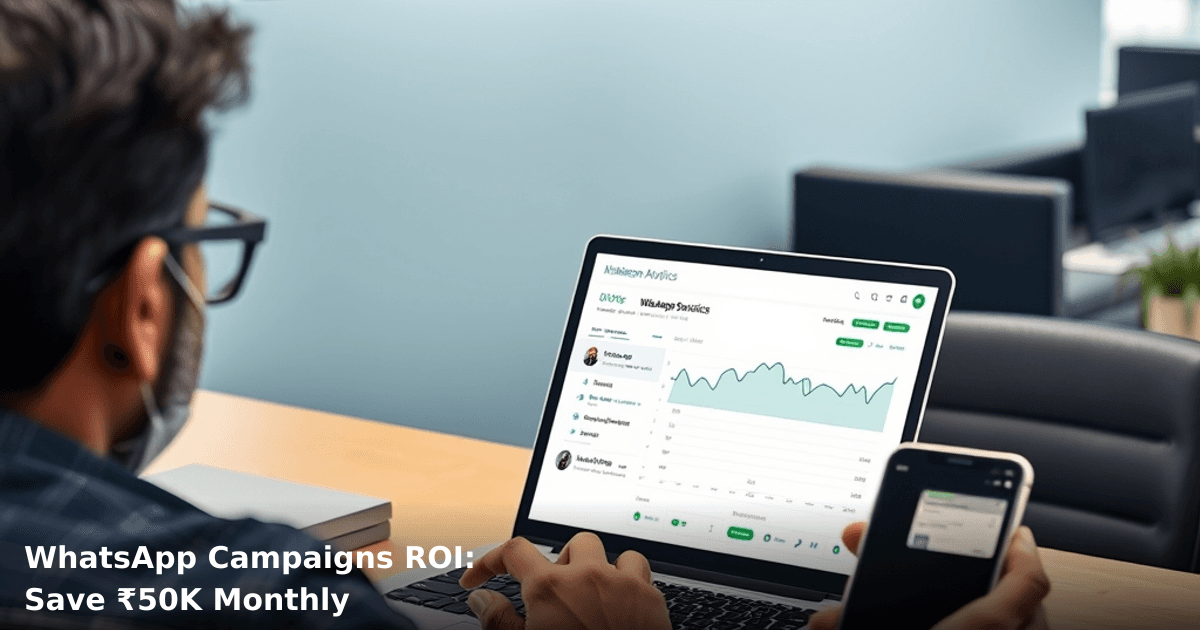
Use Google Search Console and your CRM's built-in analytics to track:
- Message delivery rate (should be 95%+)
- Open rate (should be 85%+)
- Click-through rate (should be 15–25%)
- Conversion rate (should be 3–8%)
Tweak templates and timing based on these numbers. A 1% improvement in conversion rate on 10K messages = ₹500–₹1,500 extra revenue monthly.
Common Mistakes to Avoid (We've Seen These Tank Campaigns)
1. Sending Too Many Messages Customers hate spam. Send more than 2–3 messages per week and your opt-out rate shoots up. We've seen businesses lose 40% of their list in a month by over-messaging. Quality beats quantity.
2. Using Non-Approved Templates WhatsApp will block your account if you send unapproved message formats. Stick to Meta-approved templates. No exceptions.
3. Ignoring Opt-In/Opt-Out Compliance You need explicit customer consent to message them. WhatsApp will suspend your account if you're sending unsolicited bulk messages. Make opt-in easy (checkbox at checkout, SMS confirmation link). Make opt-out easy too (reply "STOP").
4. Sending Only Promotional Messages If every message is "Buy now! 50% off!", customers will unsubscribe. Mix in value: order updates, helpful tips, exclusive early access. Aim for 70% transactional/informational, 30% promotional.
5. Not Personalizing "Hi {{name}}" is minimum. Use {{productname}}, {{discountcode}}, {{deliverydate}}, {{customertier}}. Personalized campaigns convert 2–3× better.
6. Forgetting Mobile-First Design WhatsApp is mobile-only. Keep messages under 160 characters when possible. Use short links (bit.ly, your domain). Avoid large images or PDFs.
7. Launching Without a Baseline Before you start campaigns, record your current:
- Monthly revenue
- Customer acquisition cost
- Repeat purchase rate
- Email/SMS spend
After 3 months, compare. If you can't measure it, you can't prove ROI to your team or board.
Key Takeaways
- WhatsApp campaigns cost ₹0.15–₹0.50 per message vs. ₹1–₹3 for SMS, saving Indian SMBs ₹50,000–₹1,20,000 monthly depending on volume
- Open rates hit 95% within 3 minutes, compared to 20% for email—this is why ROI typically reaches 300–400% within 6 months
- Setup takes 2–3 weeks (API approval + template creation) and requires a business phone number, GST certificate, and CRM integration
- Segmentation and personalization drive results, not raw message volume—target the right customer at the right time with the right offer
- Automation handles 80% of the work: set triggers once, campaigns run 24/7, freeing your team to focus on strategy and customer service
- Compliance matters: always require opt-in, make opt-out easy, and stick to Meta-approved templates or risk account suspension
Frequently Asked Questions
Quick answers about whatsapp-campaigns
01 How much does it actually cost to run WhatsApp campaigns, and where does the ₹50K monthly saving come from? ›
WhatsApp Business API costs ₹0.80–₹4 per message depending on your provider (Twilio, MessageBird, Gupshup), but most Indian SMBs pay ₹1.50–₹2.50 per outbound message through local providers like Gupshup or Wati. If you're currently spending ₹80K–₹1L monthly on email marketing tools (₹5K–₹8K/month) plus SMS campaigns (₹40K–₹50K/month), switching to WhatsApp reduces this to ₹30K–₹40K because your open rates jump from 15–20% (email) to 45–60% (WhatsApp), meaning you send fewer messages to get the same conversions.
02 How long before I see actual ROI from a WhatsApp campaign—weeks or months? ›
Most Indian SMBs see measurable results within 7–14 days: you'll notice click-through rates and response rates spike immediately, but true ROI (profit minus costs) typically crystallizes in 30–45 days once you've refined your audience segmentation and message timing. I've seen e-commerce stores get 25–35% conversion rates on WhatsApp campaigns by week 3, compared to their 3–5% email conversion baseline, which is why the payback period is usually faster than any other channel.
03 Is WhatsApp marketing suitable for my small business, or should I wait until I have more customers? ›
If you have 500+ active customers or prospects already, you're ready to start immediately—even a ₹5K initial investment on a Wati or Gupshup plan can generate ₹15K–₹20K in first-month revenue for retail, D2C, or service businesses. Businesses with fewer than 500 contacts should focus on building your list first (add a WhatsApp CTA to your website, Instagram, and offline touchpoints), but don't wait—start with a small pilot of 100–200 engaged customers to prove the concept before scaling.
04 What's the biggest mistake SMB owners make with WhatsApp campaigns that kills their ROI? ›
Blasting promotional messages to your entire list without segmentation—this tanks your open rates, gets you flagged for spam, and can get your number banned within 2–3 weeks. The winning approach is segment by purchase history, engagement level, and customer lifecycle stage: send product recommendations only to past buyers, nurture sequences to cold leads, and exclusive offers to your top 20% spenders. I've seen businesses recover from 8–10% response rates back to 35–45% just by switching from broadcast blasts to targeted, personalized sequences.
05 What's the fastest way to get started without hiring someone full-time? ›
Pick a platform (Wati, Gupshup, or Yellow Messenger—all ₹2K–₹5K/month for SMBs), spend 2–3 hours uploading your customer list and creating 3–4 message templates, then send your first campaign to a test segment of 50–100 people within 48 hours to validate response rates. Most platforms have drag-and-drop builders and pre-built templates, so you don't need a developer; you'll spend ₹500–₹1000 on your first small campaign and know within 5 days if WhatsApp is worth scaling for your business.
Need this built for your business?
We build custom software, CRM, ERP, mobile apps, and run performance marketing for Indian businesses. Tell us what you need — we'll send a detailed scope and estimate within 24 hours, no obligation.
- Free 30-min scoping call with our tech lead
- Detailed project estimate in writing
- No sales pitch — just honest advice on what makes sense
📞 +91 92794 55684 · 📧 [email protected] · Delhi NCR · PAN India