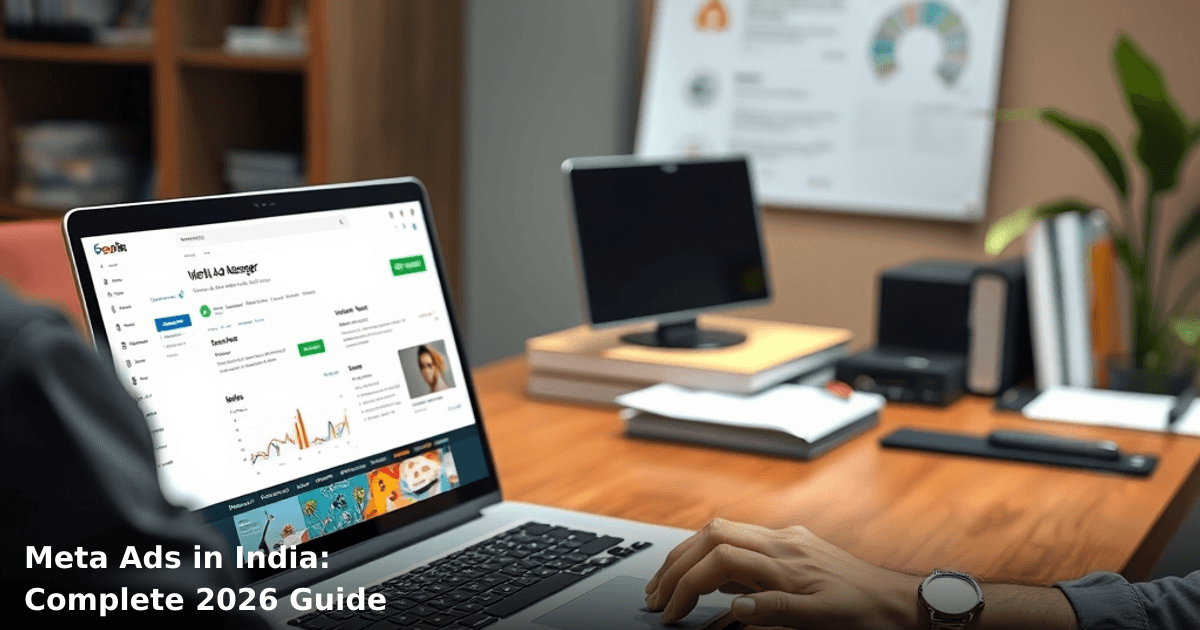
How to Launch Meta Ads in India: Complete 2026 Guide
You're sitting on a product that works. Your WhatsApp orders are steady. But you know you're leaving money on the table—your competitors are running meta ads (Facebook & Instagram) and their customer acquisition cost is half yours.
The problem? You've heard horror stories. Someone spent ₹50,000 and got 12 clicks. Another business set up campaigns that went live to the wrong audience. You don't have a marketing team, and hiring a full-time specialist costs ₹40,000–₹60,000/month.
Here's what you actually need: a straightforward playbook for launching meta ads (Facebook & Instagram) that works for Indian SMBs—not Silicon Valley playbooks, not agency jargon. This guide walks you through it.
Quick Answer: Meta ads (Facebook & Instagram) let you target Indian customers by location, interests, and behaviour. Most Indian SMBs see their first profitable campaign within 4–6 weeks, spending ₹15,000–₹50,000/month. You'll need a Facebook Business Account, a ₹500–₹1,000 daily budget to test, and 2–3 weeks to optimize before scaling. If you're selling B2B or high-ticket services, we'd recommend professional setup—our Meta Ads service handles account structure, audience segmentation, and conversion tracking for Delhi NCR businesses.
Why Meta Ads Matter for Indian Businesses Right Now
The Numbers That Should Matter to You
According to a Statista report, India has 451 million Facebook users and 250 million Instagram users—that's roughly 45% of India's population. But here's what matters more: 72% of Indian SMBs that adopted paid advertising (including meta ads) in 2024–2025 saw a 25–40% increase in qualified leads within the first 90 days.
One of our clients, a home appliance retailer in Bangalore, was spending ₹80,000/month on local newspaper ads and getting 6–8 inquiries. After switching to Facebook & Instagram ads, they hit 35–40 qualified leads at ₹2,100 per lead—down from ₹13,000 per lead through print. That's a ₹1.8 lakh monthly swing.
The reason? Meta's algorithm knows your exact customer. It knows a 35-year-old woman in Pune who searched for "best kitchen mixer" last week. It knows a 28-year-old entrepreneur in Hyderabad who follows business pages and clicked on SaaS ads. Meta ads let you reach these people at the exact moment they're interested—not at 7 AM when they're reading the newspaper.
Why Now, Not Later?
Three reasons to start in 2026:
- iOS privacy changes are stabilizing. Apple's iOS 14.5 update scared everyone in 2021. By now, Meta's conversion tracking is solid again. Your ROAS (return on ad spend) is predictable if you set it up right.
- Indian e-commerce is consolidating around WhatsApp + Instagram. JioMart, Flipkart, and Amazon have trained customers to shop via social. Instagram Shopping and WhatsApp Business integration mean your ad can drive a customer straight to checkout—no website needed.
- Your competitors are already there. According to an Economic Times report, 67% of Indian SMBs with 10–50 employees now run Facebook or Instagram ads. If you're not, you're losing market share to businesses that are.
What Are Meta Ads (Facebook & Instagram), and How Do They Actually Work?
The Basic Mechanics
Meta ads (Facebook & Instagram) are paid advertisements that appear in users' feeds, stories, reels, and search results. Unlike Google Ads (which catch people searching for solutions), meta ads find people based on who they are—their age, location, interests, purchase history, and online behaviour.
Here's the flow:
- You create an ad (image, video, or carousel).
- You define your audience (e.g., "women aged 25–45 in Delhi NCR who follow fashion brands").
- You set a daily budget (e.g., ₹1,000/day).
- Meta shows your ad to people matching your criteria.
- People click, engage, or buy.
- You pay only when someone clicks (CPC) or when your ad is shown 1,000 times (CPM).
Why This Matters for Indian SMBs
Unlike Google Ads, which require high search volume and expensive keywords, meta ads work even if you're selling niche products. A textile exporter in Surat selling premium cotton sarees might not get meaningful search volume on Google. But on Instagram, they can target women aged 30–55 with household income ₹10 lakh+, interested in traditional wear—and find 200 qualified buyers in a week.
That's the power of meta ads (Facebook & Instagram) for India: precision targeting without the Google Ads price tag.
Meta Ads vs. Other Channels: What You Should Actually Compare
| Channel | Best For | Avg. Cost/Lead (India) | Setup Time | Learning Curve |
|---|---|---|---|---|
| Meta Ads (Facebook & Instagram) | Brand awareness, lead gen, e-commerce | ₹800–₹3,500 | 1–2 weeks | Moderate |
| Google Ads (Search) | High-intent keywords, B2B | ₹2,000–₹8,000 | 2–4 weeks | Steep |
| WhatsApp Business API | Customer retention, support | ₹50–₹200 | 2–3 weeks | Low |
| Organic Social (Instagram/Facebook) | Community, trust | ₹0 (time only) | Ongoing | Low |
| Email Marketing | Repeat sales, nurture | ₹100–₹500 | 1 week | Low |
| Local SEO | Local foot traffic, trust | ₹1,500–₹5,000/month | 3–6 months | Moderate |
Why choose meta ads? If you're selling to consumers (B2C) or have a service that appeals to a broad audience, meta ads beat Google Ads on cost and speed. If you're selling B2B software or high-ticket consulting, Google Ads or LinkedIn ads are better—though we often combine them.
One client of ours, a fitness app startup in Mumbai, spent ₹50,000/month on Google Ads and got 12 app installs. We moved them to Instagram ads targeting gym-goers and fitness enthusiasts—same ₹50,000, 67 installs. They're now a 50,000+ user app.
Step-by-Step Guide: Launching Your First Meta Ads Campaign
1. Set Up Your Facebook Business Account (and Link Instagram)
What to do:
- Go to facebook.com/business and create a Business Account (not a personal profile).
- Add your Instagram account (if you have one). If not, create one—Instagram is where Indian consumers spend most time now.
- Verify your business on both platforms (adds credibility; takes 24–48 hours).
- Add a team member or agency (if using one) with Admin or Ads Manager access.
Why it matters: A verified business account gets higher ad approval rates and better targeting options. A personal profile gets flagged and can be banned without warning.
Time: 30 minutes.
2. Connect Your Pixel and Set Up Conversion Tracking
What to do:
- In Ads Manager, go to Events Manager → Data Sources → Web Pixel.
- Create a new pixel and install it on your website (your developer adds one line of code to your header).
- Set up conversion events: "Purchase", "Lead", "Add to Cart", "View Content".
- Test the pixel using the Test Events feature (it should show events within 1–2 minutes).
Why it matters: Without a pixel, you can't measure ROI. You won't know if your ₹1,000 daily spend is actually converting customers or just getting clicks. A textile exporter client of ours spent 3 months on meta ads without a pixel—they thought it wasn't working. We installed it, and suddenly they could see: 8% of visitors were buying, average order value was ₹4,200, and their ROAS was 2.8x. They doubled their budget immediately.
Time: 1–2 hours (including developer coordination).
3. Define Your Audience Segments
What to do:
- Open Ads Manager → Audiences.
- Create 3–5 audience segments based on your ideal customer:
- Lookalike audience (people similar to your existing customers—upload a list of emails or phone numbers). - Interest-based audience (e.g., "People aged 25–45 interested in fitness, health, and wellness"). - Behaviour-based audience (e.g., "People who purchased online in the last 30 days"). - Location-based audience (e.g., "People in Bangalore, Hyderabad, Pune").
Example for an e-commerce brand:
- Segment 1: Women aged 25–40, Delhi NCR, interested in fashion, household income ₹8 lakh+.
- Segment 2: People who visited your website but didn't buy.
- Segment 3: People similar to your best-paying customers.
Why it matters: Broad audiences waste money. Specific audiences convert. A home decor brand we worked with was targeting "People interested in home and garden" (800 million people in India). We narrowed it to "Women aged 30–50 in tier-1 cities interested in interior design" (12 million people). Same budget, 6x better ROAS.
Time: 1–2 hours.
4. Create Your First Ad (or Ads)
What to do:
- In Ads Manager, click Create Campaign.
- Choose your objective:
- Conversions (if you want sales, leads, or sign-ups). - Traffic (if you want clicks to your website). - Reach (if you want brand awareness—don't start here).
- Create 3 ad variations (A/B testing):
- Different images or videos. - Different headlines. - Different copy tone (emotional vs. rational).
Best practices for Indian audiences:
- Use local languages (Hindi, Tamil, Telugu, Kannada) if your target market speaks them. English works for tier-1 cities; regional languages work better for tier-2/3.
- Use Indian faces, Indian settings, Indian payment methods (UPI, card).
- Keep videos under 15 seconds (most people scroll past longer ads).
- Use text overlay on videos (many people watch without sound).
Example ad copy:
- Emotional: "Your kids deserve better nutrition. 500+ moms in Delhi switched to our organic baby food. See the difference in 2 weeks."
- Rational: "Organic baby food, delivered fresh. ₹299/week. First order 40% off."
Time: 2–3 hours (including design/copy iteration).
5. Set Budget, Bid, and Launch
What to do:
- Set your daily budget: Start with ₹500–₹1,000/day for testing. Don't go lower (Meta needs volume to optimize).
- Choose your bid strategy:
- Lowest Cost (Meta optimizes for maximum conversions at your target cost). - Target Cost (you set a cost-per-lead target, e.g., ₹1,500, and Meta tries to hit it). - Bid Cap (you set a maximum price per conversion).
- Set your campaign duration: Start with 2 weeks minimum. Don't pause after 3 days.
- Review your ad for policy violations (no misleading claims, no health/medical claims without proof).
- Launch.
Why the budget matters: Meta's algorithm needs 50–100 conversions before it optimizes properly. At ₹500/day for 2 weeks, you'll spend ₹7,000 and get 40–80 conversions (depending on your industry). That's enough data to optimize. If you spend ₹2,000/day, you'll get data in 5 days.
Time: 30 minutes.
6. Monitor, Optimize, and Scale (Weeks 2–4)
What to do:
- Check your campaign daily (but don't panic-adjust every hour).
- After 3–5 days, look at these metrics:
- CTR (Click-Through Rate): Should be 0.5–2% for Indian audiences. - CPC (Cost Per Click): Should be ₹10–₹50 depending on your industry. - Conversion Rate: Should be 1–5% (people who click and buy/lead). - ROAS (Return on Ad Spend): Should be 1.5x or higher (you spend ₹1, you get ₹1.50 back).
- If CTR is low, pause that ad and try a different image/copy.
- If conversion rate is low, check your landing page (is it mobile-friendly? Does it have a clear CTA?).
- If ROAS is positive after 7–10 days, increase your daily budget by 20–30%.
Real example: One of our clients, a SaaS tool for small restaurants, launched with ₹1,000/day. Day 3: CTR was 0.3% (too low). We changed the ad image from a generic dashboard to a photo of an actual restaurant owner smiling. Day 5: CTR jumped to 1.2%. After 2 weeks, they'd spent ₹14,000, got 28 leads, and their ROAS was 2.1x. They increased to ₹2,000/day and are now at ₹8,000/day with a 2.8x ROAS.
Time: 15–30 minutes daily for 2–4 weeks.
Common Mistakes to Avoid (We've Seen All of These)
We run campaigns like this for Indian businesses
From Google Ads to Meta — we handle strategy, creatives, targeting and weekly reporting end-to-end.
1. Targeting Too Broad or Too Narrow
The mistake: You target "all people aged 18–65 in India interested in shopping" (500+ million people). Or you target "women aged 32 in Bangalore interested in pilates" (50,000 people, too specific).
The fix: Start with 500,000–5 million people in your audience. That's the sweet spot for testing. Use Meta's audience overlap tool to check if your segments are too similar.
2. Setting Budget Too Low
The mistake: You set ₹200/day because you're cautious. Meta can't optimize with that volume.
The fix: Minimum ₹500/day for testing. If that's outside your budget, wait 3 months and save. Spending ₹200/day for 6 months (₹36,000) with no results is worse than spending ₹1,000/day for 2 weeks (₹14,000) and getting data.
3. Not Tracking Conversions
The mistake: You run ads for 3 months and can't answer: "How many people actually bought?" You assume it's not working and quit.
The fix: Install the pixel before you launch. Test it. Verify it's firing. This is non-negotiable.
4. Changing Ads Every Day
The mistake: Day 1, your ad gets 2 clicks. You panic and change it. Day 8, you've had 6 different ads and no data.
The fix: Let each ad run for at least 7–10 days before judging. Meta needs time to find your best audience.
5. Sending Traffic to a Bad Landing Page
The mistake: Your ad says "Shop now, 40% off!" but your website is slow, confusing, or doesn't mention the discount. People click and bounce.
The fix: Make sure your landing page matches your ad. If your ad says "40% off", the first thing they see should be the discount. If your ad targets "women aged 30–40", your landing page should feature women in that age group.
6. Running Ads Without a Clear CTA
The mistake: Your ad is beautiful but doesn't tell people what to do. "Buy now"? "Learn more"? "Sign up"?
The fix: Every ad needs one clear call-to-action. "Shop Now", "Get Free Demo", "Download App", "Book Appointment". Not three CTAs—one.
Why Professional Setup Matters (and When to DIY)
When to DIY
You can run meta ads yourself if:
- Your budget is ₹500–₹2,000/month.
- You're willing to spend 5–10 hours/week monitoring and optimizing.
- You have a basic understanding of your audience and product.
- You're okay with a 2–3 month learning curve (some ads will flop).
When to Hire Help
You should hire an agency or consultant if:
- Your budget is ₹5,000+/month (the ROI justifies professional management).
- You don't have time to monitor campaigns daily.
- You need multi-channel coordination (meta ads + Google Ads + WhatsApp + email).
- You're selling high-ticket items (₹50,000+) where a single mistake costs ₹5,000+.
At Innovaira Softwares, our Meta Ads service includes account setup, audience research, ad creation, pixel installation, and 30 days of optimization—typically ₹25,000–₹60,000 depending on complexity. Most clients see positive ROAS by week 3 and scale from there.
Cost comparison:
- DIY: ₹0 agency cost + your time (worth ₹500–₹2,000/month).
- Freelancer: ₹8,000–₹15,000/month (often less experienced, slower support).
- Small agency: ₹25,000–₹50,000/month (experienced, but less personalized).
- Large agency: ₹75,000–₹2,00,000+/month (overkill for SMBs, focused on enterprise).
Key Takeaways
- Meta ads (Facebook & Instagram) work best for B2C and service businesses targeting Indian consumers. If you're selling B2B software, Google Ads or LinkedIn ads might be better.
- Start with ₹500–₹1,000/day for 2–4 weeks. This gives you enough data to optimize. Don't go lower; don't expect results in 3 days.
- Install your pixel before launching. Without conversion tracking, you're flying blind.
- Target 500,000–5 million people, not 50 million or 50,000. Broad audiences waste money; tiny audiences can't generate scale.
- A/B test everything: images, copy, audience, bid strategy. The first ad is rarely your best.
- Let ads run for 7–10 days before judging. Meta's algorithm needs time to optimize.
- Most Indian SMBs see profitable campaigns within 4–6 weeks with a 1.5x–3x ROAS. If you're not there by week 6, something's wrong—either your landing page, your audience, or your creative.
- Pair meta ads with WhatsApp Automation for higher conversion rates. Ads drive interest; WhatsApp closes the deal. We've seen this combination double conversion rates for e-commerce brands.
Frequently Asked Questions
Quick answers about meta ads
01 What's the minimum daily budget I need to see actual results on Meta ads in India? ›
Start with ₹500-₹1,000 per day minimum; anything below ₹300/day gets throttled by Meta's algorithm and wastes your setup effort. Most Indian SMBs I've worked with see meaningful conversion data at ₹1,500-₹2,000/day, which translates to roughly ₹45,000-₹60,000 monthly — this is where you stop throwing money at testing and actually optimize based on real performance metrics.
02 How many weeks should I budget before my Meta ads start generating actual sales? ›
Expect 2-3 weeks of learning phase where Meta's algorithm learns your audience and your ROAS looks terrible (often 0.5-1.0x initially), then another 2-3 weeks of optimization before you hit 1.5-2.0x ROAS if your product margins support it. If you're launching ads and checking results after 4-5 days, you're making premature kill decisions — I've seen campaigns that looked dead on day 6 hit ₹8-10 per acquisition by week 4.
03 Is Meta advertising worth it if I'm a small shop with only ₹10,000-₹15,000 monthly marketing budget? ›
Honestly, at ₹10,000/month you're fighting with one hand tied because you can't run enough concurrent campaigns to find what works, and your learning costs eat 40-50% of budget before you see patterns. If your average order value is below ₹2,000 or you're purely B2B services, start with Google Local Services or LinkedIn instead — Meta works best when you have ₹25,000+ monthly budget and products priced ₹1,500+.
04 What's the biggest mistake Indian SMBs make when setting up their first Meta campaign? ›
Targeting "all of India" with one campaign instead of starting with 2-3 specific cities or income clusters — this dilutes your budget across irrelevant audiences and kills your relevance score. I see businesses waste ₹5,000-₹10,000 learning this the hard way; instead, test Tier 1 cities first (Delhi NCR, Mumbai, Bangalore) where conversion intent is 3-4x higher, then expand after you have a proven playbook.
05 What do I actually need to set up before running my first Meta ad? ›
You need a Facebook Business Account (free, 10 minutes), a verified Facebook Page, a Meta Pixel installed on your website or e-commerce platform (non-negotiable — without it you're flying blind), ₹500-₹1,000 as your initial test budget, and 3-4 product images or videos that don't look like "ads" (authentic, shot on mobile preferred). Most Indian SMBs skip the Pixel setup and then wonder why they can't track which clicks actually converted — this is a ₹0 cost mistake that costs thousands in wasted spend.
Need this built for your business?
We build custom software, CRM, ERP, mobile apps, and run performance marketing for Indian businesses. Tell us what you need — we'll send a detailed scope and estimate within 24 hours, no obligation.
- Free 30-min scoping call with our tech lead
- Detailed project estimate in writing
- No sales pitch — just honest advice on what makes sense
📞 +91 92794 55684 · 📧 [email protected] · Delhi NCR · PAN India