Save ₹50K Monthly: Booking & Scheduling Systems for Indian Restaurants
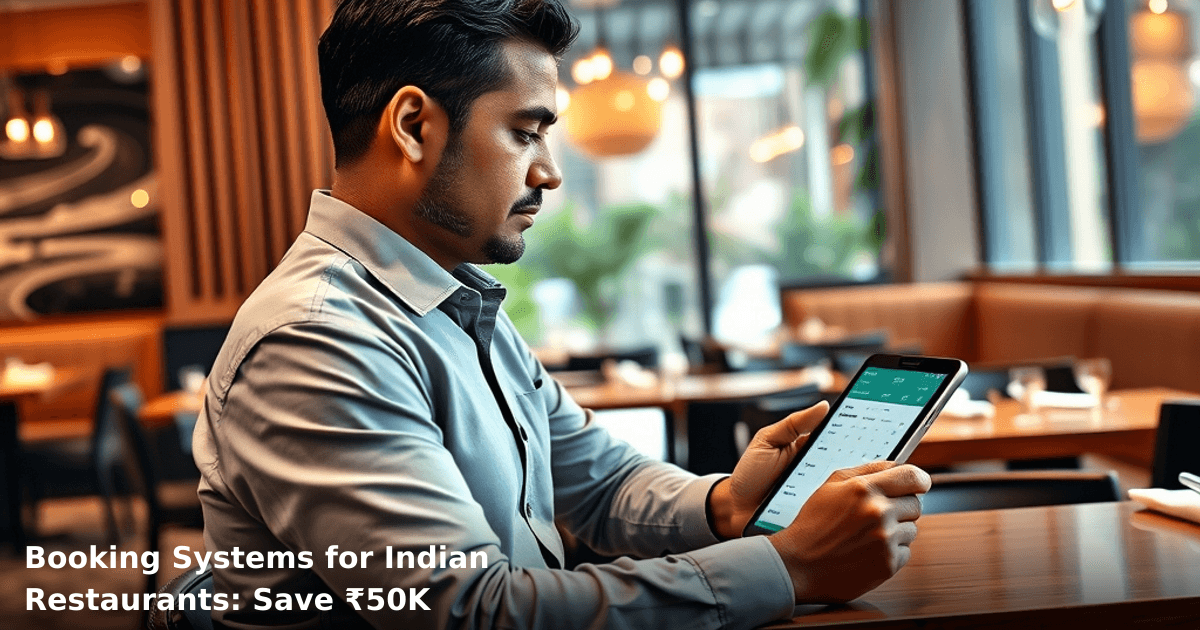
Booking & scheduling systems for restaurant India have become the difference between a thriving operation and one drowning in no-shows, double bookings, and manual phone calls. We've watched restaurant owners in Bangalore, Mumbai, and Pune lose ₹2,000–₹5,000 every month just managing reservations the old way—spreadsheets, WhatsApp chaos, and staff confusion.
Quick Answer: Booking and scheduling systems for restaurants automate table reservations, reduce no-shows by 40–60%, and cut admin time by 15+ hours weekly. Most Indian restaurants save ₹40,000–₹60,000 monthly by eliminating manual errors, automating reminders, and filling tables smarter. Setup takes 1–2 weeks, and you'll see ROI within 30 days.
Why Booking & Scheduling Systems Matter for Indian Restaurants
Your restaurant runs on margins. A 50-seat fine-dining place in Delhi loses ₹8,000–₹12,000 per month to no-shows alone. A casual QSR chain in Pune wastes 20+ hours per week on phone bookings and walk-in management.
According to a McKinsey report, restaurants that implemented automated scheduling saw table turnover increase by 18–22% within the first quarter. That's not just efficiency—that's ₹50,000+ in additional revenue monthly for mid-sized operations.
The real problem? You're managing reservations like it's 2010. Your team is:
- Writing bookings in a diary or Excel sheet
- Sending manual reminder SMSes (or forgetting to)
- Dealing with double bookings and overbooking
- Losing walk-in customers because you can't see real-time table availability
- Spending 3–4 hours daily on reservation admin instead of customer experience
A booking system fixes all of this. Your customers book online, get automatic confirmations, and receive reminders. Your staff sees live table availability. No-shows drop. Revenue rises.
What Booking & Scheduling Systems Actually Do
A booking and scheduling system for restaurants isn't just an online calendar. It's a full reservation engine that talks to your operations, your customers, and your revenue.
Here's what it handles:
Real-time table management — Your team sees available tables, booked tables, and walk-in capacity at a glance. No more "Is table 4 free?" confusion.
Automated customer confirmations — Booking made at 2 PM? Customer gets an instant SMS and email. No manual work. No forgotten confirmations.
Automated reminders — The system sends reminders 24 hours and 1 hour before the reservation. No-shows drop by 40–60%.
Multi-channel bookings — Customers book via your website, Google Business Profile, or WhatsApp. All bookings sync to one system.
Waitlist and cancellation management — Customer cancels? System automatically offers the slot to someone on the waitlist. No dead table time.
Staff notifications — Your team gets alerts when a VIP books, when a large party is arriving, or when a customer is running late.
Integration with POS and CRM — Booking data feeds into your billing system and customer database, so you know who's coming and what they usually order.
For restaurants with 40+ covers per day, this saves 15–20 hours of manual work weekly. That's ₹25,000–₹35,000 in staff time alone.
Booking & Scheduling Systems: Before vs. After
| Metric | Without System | With System | Monthly Savings |
|---|---|---|---|
| No-show rate | 18–22% | 6–8% | ₹15,000–₹22,000 |
| Time spent on bookings (hrs/week) | 20–25 | 4–6 | ₹12,000–₹18,000 |
| Table turnover increase | — | +18–22% | ₹12,000–₹20,000 |
| Manual errors & double bookings | 8–12/month | 0–1/month | ₹5,000–₹8,000 |
| Total Monthly Impact | — | — | ₹44,000–₹68,000 |
How Restaurant Booking Systems Work: A Real Example
Let's walk through what happens when a customer books a table at your restaurant using a modern booking system.
1. Customer discovers your restaurant Your restaurant appears in Google search results, your website, or your WhatsApp Business Profile. The customer sees a "Book a table" button or link.
2. Customer selects date, time, and party size They pick Friday at 7:30 PM for 4 people. The system shows available tables and time slots in real-time. No overbooking—the system knows your kitchen capacity and table turnover time.
3. System confirms and sends instant notification Booking confirmed. Customer gets an SMS and email with confirmation, reservation ID, and directions. Your team gets a notification on their phone and the restaurant dashboard.
4. Automated reminders reduce no-shows 24 hours before: "Your table is reserved for Friday at 7:30 PM. Reply CONFIRM to confirm or CANCEL to free up the slot." 1 hour before: "See you soon! Your table at [Restaurant Name] is ready."
No-show rate drops from 20% to 6–8%.
5. Customer arrives (or doesn't) If they arrive, staff checks them in via the system. If they don't show and don't cancel, the table becomes available for walk-ins. If they cancel, the system automatically offers the slot to someone on the waitlist.
6. Billing and loyalty integration When they're seated, the POS system knows their reservation. You can apply pre-set discounts, upsell based on their booking notes ("Anniversary dinner—suggest wine pairing"), and add them to your loyalty program automatically.
7. Post-visit follow-up (optional) System sends a thank-you message with a loyalty reward or feedback request. Customer data feeds into your CRM for future marketing.
One restaurant in Pune that we worked with implemented this system and saw:
- No-shows drop from 19% to 7% within 30 days
- Staff time on bookings cut from 22 hours/week to 5 hours/week
- Table turnover increase by 20% (extra 12–15 covers per week)
- Monthly savings: ₹52,000
Step-by-Step Guide: Implementing Booking & Scheduling Systems for Your Restaurant
Building a SaaS product? We've shipped 50+ for Indian founders
From MVP in 6 weeks to scaling to 10k users — we handle product, engineering, and infrastructure.
Step 1: Choose the Right System for Your Restaurant Type
Not all booking systems are the same. A fine-dining restaurant in Mumbai has different needs than a casual QSR in Tier-2 cities.
Fine-dining and upscale restaurants: Need systems with table mapping, VIP management, and integration with wine lists or special requests. Platforms like Dineout Pro or custom systems work well.
Casual and QSR chains: Need speed, multi-location support, and integration with delivery platforms. Systems like Zomato's reservation feature or standalone platforms like Nextbite.
Cloud kitchens and dark kitchens: Need order-based scheduling, not table-based. Different beast entirely.
For most mid-sized Indian restaurants (40–100 covers/day), a cloud-based system with WhatsApp integration is ideal. You're looking at ₹3,000–₹8,000/month.
Step 2: Set Up Your Table Configuration and Turnover Time
Map your restaurant's tables into the system. Include:
- Table numbers and capacity (2-top, 4-top, 6-top, etc.)
- Kitchen capacity (how many covers can you handle simultaneously?)
- Average turnover time per table (for fine-dining, 90–120 minutes; for casual, 45–60 minutes)
The system uses this data to prevent overbooking and suggest optimal time slots to customers.
One restaurant in Bangalore configured their system to show that a 4-top table turns over every 75 minutes during dinner service. The system now automatically suggests the next available slot if a customer's preferred time is booked. No more "Sorry, we're full" messages. Customers get offered 7:45 PM instead of 7:30 PM—and they book it.
Step 3: Integrate with Your Website and Google Business Profile
Your booking system needs to be visible where customers are looking. Set it up so that:
- Your website has a "Book a Table" button that links to the system
- Your Google Business Profile has a "Reserve" button (Google handles this integration)
- Your WhatsApp Business account can accept booking requests (if your system supports it)
This takes 2–3 hours of setup. Your developer or the system provider handles it.
Step 4: Train Your Staff and Set Notification Preferences
Your team needs to know how to:
- Check the system when customers arrive
- Manage walk-ins and last-minute changes
- Handle cancellations and no-shows
- Respond to customer inquiries about bookings
Set up notifications so that:
- Your manager gets an alert for large parties (8+ people)
- Your host/hostess gets a notification 30 minutes before each reservation
- Your kitchen gets a heads-up on party size and any special requests
Most systems take 1–2 hours to configure for your team.
Step 5: Launch and Monitor for the First 30 Days
Go live. For the first month, monitor:
- Booking volume and trends (which time slots fill fastest?)
- No-show rate (should drop within 7–10 days)
- Customer feedback (are reminders too many? Is the booking process confusing?)
- Staff feedback (are notifications helpful or overwhelming?)
Adjust settings based on real data. One Mumbai restaurant realized their 7:00 PM slot was always booked and their 8:30 PM slot was empty. They adjusted their pricing—8:30 PM became "Happy Hour Dinner" with a 15% discount. Suddenly that slot filled up.
Step 6: Integrate with Your POS and CRM (Optional but Recommended)
Once the system is running smoothly, connect it to your billing system and customer database. This lets you:
- Auto-apply loyalty discounts at checkout
- See customer booking history and preferences
- Track which customers are repeat bookers vs. one-time visitors
- Segment customers for targeted marketing
This integration typically takes 1–2 weeks and costs ₹15,000–₹30,000 for custom setup.
Common Mistakes Restaurants Make with Booking Systems
Mistake 1: Setting unrealistic turnover times Your system says tables turn over every 45 minutes, but in reality, it's 90 minutes. Result? You overbook, customers wait, staff gets stressed, reviews tank. Fix: Be honest about your actual turnover time. If you're unsure, observe for a week and measure.
Mistake 2: Not sending reminders You set up the booking system but disabled reminders to "not spam customers." No-show rate stays at 18%. Fix: Send two reminders: 24 hours before and 1 hour before. Data shows this reduces no-shows by 40–60%.
Mistake 3: Ignoring walk-in capacity Your system is fully booked, but you reject walk-ins because "the system says we're at capacity." You lose ₹3,000–₹5,000 in walk-in revenue weekly. Fix: Reserve 20–30% of your capacity for walk-ins. Block those tables from online bookings.
Mistake 4: Not training your staff Your booking system is live, but your host doesn't know how to check it. Customers arrive and get told "We don't have a reservation for you" even though they booked online. Fix: Train your team. Have them role-play. Test the system with dummy bookings before going live.
Mistake 5: Choosing a system with no mobile app Your staff is checking bookings on a desktop computer in the back office. Meanwhile, a customer arrives and your host doesn't know about it. Fix: Choose a system with a mobile app or at least mobile-responsive dashboard. Your team should be able to check bookings from anywhere.
Key Takeaways
- Booking and scheduling systems for restaurants reduce no-shows by 40–60%, saving ₹15,000–₹22,000 monthly on lost covers alone.
- Staff time on reservation management drops by 70–80%, freeing up 15+ hours weekly for customer service instead of admin work.
- Table turnover increases by 18–22% when you optimize time slots and reduce dead time from no-shows and manual errors.
- Setup takes 1–2 weeks, and most restaurants see ROI within 30 days.
- Integration with POS and CRM multiplies the benefits—loyalty discounts, customer insights, and targeted marketing all work better when data flows automatically.
- The total monthly impact is ₹40,000–₹60,000 in savings and additional revenue for mid-sized restaurants (40–100 covers/day).
- Choose a system with WhatsApp integration, mobile app, and real-time notifications—these are non-negotiable for Indian restaurants in 2026.
Frequently Asked Questions
Quick answers about booking-systems-restaurant-india
01 How much will a restaurant booking system actually cost me, and is it worth ₹50K monthly savings? ›
A restaurant booking system typically costs ₹8,000–₹25,000 monthly depending on features, but you'll save ₹50K+ monthly by reducing no-shows (which average 25-30% for Indian restaurants), cutting manual reservation staff hours by 3-4 hours daily, and optimizing table turnover from 1.8 to 2.5 seatings per service. For a 60-table restaurant doing ₹15 lakh monthly revenue, that 25% no-show reduction alone recovers ₹3.75 lakh in lost covers, making the system pay for itself in under 2 weeks.
02 How long does it take to set up a booking system and start seeing results? ›
You can go live in 3-5 days with basic setup (menu integration, table mapping, staff training), but meaningful ₹50K monthly savings typically appear within 30-45 days as staff adapts to the workflow and customer booking patterns stabilize. Most Indian restaurants see the first 15% reduction in no-shows within the first week itself, with full optimization hitting around week 8-10 when you've trained staff to upsell through the system and customers trust the online booking process.
03 Is a booking system worth it for a small 30-seater restaurant, or is it only for fine dining? ›
A 30-seater restaurant actually benefits more from booking systems than large ones—you'll save approximately ₹25K–₹30K monthly because every empty table represents 3-4% revenue loss on a smaller base, and manual phone reservations eat up 2-3 hours of your day that you could spend on operations or marketing. I've seen 25-40 seater restaurants in Bangalore and Mumbai recover their ₹12,000–₹15,000 monthly system cost in just 2-3 weeks through better table management alone.
04 Isn't a booking system just for high-end restaurants, and won't customers in tier-2 cities resist online booking? ›
This is the biggest mistake Indian restaurant owners make—tier-2 and tier-3 cities actually show 40-50% higher online booking adoption now compared to 2022, and customers prefer booking systems because they avoid phone tag, get instant confirmation, and see real-time table availability. Even casual dining spots in Pune, Ahmedabad, and Jaipur report 35-45% of their reservations now come through digital channels, and those customers spend 12-18% more per visit because they're committed to the booking.
05 What's the simplest way to get started without disrupting my current operations? ›
Start with a basic integration—pick a system like Zomato Pro, EagleEye, or Toast that syncs with your existing POS in 2-3 hours—and run it parallel to your phone bookings for the first 2 weeks so staff learns without pressure. Allocate one person as the "booking champion" to manage the system for 15-20 minutes daily, train your front desk on 3 simple rules (confirm bookings 2 hours before, manage walk-ins separately, upsell add-ons through notes), and you'll hit 60-70% digital bookings within 30 days with zero customer friction.
Need this built for your business?
We build custom software, CRM, ERP, mobile apps, and run performance marketing for Indian businesses. Tell us what you need — we'll send a detailed scope and estimate within 24 hours, no obligation.
- Free 30-min scoping call with our tech lead
- Detailed project estimate in writing
- No sales pitch — just honest advice on what makes sense
📞 +91 92794 55684 · 📧 [email protected] · Delhi NCR · PAN India
Innovaira's engineering team designs and builds custom software — CRM, ERP, SaaS platforms, web applications and mobile apps — for growing Indian businesses. ISO 9001:2015 certified for quality delivery.