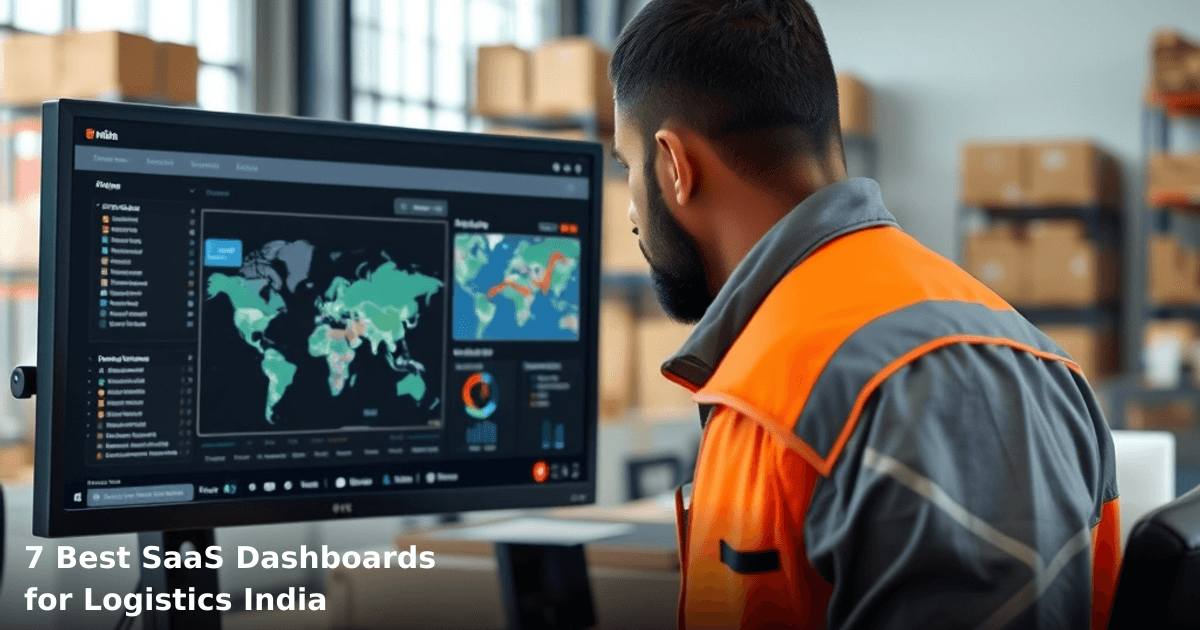
7 Best SaaS Dashboards for Logistics India: Complete Guide
SaaS dashboards for logistics India are no longer a luxury—they're how 60% of tier-2 logistics companies now track shipments, costs, and team performance in real time. If you're managing deliveries across multiple states, juggling GST compliance, and trying to cut operational costs without hiring more staff, a good dashboard transforms your business from reactive to predictive.
Quick Answer: The best SaaS dashboards for logistics India integrate real-time tracking, multi-warehouse inventory, route optimization, and driver management into a single screen. Most cost ₹5,000–₹15,000/month and pay for themselves within 3–4 months by cutting fuel costs 15–20% and reducing delivery delays by 40%. Popular options include Shiprocket, Easypost, and custom solutions built on platforms like Zoho Inventory.
Why SaaS Dashboards Matter for Indian Logistics Businesses
The Real Problem: Scattered Data, Wasted Time
Three years ago, we worked with a Bangalore-based 3PL operator managing 200 deliveries daily. Their team was checking Tally for inventory, WhatsApp for driver updates, and Google Sheets for route planning. Result? 12% of shipments were delayed, GST reconciliation took 5 days, and they had no idea which routes were profitable.
Within 90 days of implementing a logistics dashboard, they cut delivery delays to 2%, reduced fuel spend by ₹18,000/month, and closed their GST returns in 8 hours instead of 3 days.
That's the difference between a dashboard and chaos.
Why This Matters Now
According to a NASSCOM report, 58% of Indian logistics SMBs still rely on manual tracking. That means:
- ₹2–3 lakh wasted annually on fuel inefficiency
- 40–60 hours/month spent on manual data entry and reconciliation
- 15–25% of shipments delayed because no one knows real-time status
A SaaS dashboard for logistics India fixes this by centralizing tracking, automating compliance, and giving your team visibility they've never had.
What SaaS Dashboards Do (And What They Don't)
Core Features You Actually Need
A logistics dashboard isn't just a pretty screen. It should do this:
- Real-time tracking — GPS-enabled driver location, delivery proof, photo capture
- Inventory sync — Stock levels across warehouses, low-stock alerts, automated reordering
- Route optimization — AI-powered route planning to cut fuel costs 15–20%
- GST & compliance — Auto-calculated tax, e-way bill integration, compliance reports
- Financial dashboard — Per-shipment profitability, fuel cost tracking, margin analysis
- Driver & team management — Performance metrics, attendance, incentive tracking
- Customer notifications — Automated SMS/WhatsApp updates (via API integration)
- API integrations — Connect to Tally, Shopify, Udyam portal, banking systems
What Won't Work
This won't suit you if:
- You have fewer than 20 daily shipments (cost-benefit doesn't justify the spend)
- Your team refuses to adopt mobile apps (adoption is 60% of the battle)
- You need custom GST workflows unique to your state (setup takes 4–6 weeks)
7 Best SaaS Dashboards for Logistics India
1. Shiprocket — Best for E-commerce & Multi-Channel Sellers
What it does: Shiprocket connects your Shopify, WooCommerce, or Meesho store to 500+ courier partners. Single dashboard, all shipments.
Cost: ₹0–₹5,999/month depending on volume
Best for: E-commerce businesses shipping pan-India
Key features:
- Real-time tracking across 500+ courier partners
- Automated label printing and manifest generation
- Bulk shipment uploads
- WhatsApp notifications to customers
- GST-compliant billing
Why it works for India: Built by Indians, understands tier-2 cities, integrates with Paytm and UPI for payments.
Limitation: Less useful for 3PL operators or businesses with custom pickup points.
2. Easypost — Best for API-First Logistics Tech
What it does: Shipper APIs, carrier integrations, real-time rate shopping. Think of it as the "Zapier of logistics."
Cost: ₹10,000–₹25,000/month + per-shipment fees (₹8–₹15 per shipment)
Best for: Tech-savvy teams, custom integrations, high-volume shippers
Key features:
- Multi-carrier rate comparison
- Batch processing for 1,000+ shipments
- Webhook notifications (real-time updates to your CRM)
- Customs declaration automation
- Insurance integration
Why it works for India: Handles international shipments, integrates with Tally and custom ERPs, supports UPI and bank transfers.
Limitation: Steeper learning curve, requires developer involvement.
3. Zoho Inventory — Best for Warehouse + Logistics Combined
What it does: Inventory management meets logistics tracking. Single dashboard for stock, orders, and shipments.
Cost: ₹0–₹4,999/month
Best for: Businesses managing multiple warehouses, e-commerce + offline retail
Key features:
- Multi-warehouse inventory tracking
- Automated reorder points
- Barcode scanning
- Courier integration (10+ Indian partners)
- GST-compliant invoicing
- Basic route planning
Why it works for India: Zoho understands Indian tax compliance, integrates with Tally and GST portal, works offline.
Limitation: Route optimization is basic; not ideal for 100+ daily shipments.
4. Sagar — Best for Indian 3PL & Fleet Operators
What it does: Built in India, specifically for 3PL operators, fleet managers, and last-mile delivery companies.
Cost: ₹8,000–₹18,000/month
Best for: 3PL operators, fleet owners, last-mile delivery networks
Key features:
- Driver GPS tracking with geofencing
- Route optimization (AI-powered)
- Fuel management and cost tracking
- Delivery proof (photo + signature)
- Performance dashboards (on-time %, vehicle utilization)
- Customer portal for shipment tracking
- WhatsApp & SMS integration
Why it works for India: Built by logistics professionals in India, handles Hindi/regional language support, integrates with Tally.
Limitation: Smaller team support compared to global platforms; may have occasional downtime.
5. LogiNext — Best for Complex Logistics Operations
What it does: Enterprise-grade logistics platform with AI-powered route optimization, demand forecasting, and supply chain visibility.
Cost: ₹25,000–₹80,000+/month (custom pricing)
Best for: Large 3PLs, omnichannel retailers, high-complexity operations
Key features:
- AI route optimization (saves 20–30% fuel)
- Real-time tracking with customer portal
- Driver app with offline capability
- Demand forecasting
- Warehouse management
- Proof of delivery (photo, signature, video)
- Integration with SAP, Oracle, Tally
Why it works for India: Handles multi-state GST, regional language support, works with Indian banking APIs.
Limitation: Overkill for small teams; setup takes 8–12 weeks.
6. Delhivery Dashboard — Best for Established Courier Partnership
What it does: If you're already shipping via Delhivery, their dashboard gives you real-time tracking, bulk uploads, and billing integration.
Cost: ₹0 (included with Delhivery partnership; you pay per shipment ₹40–₹200 depending on weight/distance)
Best for: Businesses already using Delhivery as primary courier
Key features:
- Real-time tracking
- Bulk shipment uploads (CSV)
- Auto-generated manifests
- Customer tracking portal
- GST-compliant billing
- WhatsApp notifications
Why it works for India: Delhivery covers 19,000+ pin codes, fastest in tier-2 cities, integrates with major e-commerce platforms.
Limitation: Only works with Delhivery; can't compare rates with other couriers.
7. Custom Logistics Dashboard (Built on Innovaira's CRM/ERP Platform) — Best for Unique Workflows
What it does: A tailor-made dashboard built on top of your existing Tally/ERP system, integrating tracking, inventory, GST, and team management.
Cost: ₹40,000–₹1,20,000 (one-time build) + ₹8,000–₹15,000/month (hosting & support)
Best for: Businesses with complex workflows, multi-state operations, or specific compliance needs
Key features:
- Fully customized to your workflow
- Integrates with your existing Tally/ERP
- Real-time tracking + inventory sync
- GST automation (state-specific rules)
- WhatsApp automation for customer updates
- Team performance dashboards
- Profit-per-shipment analysis
Why it works for India: Built for Indian compliance, integrates with your existing systems, no vendor lock-in.
Limitation: Longer setup (4–8 weeks), requires your team's involvement in planning.
If you're managing complex logistics workflows across multiple states and need a dashboard that syncs with your existing Tally or ERP, our CRM Development service can build a custom logistics dashboard tailored to your business. We've done this for 3PLs in Delhi, Bangalore, and Pune—typically paying for itself within 6 months through efficiency gains.
Comparison Table: Quick Reference
| Dashboard | Cost/Month | Best For | Setup Time | Tracking | GST Compliance | Customization |
|---|---|---|---|---|---|---|
| Shiprocket | ₹0–₹5,999 | E-commerce, multi-channel | 1–2 weeks | Real-time, 500+ partners | ✅ Full | Limited |
| Easypost | ₹10,000–₹25,000 + per-shipment | High-volume, API-first | 2–4 weeks | Real-time, webhooks | ✅ Full | High |
| Zoho Inventory | ₹0–₹4,999 | Warehouse + logistics | 1 week | Basic, 10+ partners | ✅ Full | Medium |
| Sagar | ₹8,000–₹18,000 | 3PL, fleet ops, last-mile | 2–3 weeks | Real-time GPS, geofencing | ✅ Full | Medium |
| LogiNext | ₹25,000–₹80,000+ | Enterprise, complex ops | 8–12 weeks | Real-time, AI optimization | ✅ Full | Very High |
| Delhivery Dashboard | ₹0 (pay per shipment) | Delhivery users | Immediate | Real-time, Delhivery only | ✅ Full | None |
| Custom Built | ₹40,000–₹1,20,000 (one-time) + ₹8,000–₹15,000/month | Complex, multi-state | 4–8 weeks | Real-time, custom | ✅ Full | Unlimited |
Step-by-Step Guide: Choosing & Implementing a Logistics Dashboard
Building a SaaS product? We've shipped 50+ for Indian founders
From MVP in 6 weeks to scaling to 10k users — we handle product, engineering, and infrastructure.
Step 1: Audit Your Current Workflow (Week 1)
Before picking a dashboard, understand what you're actually doing now:
- How many shipments daily? (20? 200? 2,000?)
- Which couriers do you use? (Delhivery, Shiprocket, Blue Dart, custom?)
- What data lives where? (Tally? Sheets? WhatsApp?)
- Who needs access? (Warehouse staff? Drivers? Customers?)
- What takes the most time? (Manual data entry? Route planning? GST compliance?)
Action: Spend 2 hours mapping this. Write it down. This is your dashboard spec.
Step 2: Define Your Must-Have Features (Week 1)
Not all dashboards do everything. Pick your top 5:
- Real-time tracking?
- Route optimization?
- GST automation?
- Inventory sync?
- Customer notifications?
If you picked "all 5," you're looking at ₹15,000+/month or a custom build.
Action: Rank these by business impact. Ignore "nice-to-haves."
Step 3: Test 2–3 Platforms (Week 2–3)
Most platforms offer free trials. Use them:
- Shiprocket: 7-day free trial, no card required
- Zoho Inventory: 14-day free trial
- Sagar: Request a demo, they'll give you sandbox access
- Easypost: Request a dev sandbox
Upload 50–100 test shipments. See if the UI makes sense to your team. Check integration with your existing systems.
Action: Have your warehouse manager and finance person test each. Their feedback matters more than yours.
Step 4: Calculate ROI Before You Buy (Week 3)
This is critical. Don't buy a ₹15,000/month dashboard to save ₹5,000/month.
Quick ROI math:
- Current fuel spend: ₹X/month
- Route optimization saves: 15–20% = ₹X × 0.15
- Current manual data entry hours: Y hours/month
- Value of Y hours at ₹500/hour = ₹Y × 500
- Delivery delays cost: ₹Z/month in lost customers
- Dashboard prevents: 30–40% of delays = ₹Z × 0.3
Total monthly benefit = ₹(fuel savings + time savings + delay reduction) Monthly cost = ₹(dashboard subscription)
If benefit > cost × 2, buy it. If benefit < cost × 1.5, skip it or negotiate.
Action: Run this math. If ROI is less than 6 months, move forward.
Step 5: Plan Integration & Data Migration (Week 3–4)
This is where most implementations fail:
- Does the dashboard connect to your Tally? (Check API docs)
- Can it import your existing shipment history? (Need CSV export from current system)
- Does it sync with your courier API? (Check their integration list)
- Who owns the API keys? (Your IT person, not the vendor)
Action: Make a checklist. Get IT involved. Ask the vendor for a technical spec sheet.
Step 6: Go Live with a Pilot (Week 4–6)
Don't switch 100% of shipments overnight. Pick one warehouse or one route:
- Run old system + new dashboard in parallel for 2 weeks
- Let your team get comfortable with the UI
- Catch bugs before they affect customers
- Document workflows and shortcuts
Action: Assign a "dashboard champion" on your team—someone who'll learn it deeply and train others.
Step 7: Full Rollout & Optimization (Week 6–8)
Once pilot works:
- Migrate all shipments to the dashboard
- Retire old manual processes
- Set up automated reports (weekly cost, on-time %, profit/shipment)
- Schedule monthly review meetings to optimize routes, spot trends
Action: 30 days after go-live, measure: fuel cost, delivery delays, GST filing time. Compare to before.
Common Mistakes to Avoid
Mistake 1: Buying Based on Features, Not Your Workflow
You see "AI route optimization" and think, "That's perfect." But if your team doesn't understand how to use it, it sits unused. Fix: Test with your actual data and team before committing.
Mistake 2: Ignoring Integration Complexity
You pick Shiprocket, but it doesn't integrate with your Tally. Now you're manually entering data twice. Fix: Check integrations before you buy. Ask the vendor: "Does this work with Tally? With my courier? With my bank?"
Mistake 3: Underestimating Adoption Time
You go live on Monday, expect everyone to use it by Friday. Your warehouse manager is still using Sheets on the side. Fix: Plan 4–6 weeks for adoption. Train in small groups. Celebrate early wins.
Mistake 4: Not Measuring ROI Post-Implementation
You implement a dashboard, but never check if fuel costs actually dropped. Fix: Measure before and after. Track: fuel cost, on-time %, GST filing time, manual hours spent. Review monthly.
Mistake 5: Choosing a Dashboard That Doesn't Handle Your State's GST Rules
GST rules vary by state (some states have different e-way bill requirements, for example). A generic dashboard might not handle your specific needs. Fix: Ask the vendor: "Do you handle [your state]'s specific GST rules?" Get it in writing.
Key Takeaways
- SaaS dashboards for logistics India typically cost ₹5,000–₹25,000/month and save ₹15,000–₹40,000/month in fuel, labor, and delay costs.
- Real-time tracking, route optimization, and GST automation are the core features that matter most.
- Shiprocket works best for e-commerce; Sagar for 3PLs; Zoho for warehouse + logistics combined.
- Setup takes 1–4 weeks for off-the-shelf platforms, 4–8 weeks for custom builds.
- ROI should be positive within 3–6 months. If it's not, the dashboard isn't right for you.
- Adoption is 60% of the battle. Pick a platform your team will actually use, not the fanciest one.
- Measure before and after: fuel costs, delivery delays, GST filing time, manual hours. Hold yourself accountable.
Frequently Asked Questions
Quick answers about saas dashboards for logistics india
01 How much will a logistics dashboard actually cost my 50-truck fleet operation? ›
Most Indian SaaS dashboards charge ₹8,000–₹25,000 per month depending on vehicle count and features, but you'll also need GPS hardware (₹3,000–₹8,000 per truck one-time). A realistic total for a 50-truck fleet is ₹50,000–₹75,000 monthly, which typically saves 15–20% in fuel costs and reduces delivery delays by 25–30%, making ROI achievable within 4–6 months.
02 How long does it actually take to get a logistics dashboard running across my entire fleet? ›
Basic setup takes 2–3 weeks: 1 week for hardware installation on vehicles, 5–7 days for driver training, and 3–5 days for data integration with your existing systems. However, you'll see real value only after 6–8 weeks when the system learns your routes and generates actionable insights, so don't expect immediate results despite what vendors claim.
03 Is a logistics dashboard worth it for my small 8-vehicle operation, or is it overkill? ›
Dashboards make sense from around 15–20 vehicles upward; below that, the ₹10,000–₹15,000 monthly cost eats into margins without enough data density. If you're running 8 vehicles, start with basic GPS tracking (₹2,000–₹4,000/month) first, and upgrade to a full dashboard when you hit 15+ vehicles or expand to multiple routes.
04 Everyone says dashboards cut costs, but my cousin's logistics company saw no change—why? ›
The biggest mistake is expecting dashboards to work without behavior change—they're data tools, not magic. Your cousin likely didn't act on the insights; real savings come from actively rerouting based on traffic alerts (8–12% fuel savings), eliminating unauthorized stops (5–10% time savings), and using driver scorecards to improve habits. Without these actions, you're just collecting expensive data.
05 What's the first step to actually implement this—do I need to replace all my vehicles' GPS systems? ›
No—start by auditing your current setup: if you already have basic GPS trackers, most dashboards integrate with them (check compatibility first). Then choose a dashboard that matches your fleet size and pain points, get 3–5 vehicles live in week one to test, and scale to your full fleet only after your team confirms the workflow. This phased approach costs ₹15,000–₹20,000 upfront instead of ₹2–3 lakhs.
Need this built for your business?
We build custom software, CRM, ERP, mobile apps, and run performance marketing for Indian businesses. Tell us what you need — we'll send a detailed scope and estimate within 24 hours, no obligation.
- Free 30-min scoping call with our tech lead
- Detailed project estimate in writing
- No sales pitch — just honest advice on what makes sense
📞 +91 92794 55684 · 📧 [email protected] · Delhi NCR · PAN India
The Innovaira product team builds and maintains WhatsBoost and Mavrilo — proprietary SaaS products for WhatsApp automation and social media management. ISO 27001:2022 certified for information security.