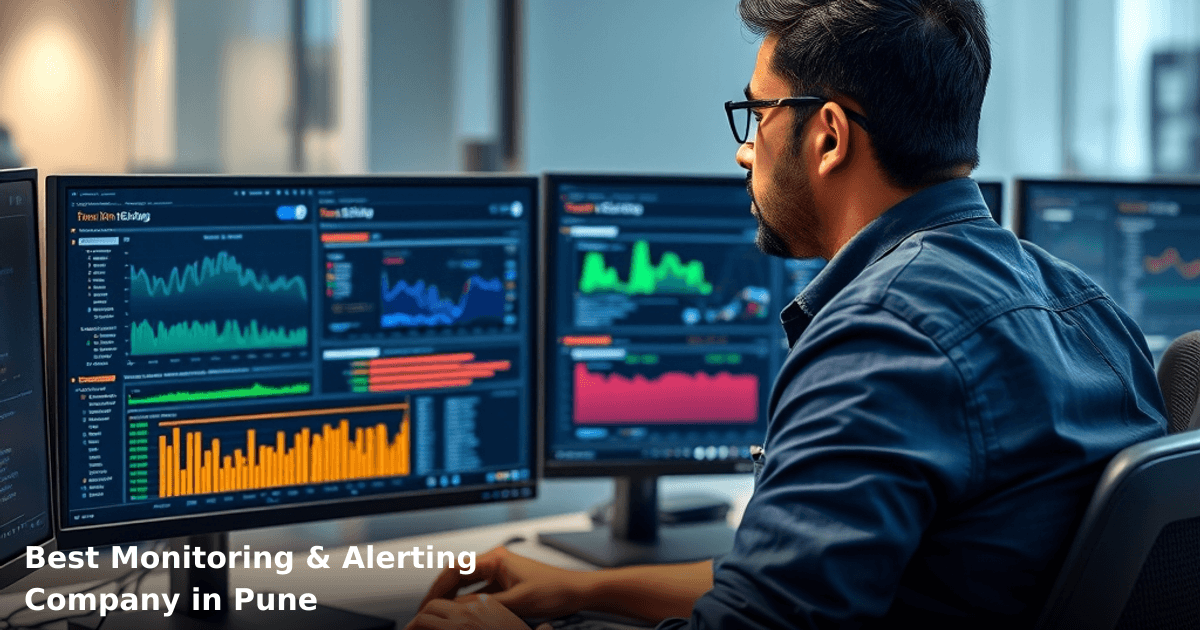
Best Monitoring & Alerting Company in Pune: How to Choose
Your production server crashes at 2 AM on a Saturday. Your customer-facing app goes down. You don't know until angry customers start calling Monday morning. This is what happens when you don't have proper monitoring & alerting in Pune, India — or anywhere else.
Quick Answer: The best monitoring & alerting company in Pune offers real-time infrastructure monitoring, customizable alert thresholds, and integration with your existing tools — typically costing ₹5,000–₹25,000/month depending on scale. Look for vendors that support Indian payment gateways, GST compliance, and have local support teams. Response time matters: your alerts should reach you within 30–60 seconds of an issue, not hours later.
Why Monitoring & Alerting Matters for Indian Businesses
Your business runs on systems. Your website, your inventory database, your payment gateway, your email server — they're all working right now. But the moment one of them fails, you lose money.
According to a McKinsey report, unplanned downtime costs Indian SMBs an average of ₹45,000 per hour. For a textile exporter in Pune managing orders on a custom ERP, that's ₹3.6 lakh per day of lost sales and reputation damage.
Monitoring & alerting isn't about paranoia. It's about knowing your systems are alive before your customers tell you they're dead.
Why This Matters Specifically in Pune
Pune's tech ecosystem is growing fast. You've got manufacturing units, IT services firms, e-commerce startups, and logistics companies all running mission-critical systems. Most of them are still running on legacy infrastructure mixed with newer cloud-based tools. That complexity creates blind spots.
We've worked with a pharma logistics company in Pune that was losing ₹8,000–₹12,000 per day because their warehouse management system would go offline for 2–3 hours without anyone noticing. Once they implemented proper monitoring & alerting, they caught issues within 5 minutes. Annual savings: ₹28 lakh.
That's what you're buying: early warning systems that let you fix problems before they become disasters.
What Monitoring & Alerting Actually Does
Monitoring & alerting in Pune, India works in three layers:
1. Monitoring — Continuous collection of data from your servers, databases, applications, and infrastructure. CPU usage. Memory. Disk space. Response times. Error rates. Uptime.
2. Thresholds — You define what "bad" looks like. "Alert me if CPU hits 85%." "Alert me if response time exceeds 2 seconds." "Alert me if my database is 90% full."
3. Alerting — The moment a threshold is crossed, the system notifies you. Via SMS. Email. Slack. WhatsApp. Phone call. Depending on severity.
Good systems also include:
- Historical data — See patterns over time. "Our server always spikes at 6 PM on Fridays when the sales team uploads batch reports."
- Integration — Connect to your CRM, ERP, ticketing system, or incident management tool so alerts automatically create tickets.
- Dashboards — Visual representation of system health so you can check status without digging through alerts.
- Root cause analysis — Not just "Server down" but "Server down because disk space filled up with old logs."
How It Differs from Basic Uptime Monitoring
Basic uptime monitoring is simple: "Is your website responding to requests? Yes or no?" That's it.
Real monitoring & alerting is granular. It catches the slow degradation before the crash. It tells you your database query is taking 8 seconds instead of 2 seconds. It warns you that your API is returning 5% errors instead of 0.1%. These are early warning signs that something's about to break.
A basic ping check costs ₹500–₹1,000/month. Real monitoring & alerting starts at ₹5,000/month and scales with your infrastructure complexity.
Monitoring & Alerting Tools: Comparison
Here's what you're choosing between in the Pune market:
| Tool | Best For | Starting Cost | Alert Channels | Integration | Learning Curve |
|---|---|---|---|---|---|
| Datadog | Enterprise-scale monitoring | ₹15,000+/month | Email, SMS, Slack, PagerDuty | 500+ integrations | Medium |
| New Relic | Application performance | ₹8,000–₹20,000/month | Email, Slack, webhooks | 100+ integrations | Medium |
| Prometheus + Grafana | Open-source, self-hosted | ₹0 (self-hosted) | Email, webhooks, custom | Limited, DIY | High |
| AWS CloudWatch | AWS-native infrastructure | ₹2,000–₹8,000/month | Email, SNS, Lambda | AWS ecosystem | Low |
| Zabbix | SMB infrastructure monitoring | ₹5,000–₹12,000/month | Email, SMS, Slack | Moderate | Medium |
| UptimeRobot | Website uptime only | ₹500–₹3,000/month | Email, SMS, Slack | Limited | Very Low |
For most Pune SMBs: Start with AWS CloudWatch (if you're on AWS) or Zabbix. Both are affordable, reliable, and don't require a PhD to operate. If you're running on-premise servers or a mixed infrastructure, Zabbix is your friend.
For startups with fast growth: Datadog or New Relic. You'll pay more, but setup takes days instead of weeks, and their support team is responsive.
For cost-conscious teams with technical staff: Prometheus + Grafana. Free software. Steep learning curve. But you own the entire stack.
Step-by-Step Guide to Choosing a Monitoring & Alerting Partner in Pune
We set up and manage your cloud infrastructure
From AWS to Azure — we design, deploy, and maintain reliable infrastructure for Indian startups and SMBs.
1. Map Your Infrastructure
Before you even talk to a vendor, know what you're monitoring.
Write down:
- How many servers do you have? (On-premise? Cloud? Hybrid?)
- What databases? (MySQL, PostgreSQL, MongoDB, Oracle?)
- What applications? (Custom-built? Third-party SaaS?)
- What's critical? (Rank your systems by business impact.)
One client in Pune — a textile trading company — thought they needed enterprise-grade monitoring for their entire infrastructure. Turned out, only their order management system and payment gateway were truly critical. Everything else could tolerate 30 minutes of downtime. That insight cut their monitoring costs by 60%.
2. Define Your Alert Thresholds and Escalation
This is where most SMBs mess up. They set alerts for everything and get alert fatigue. Your team ignores 500 alerts per day because 495 are noise.
Be specific:
- Critical alerts (page me immediately): Database down. Payment gateway unreachable. Website returns 50%+ errors.
- Warning alerts (email me): CPU at 80%. Disk space at 85%. Response time at 3 seconds.
- Info alerts (Slack channel): Deployment completed. Backup finished. Routine maintenance.
A pharmaceutical company in Pune was getting 200+ alerts per day. We helped them reduce that to 12–15 meaningful alerts. Their on-call engineer's sleep improved. So did their incident response time.
3. Check Integration Capabilities
Your monitoring tool needs to talk to your existing systems.
If you're using:
- Tally/SAP for accounting — does the monitoring tool integrate with your ERP?
- Zoho CRM or Freshworks — can alerts auto-create tickets?
- WhatsApp Business API — can critical alerts come via WhatsApp?
- Slack — is Slack integration native or through webhooks?
Most enterprise tools handle this. Smaller tools might not. Ask before you commit.
If you need WhatsApp alerts for critical issues — which makes sense for Pune businesses where SMS delivery can be unreliable — our WhatsApp Automation service can bridge the gap between your monitoring tool and WhatsApp Business API. We've set this up for logistics companies and e-commerce operations across Delhi NCR.
4. Evaluate Local Support and Response Time
This matters more than you think.
A vendor in the US might have a 4-hour response time SLA. But if your server goes down at 2 PM India time, you can't wait until 6 PM to hear back. You need someone in India who picks up the phone.
Ask potential vendors:
- Do you have a support team in India? (Not just email support from a helpdesk in Eastern Europe.)
- What's your response time for critical issues? (Should be under 1 hour.)
- Do you have a phone number or WhatsApp support?
Pune-based vendors are better for this, but even if you go with a larger vendor like Datadog or New Relic, ask if they have India-based support staff.
5. Test with a Pilot Setup
Don't commit to a 12-month contract for monitoring & alerting in Pune without testing first.
Most vendors offer 14–30 day free trials. Use them.
Set up monitoring on one non-critical system. Define a few thresholds. Trigger a fake alert and confirm you receive it. Check the dashboard. Try the integrations.
One e-commerce client in Pune spent 2 weeks testing three different tools. They discovered that Tool A was cheap but their Slack integration was delayed by 5 minutes. Tool B was faster but didn't support their legacy database. Tool C was perfect but overkill for their needs. Testing saved them from a bad long-term decision.
6. Plan for Scalability and Cost Growth
Your monitoring costs will grow as your business grows.
If you start with ₹5,000/month for 5 servers, and you add 10 more servers in 6 months, your cost might jump to ₹12,000/month. That's normal. But you should understand the pricing model upfront.
Ask:
- How do you charge? (Per server? Per metric? Per GB of data?)
- What's the cost if we double our infrastructure?
- Are there volume discounts for long-term commitments?
- Can we upgrade or downgrade easily?
A manufacturing company in Pune locked into a 24-month contract with a vendor, then outgrew their infrastructure. The vendor's pricing model made it cheaper to pay penalties and switch than to stay. Lesson: always negotiate exit clauses.
Common Mistakes to Avoid
1. Choosing based on price alone
Cheapest isn't best. A ₹500/month uptime tool won't catch the slow database query that's killing your customers' experience. You'll spend ₹500 to save ₹45,000 in downtime costs. Bad math.
2. Setting alerts for everything
Alert fatigue is real. If your team gets 200 alerts per day, they'll ignore all of them. Start with 10–15 critical alerts and add more as you understand your system's behavior.
3. Forgetting about alert delivery
Email alerts are useless if they land in spam. SMS alerts might not reach you in rural Pune areas. Test every alert channel before you rely on it.
4. Not monitoring your monitoring
Your monitoring tool can fail too. Who's watching the watchers? At minimum, set up a secondary uptime check that monitors your primary monitoring tool.
5. Ignoring historical data
"Our server crashed last month. We have no idea why." If you're not storing historical monitoring data, you can't do post-mortems. Keep at least 3 months of data. 1 year is better.
6. Skipping the runbook
An alert fires at 2 AM. Your on-call engineer wakes up. What do they do? If there's no documented runbook — "If alert X fires, do steps A, B, C" — your engineer will waste 30 minutes figuring it out. Write runbooks. Update them as you learn.
Key Takeaways
- Monitoring & alerting in Pune protects you from the ₹45,000/hour cost of unplanned downtime. Early detection can save you ₹28–₹50 lakh per year depending on your business.
- Start with infrastructure mapping. Know what's critical before you buy tools.
- Choose tools based on your infrastructure type. AWS CloudWatch for AWS. Zabbix for on-premise servers. Datadog for complex hybrid setups.
- Set thresholds intelligently. 10–15 meaningful alerts beat 500 noise alerts.
- Local support matters. A vendor with India-based support will respond faster when your system goes down at 2 PM.
- Test before committing. Use free trials to validate integrations and alert delivery.
- Plan for growth. Your monitoring costs will scale. Understand the pricing model upfront.
- Monitor your monitoring. Set up a secondary check to ensure your primary monitoring tool is alive.
Frequently Asked Questions
Quick answers about monitoring-and-alerting-pune
01 How much will a monitoring and alerting solution actually cost my Pune-based manufacturing business? ›
Most Pune SMBs pay ₹8,000–₹25,000 per month for enterprise-grade monitoring, depending on server count and alert complexity. If you're running 5–10 servers, expect ₹10,000–₹15,000/month; scaling to 50+ servers jumps you to ₹30,000–₹50,000/month. Many vendors charge per monitored asset, so clarify whether they bill per server, application, or user—this difference alone can swing your quote by 40%.
02 How long does it typically take to get monitoring live after we sign up? ›
Basic setup takes 3–7 days for a small operation (under 20 servers), but full integration with your existing systems usually takes 2–3 weeks. In my experience with Pune tech companies, the bottleneck isn't the vendor—it's getting your IT team to configure API keys, firewall rules, and alert routing on your end, which often adds another week. Plan for 4 weeks total if you want alerts actually reaching the right people reliably.
03 Is enterprise monitoring overkill for a 15-person startup, or should we invest now? ›
At 15 people with fewer than 10 servers, you don't need ₹20,000/month solutions—but you do need something beyond manual checks. A lightweight tool like Grafana + Prometheus (₹0–₹5,000/month) or a mid-tier SaaS at ₹8,000/month makes sense now; you'll outgrow it in 18–24 months anyway. The mistake is waiting until a production outage forces you to buy in panic—start small, upgrade predictably.
04 Most monitoring vendors claim they catch "99% of issues"—is that actually true? ›
That stat is misleading because it counts detected issues, not prevented ones. Real value comes from alert accuracy—too many false positives and your team stops trusting alerts (alert fatigue kills 60% of monitoring ROI). Ask vendors for their false positive rate, not their detection rate, and request a 2-week free trial to test on your actual infrastructure before committing.
05 What's the first step to choosing the right monitoring partner in Pune? ›
Audit your current pain points: Are you losing ₹5,000+ per outage hour? Do you have manual monitoring eating 10+ hours weekly? Once you quantify the cost of not monitoring, list your 3–5 critical systems (database, payment gateway, website, etc.) and request POC setups from 2–3 vendors—most offer free trials. You'll know within 10 days if their alerts actually integrate with your Slack, PagerDuty, or SMS workflow.
Need this built for your business?
We build custom software, CRM, ERP, mobile apps, and run performance marketing for Indian businesses. Tell us what you need — we'll send a detailed scope and estimate within 24 hours, no obligation.
- Free 30-min scoping call with our tech lead
- Detailed project estimate in writing
- No sales pitch — just honest advice on what makes sense
📞 +91 92794 55684 · 📧 [email protected] · Delhi NCR · PAN India
Innovaira's engineering team designs and builds custom software — CRM, ERP, SaaS platforms, web applications and mobile apps — for growing Indian businesses. ISO 9001:2015 certified for quality delivery.