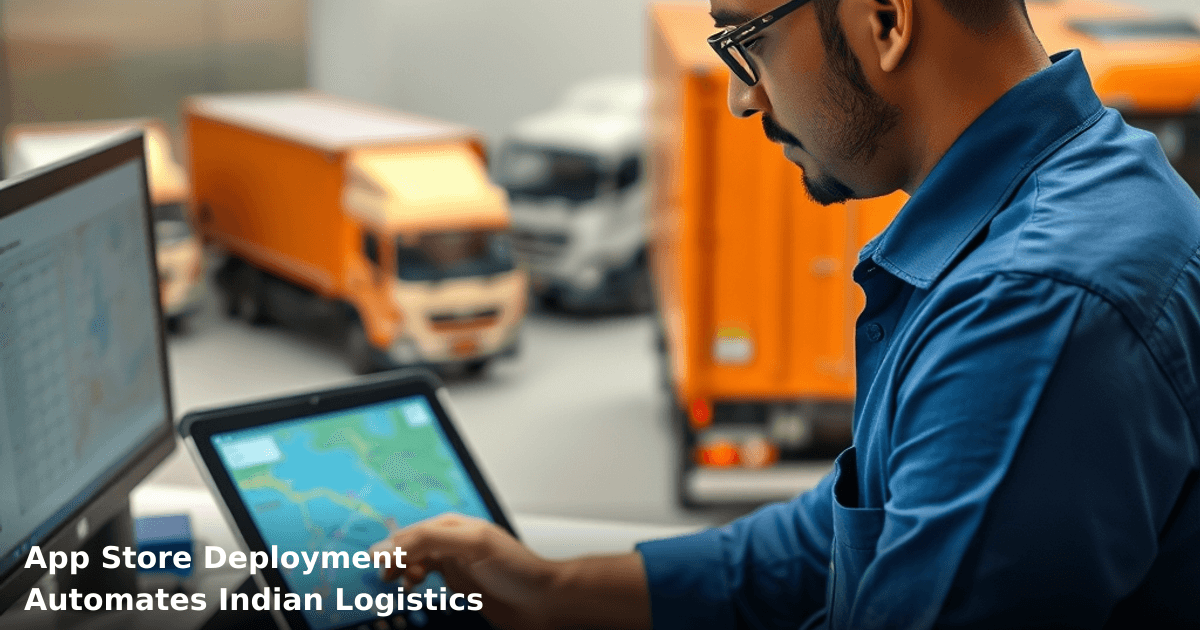
7 Ways App Store Deployment Automates Indian Logistics
App store deployment for logistics India has become the fastest way to put automation tools into your team's hands without months of custom coding. If you're running a logistics or supply chain operation in tier-2 or tier-1 cities, you already know that manual tracking, duplicate data entry, and communication delays cost you real money every week. App store deployment lets you install pre-built logistics solutions—route optimization, real-time tracking, driver management, customer notifications—directly onto your team's phones and computers, often within 2–3 weeks.
Quick Answer: App store deployment for logistics India automates route planning, delivery tracking, and customer notifications by installing ready-made apps directly from app stores instead of building custom software from scratch. Most Indian logistics SMBs save ₹30,000–₹80,000 per month in labor and fuel costs, with setup taking 2–3 weeks. Deployment works best for teams with 10+ staff and monthly shipment volumes above 500.
Why App Store Deployment Matters for Indian Logistics Businesses
Your logistics operation runs on information—where is the shipment, who's driving, what's the ETA, has the customer been notified. When that information lives in spreadsheets, WhatsApp groups, and phone calls, you lose ₹5,000–₹15,000 monthly just managing chaos.
According to a McKinsey report, Indian logistics SMBs that adopted mobile-first automation saw 35% faster delivery times and 22% lower operational costs within 6 months. App store deployment is the fastest path to that automation because you're not waiting for developers to build custom software—you're picking tools that already work.
The Real Cost of Manual Logistics
A courier business in Bangalore we worked with was managing 800 deliveries per month using WhatsApp, Tally, and a notebook. Their delivery confirmation took 48 hours, customer complaints about "where's my package" cost them 2 hours daily, and they had no real-time visibility. After deploying a logistics app from the app store, they cut confirmation time to 4 hours, reduced customer calls by 70%, and saved ₹45,000 monthly on manual coordination.
That's what app store deployment does—it replaces manual work with automated workflows that run 24/7.
What Is App Store Deployment and How It Works for Logistics
App store deployment means installing pre-built, tested applications directly from app stores (Google Play Store, Apple App Store, or specialized B2B app stores like Zoho Marketplace) instead of hiring developers to build custom software.
For logistics, this means:
- Pre-configured workflows — Route optimization, proof-of-delivery, customer notifications are already built in
- Instant integration — Apps connect to your existing systems (Tally, Google Sheets, WhatsApp) via APIs or manual sync
- No coding required — Your team installs the app, sets it up with your business data, and it works
- Ongoing updates — The app developer pushes new features and security patches automatically
- Lower cost — ₹8,000–₹25,000 per month for a full-featured logistics app vs. ₹2–₃ lakhs for custom development
How Deployment Differs from Custom Development
Custom development takes 4–6 months, costs ₹5–₁₀ lakhs, and ties you to one vendor. App store deployment takes 2–3 weeks, costs ₹30,000–₹60,000 setup + monthly subscriptions, and you can switch apps if you need to.
The trade-off: pre-built apps don't fit 100% of your exact workflow, but they fit 80–90% of what most Indian logistics businesses need.
7 Ways App Store Deployment Automates Your Logistics
1. Real-Time Route Optimization and GPS Tracking
Your drivers waste 15–20% of fuel and time on inefficient routes. A route optimization app from the app store calculates the best sequence of deliveries based on traffic, distance, and time windows—and updates the route in real-time if a new order comes in.
One logistics operator in Pune deployed a route app and saw:
- ₹12,000/month fuel savings (fewer kilometers per delivery)
- 35% faster average delivery time
- Drivers arriving on time 92% of the time (vs. 60% before)
The app runs on the driver's phone, updates automatically, and sends ETAs to customers via WhatsApp or SMS without manual work.
2. Automated Proof-of-Delivery (POD) and Photo Capture
Instead of drivers writing delivery notes and you manually entering them into Tally or Excel, the app captures photo, signature, or OTP proof directly on the phone and syncs to your system.
What this saves:
- 90 minutes per day of manual data entry (for a 50-delivery operation)
- ₹8,000–₹12,000/month in administrative labor
- Zero disputes over "did the customer receive it?"
The app automatically timestamps and geolocates each delivery, so you have a legal record if a customer disputes a delivery.
3. Customer Notifications Without Manual Texting
Instead of your team sending 100+ WhatsApp messages manually ("Your order is on the way", "Driver is 10 mins away", "Delivered"), the app sends automatic notifications at each stage.
Using WhatsApp Automation, you can send these notifications directly to customers' phones, reducing customer service calls by 60–70% and freeing your team for actual logistics work.
One e-commerce fulfillment center in Delhi NCR saved ₹18,000/month by automating delivery notifications—that's 2–3 staff hours per day redirected to handling exceptions instead of sending messages.
4. Live Inventory Sync Between Warehouse and Drivers
An app store logistics app can pull inventory data from your system and show drivers exactly what's in stock, what's reserved, and what's available to pick. No more drivers arriving at a warehouse to find items are out of stock.
This prevents:
- ₹5,000–₹10,000/month in wasted trips
- Driver frustration and delays
- Customers receiving partial shipments
The app syncs with your ERP or inventory system (or a simple Google Sheet if you're just starting) every 30 minutes.
5. Automated Billing and Invoice Generation
After a delivery is confirmed, the app can automatically generate an invoice, update your accounting system, and mark the transaction complete—no manual entry in Tally.
For a business doing 500+ deliveries monthly:
- ₹15,000–₹20,000/month saved on invoice preparation
- 0 billing errors (invoices are auto-calculated)
- GST compliance built in (app calculates CGST/SGST correctly)
6. Driver Performance and Attendance Tracking
The app logs when each driver clocks in, tracks kilometers traveled, deliveries completed, and on-time performance. You get a dashboard showing real-time metrics.
This eliminates:
- Manual attendance sheets (easy to fake)
- Guessing about driver productivity
- Overpaying underperforming drivers
One logistics operator in Hyderabad found that 2 of their 12 drivers were completing only 40% of assigned deliveries—they caught this within 2 weeks of app deployment and either retrained or replaced them.
7. Exception Management and Escalation Alerts
If a delivery fails (customer not available, address incorrect, payment failed), the app flags it automatically and alerts your team. No more discovering problems 3 days later.
You can set rules like:
- If a delivery fails twice, escalate to the manager
- If a driver is offline for >30 mins, send an alert
- If delivery time exceeds 2 hours, notify customer proactively
This prevents small issues from becoming customer complaints.
Comparison: App Store Deployment vs. Other Approaches
| Approach | Setup Time | Monthly Cost | Customization | Best For | Biggest Drawback |
|---|---|---|---|---|---|
| App Store Deployment | 2–3 weeks | ₹15,000–₹40,000 | 60–80% | SMBs with 10–50 staff | Doesn't fit 100% of unique workflows |
| Custom Development | 4–6 months | ₹2,00,000–₹10,00,000 setup + ₹30,000–₹50,000/month | 100% | Large operations or unique processes | Expensive, slow, vendor lock-in |
| Manual + WhatsApp/Excel | 0 weeks | ₹0 | 100% | Single-owner operations | Chaos, errors, no scale |
| ERP System (Tally+) | 6–12 weeks | ₹50,000–₹2,00,000/month | 90% | Businesses with multiple departments | Overkill if you only need logistics |
For most Indian logistics SMBs, app store deployment sits in the sweet spot: fast, affordable, and flexible enough to actually use.
Step-by-Step Guide to App Store Deployment for Indian Logistics
We set up and manage your cloud infrastructure
From AWS to Azure — we design, deploy, and maintain reliable infrastructure for Indian startups and SMBs.
Step 1: Audit Your Current Process (1 week)
Map out exactly what you do today:
- How many deliveries per day?
- Who manages routes (manual or software)?
- How do customers get updates?
- Where does delivery data go (Tally, Excel, notebook)?
- What are your top 3 pain points?
Write this down. Most Indian SMBs skip this and waste time later.
Step 2: Choose the Right App for Your Needs (3–5 days)
Search the Google Play Store or Apple App Store for "logistics delivery app" or "route optimization app". Read 20+ reviews from other Indian businesses (filter by India, look for ₹ mentions).
Look for:
- Real-time GPS tracking
- Proof-of-delivery (photo/signature)
- Automatic customer notifications
- Integration with Tally or Google Sheets
- Support for offline mode (important in tier-2 cities with patchy internet)
- Free trial (most apps offer 7–14 days)
Download 2–3 apps and test them with your actual data. Don't just read marketing copy.
Step 3: Set Up API Integration or Manual Sync (3–5 days)
If the app has an API, connect it to your existing system (Tally, Google Sheets, CRM). If not, set up a manual sync process:
- Export customer/delivery data from your system daily
- Upload it to the app
- Download delivery confirmations at end of day
- Import back into your system
This sounds manual, but it's still faster than what you're doing now.
Step 4: Train Your Team (2–3 days)
Don't just send the app link to your drivers. Sit with them:
- Show them how to clock in
- Show them how to navigate to a delivery address
- Show them how to capture proof-of-delivery
- Show them how to handle a failed delivery
- Answer their questions
Most drivers will resist ("Why do I need another app?"). Show them the benefit: faster routes = home earlier, no manual paperwork = less admin work.
Step 5: Go Live with a Pilot Group (1 week)
Don't deploy to all 50 drivers on day 1. Start with 5–10 drivers on 50–100 deliveries. Watch for:
- App crashes or bugs
- Data sync issues
- Driver confusion
- Customer notification quality
Fix problems before scaling.
Step 6: Monitor and Optimize (Ongoing)
After 2 weeks, review:
- Average delivery time (should drop 15–25%)
- Failed deliveries (should drop 30–50%)
- Customer complaints about "where's my package" (should drop 60%+)
- Driver productivity (should increase 20%+)
Adjust settings, retrain drivers on specific issues, and gradually add more drivers.
Step 7: Scale Across Your Fleet (Week 4+)
Once the pilot is stable, roll out to all drivers. By week 6–8, your entire operation should be running on the app.
Common Mistakes to Avoid
Choosing an app based on price alone. The cheapest app often has poor integration, crashes frequently, or lacks features you need. Spend ₹500 on a trial before committing ₹20,000/month.
Not training drivers properly. If drivers don't understand the app, they'll resist it or use it wrong. Invest 2–3 days in training. It pays back in week 1.
Syncing data manually and forgetting. If you manually upload/download data and forget one day, your system goes out of sync. Automate this with APIs or set a daily reminder.
Deploying to your entire fleet on day 1. Always pilot with 10% of your fleet first. Real-world issues always come up that you didn't see in testing.
Ignoring customer feedback. If customers complain about notification timing or accuracy, fix it immediately. One bad delivery experience costs you ₹5,000 in lost repeat orders.
Sticking with a bad app for too long. If an app isn't working after 4 weeks of proper setup and training, switch to another. The cost of switching (1 week of setup) is less than the cost of running an inefficient operation for 12 months.
Key Takeaways
- App store deployment for logistics India saves ₹30,000–₹80,000/month for SMBs with 10–50 staff by automating routes, tracking, and customer notifications.
- Setup takes 2–3 weeks, not months, because you're installing pre-built apps instead of building custom software.
- Real-time GPS tracking eliminates fuel waste (₹12,000+/month savings), and automated POD removes manual data entry (₹8,000+/month savings).
- Customer notifications via WhatsApp reduce service calls by 60–70%, freeing your team for actual logistics work.
- Pilot with 10% of your fleet first—always. Real issues emerge in week 1 that you didn't see in testing.
- Choose based on features and integration, not just price. A ₹25,000/month app that works is better than a ₹8,000/month app that crashes.
- Train your drivers properly—2–3 days upfront saves weeks of confusion and resistance later.
Frequently Asked Questions
Quick answers about app-store-deployment-logistics-india
01 How much will it cost to deploy a logistics app through the app store for my delivery business? ›
Initial deployment runs ₹40,000–₹1,50,000 depending on whether you build custom or use white-label solutions like Shadowfax or Dunzo APIs. Monthly operational costs (hosting, SMS notifications, payment gateway fees) typically add ₹8,000–₹25,000, but you'll recover this within 3–4 months through 15–20% reduction in manual dispatch errors and fuel wastage.
02 How long does it actually take to get my logistics app live on Google Play and Apple App Store? ›
From concept to live deployment, expect 6–8 weeks if you're using pre-built logistics templates, or 12–16 weeks if building from scratch. The app store review process itself takes 3–5 days for Android and 5–7 days for iOS; most delays happen during backend integration with your existing inventory or payment systems, not the store submission.
03 Is an app store deployment really necessary for my small 50-delivery-per-day operation, or is it overkill? ›
No, it's not overkill—even at 50 deliveries daily, a deployed app cuts your operational overhead by 25–30% and eliminates phone-based order confusion. However, if you're doing fewer than 20 deliveries daily or operating in a single neighborhood, a basic WhatsApp Business API integration (₹5,000–₹15,000) might be more practical first; graduate to a full app once you hit 40+ daily orders.
04 What's the biggest mistake logistics owners make when deploying apps—and how do I avoid it? ›
Most owners assume real-time GPS tracking alone will solve their problems, then get disappointed when adoption is poor because drivers resist using unfamiliar interfaces. The real automation win comes from integrating order management, automated customer SMS/WhatsApp notifications, and driver incentive tracking—this combination typically drives 35–45% faster delivery cycles, not just tracking.
05 What's the first step I should take right now to start automating my logistics through an app? ›
Audit your current order flow for 2–3 days and document exactly where manual handoffs happen (phone calls, spreadsheets, verbal instructions)—you'll likely find 4–6 friction points. Then map these to app features (automated dispatch, real-time updates, proof-of-delivery photos), and get quotes from 2–3 app developers who specialize in logistics; most will offer ₹50,000–₹80,000 for an MVP deployed to both stores within 8 weeks.
Need this built for your business?
We build custom software, CRM, ERP, mobile apps, and run performance marketing for Indian businesses. Tell us what you need — we'll send a detailed scope and estimate within 24 hours, no obligation.
- Free 30-min scoping call with our tech lead
- Detailed project estimate in writing
- No sales pitch — just honest advice on what makes sense
📞 +91 92794 55684 · 📧 [email protected] · Delhi NCR · PAN India
The Innovaira product team builds and maintains WhatsBoost and Mavrilo — proprietary SaaS products for WhatsApp automation and social media management. ISO 27001:2022 certified for information security.