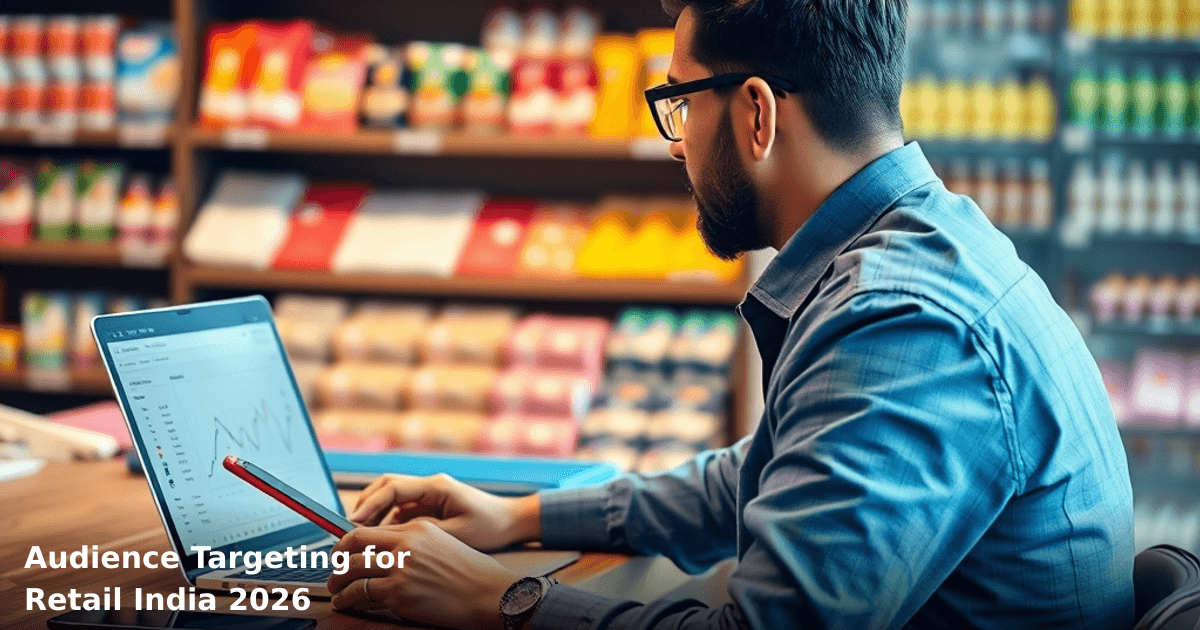
Audience targeting for retail India in 2026 isn't about casting the widest net anymore. It's about reaching the right customer at the right moment—the one who's actually ready to buy from your store, not just browsing. Most Indian retail businesses still rely on gut feeling or spray-and-pray Google Ads. That's costing them ₹50,000–₹2,00,000 every month in wasted ad spend.
Quick Answer: Audience targeting for retail India means segmenting your customers by location, purchase history, income level, and shopping behavior—then showing them specific ads tailored to their needs. A well-targeted campaign can reduce your ad spend by 40–50% while increasing conversions by 35–60% within 90 days. Start with your existing customer data, layer in lookalike audiences, and refine based on performance metrics from Google Search Console and your analytics dashboard.
Why Audience Targeting Matters for Indian Retail Businesses
Your retail store in Bangalore, Delhi, or Mumbai doesn't serve everyone equally. A woman aged 28–35 buying ethnic wear has different needs than a 45-year-old man shopping for formal shirts. Yet most retail businesses throw the same ads at everyone—and wonder why their ROAS (Return on Ad Spend) sits at 1.2:1 instead of 4:1.
The Scale of the Problem
According to a NASSCOM report, 67% of Indian SMBs in retail don't segment their audiences at all. They're burning money. One of our clients, a clothing chain in Pune with 8 stores, was spending ₹1.5 lakh monthly on Google Ads. Their conversion rate? 0.8%. After implementing proper audience targeting for retail India, they cut spend to ₹85,000 and hit 2.4% conversions—a 200% improvement in ROAS within 60 days.
The math is simple: targeted ads cost less per click, attract higher-intent customers, and reduce cart abandonment. That's not theory. That's what happens when you stop broadcasting and start talking to the right person.
What Audience Targeting Really Means in the Indian Retail Context
Audience targeting for retail India is the practice of dividing your potential customers into specific groups based on measurable characteristics—then serving each group ads, offers, or content designed for them, not for everyone.
The Four Pillars
1. Demographic Targeting Age, gender, income level, household size. A women's apparel brand in Delhi might target women aged 25–40 with household income above ₹8 lakh/year. A discount store targets price-conscious families with income ₹3–6 lakh/year.
2. Geographic Targeting City, neighborhood, or even a 5 km radius around your physical store. If you operate in Tier-2 cities like Indore or Nagpur, you don't want to pay for clicks from Mumbai. Location-based targeting cuts waste by 30–40%.
3. Behavioral Targeting Purchase history, browsing habits, cart abandonment, repeat visits. A customer who browsed your site 5 times but never bought? They're a retargeting goldmine. A customer who bought from you twice? They're a repeat-buyer segment worth nurturing.
4. Lookalike Audiences These are new prospects who behave like your best existing customers. If your repeat buyers average ₹12,000 annual spend, lookalike audiences find similar profiles at 3–4x lower cost-per-acquisition than cold traffic.
This isn't new. But most Indian retail businesses skip it because they assume it's complex or expensive. It's not. It just requires structure.
Comparison Table: Audience Targeting Approaches for Retail India
| Approach | Setup Time | Monthly Cost | Best For | Conversion Rate | Audience Size |
|---|---|---|---|---|---|
| Broad / No Targeting | 2 days | ₹50k–₹1.5L | Brand awareness only | 0.5–1% | 100% of India |
| Demographic + Location | 5–7 days | ₹40k–₹1.2L | Most retail SMBs | 1.5–2.5% | 15–25% of India |
| Behavioral + Retargeting | 10–14 days | ₹35k–₹1L | E-commerce + offline stores | 2–4% | 8–15% of India |
| Lookalike + Custom Audiences | 14–21 days | ₹30k–₹80k | Scaling high-performers | 2.5–5% | 5–12% of India |
| Full Stack (All 4 Pillars) | 21–30 days | ₹40k–₹1.2L | Growth-focused retailers | 3–6% | 10–20% of India |
Most Indian retail businesses sit in the "Broad / No Targeting" or "Demographic + Location" row. The jump to "Behavioral + Retargeting" typically delivers 40–50% better ROAS without spending more.
Step-by-Step Guide to Master Audience Targeting for Retail India
We run campaigns like this for Indian businesses
From Google Ads to Meta — we handle strategy, creatives, targeting and weekly reporting end-to-end.
Step 1: Audit Your Existing Customer Data (Days 1–3)
Start with what you already know. Export your customer list from your POS system, Tally, or CRM. You need:
- Purchase dates and amounts
- Product categories bought
- Phone numbers or email addresses
- Store location (if multi-branch)
- Repeat vs. one-time buyers
If you don't have a CRM yet, this is your wake-up call. A simple CRM setup takes 2–3 weeks and costs ₹15,000–₹50,000—and pays for itself in the first month through better targeting alone.
For now, even a cleaned-up Google Sheet works. The goal: identify your top 20% of customers (the ones generating 80% of revenue). These are your "VIP segment."
Step 2: Define Your Core Audience Segments (Days 3–5)
Based on your data, create 4–6 distinct segments. Example for a mid-sized apparel retail chain:
- Segment A: High-Value Repeat Buyers (15% of customers, 60% of revenue) — women aged 30–45, purchased 5+ times, avg. spend ₹15,000/year
- Segment B: Seasonal Shoppers (25% of customers, 20% of revenue) — all ages, buy during Diwali, wedding season, back-to-school
- Segment C: Price-Conscious First-Timers (35% of customers, 12% of revenue) — aged 20–28, discount-sensitive, lower cart value
- Segment D: Offline-Only (15% of customers, 5% of revenue) — walk-in traffic, no online presence, low repeat rate
- Segment E: Cart Abandoners (10% of audience, 0% current revenue) — added items but didn't buy; high conversion potential
Now assign each segment a strategy:
- Segment A: Loyalty emails, exclusive previews, VIP discounts (email + WhatsApp)
- Segment B: Festival-specific campaigns, early-bird offers (Google Ads + Instagram)
- Segment C: "First-time buyer" discounts, free shipping offers (Google Ads + retargeting)
- Segment D: In-store promotions, SMS alerts about new stock
- Segment E: Retargeting ads, cart recovery emails, 10% discount codes
Step 3: Set Up Tracking and Pixel Implementation (Days 5–10)
You can't target what you can't measure. Install:
- Google Analytics 4 on your website (if you have one). Track page views, add-to-cart events, purchases.
- Google Ads Conversion Tracking so you know which ads actually drive sales.
- Facebook Pixel if you run Instagram or Facebook ads.
- UTM parameters on all your ad links so you know which campaign, audience, and ad drove each click.
Example UTM link: https://yourstore.com/sale?utmsource=google&utmmedium=cpc&utmcampaign=repeatbuyersdiwali&utmaudience=segment_a
If this sounds technical, it's not. It's copy-paste work. But it's essential. Without tracking, you're flying blind.
Step 4: Create Audience Lists in Google Ads and Facebook (Days 10–14)
Upload your customer segments to Google Ads as Customer Match audiences. Google will match your customer emails/phone numbers to their user profiles and show ads to those exact people across Search, YouTube, and Display networks.
Steps:
- Go to Google Ads → Audiences → Customer Match
- Upload your CSV file (email, phone, or both)
- Create separate lists for each segment (Repeat Buyers, Seasonal, Cart Abandoners, etc.)
- Set audience size threshold to 1,000 minimum (smaller audiences = unreliable targeting)
Do the same in Facebook Ads Manager for Instagram and Facebook campaigns.
Pro tip: Segment A (your best customers) should see your premium products and loyalty offers. Segment C should see entry-level products and discounts. Don't show a ₹5,000 luxury kurta to someone whose avg. purchase is ₹800.
Step 5: Build Lookalike Audiences (Days 14–18)
Once you have 1,000+ customers in a segment, create a lookalike audience. Google and Facebook will find new people who behave like your best customers.
In Google Ads:
- Audiences → Lookalike Audiences → Create
- Choose your source audience (e.g., Repeat Buyers)
- Select target countries (India, or specific states)
- Set similarity percentage (100% = most similar; 50% = broader reach)
Lookalike audiences typically cost 30–50% less per click than cold traffic and convert 2–3x better. One of our retail clients in Hyderabad used lookalike audiences to find 8,000 new high-intent prospects for ₹22,000/month—vs. ₹45,000 for the same volume through broad targeting.
Step 6: Launch Campaigns and Monitor Weekly (Ongoing)
Don't set it and forget it. Check performance every 7 days:
- Cost Per Acquisition (CPA): Should drop by 20–30% week-over-week as you refine targeting
- Conversion Rate: Target 2–4% for retargeting, 1–2% for lookalike, 0.5–1% for cold traffic
- ROAS: Aim for 3:1 minimum; 5:1 is excellent for retail
Use Google Search Console and your analytics dashboard to spot trends. If Segment A converts at 5% but Segment C at 0.8%, shift budget from C to A.
Common Mistakes to Avoid When Targeting Audiences in Indian Retail
Mistake 1: Targeting Too Broadly "I'll target all women aged 18–55 in India." That's 200+ million people. Your ad spend gets diluted, your CPA shoots up, and you never find the real buyer. Narrow down to 25–35 age range, specific income level, and 1–2 cities first. Scale later.
Mistake 2: Ignoring Mobile-First Behavior 76% of Indian e-commerce traffic comes from mobile. Yet most retail businesses optimize ads for desktop. Your audience targeting should prioritize mobile users, mobile-friendly landing pages, and mobile payment options (UPI, JioMart integration, etc.).
Mistake 3: Forgetting Cart Abandoners You've already paid to bring them to your site. Retargeting a cart abandoner costs ₹2–5 per click vs. ₹15–30 for cold traffic. Yet 80% of Indian retail SMBs don't retarget. That's leaving ₹30,000–₹80,000 on the table every month.
Mistake 4: Not Testing Offers by Segment Segment A (your best customers) doesn't need a 40% discount. They'll buy at 15% off. Segment C needs 30–40% to convert. But most retailers use the same discount for everyone. Test different offers for each segment. You'll find that Segment A has a 4x higher lifetime value—so invest more in keeping them happy.
Mistake 5: Mixing Online and Offline Data Poorly You have store footfall data and online data. They're not the same audience. A customer who buys online might never visit your store, and vice versa. Create separate segments for online buyers, offline buyers, and omnichannel buyers. Treat each differently.
Mistake 6: Launching Too Many Segments at Once Start with 2–3 segments. Master those. Then add more. If you launch 8 segments with different messaging, budgets, and offers, you won't know what's working. Complexity kills execution.
Key Takeaways
- Audience targeting for retail India reduces ad spend by 40–50% while increasing conversions by 35–60% within 90 days. Start with demographic + location targeting, then layer in behavioral and lookalike audiences.
- Segment your customers into 4–6 groups based on purchase history, value, and behavior. Assign each segment a specific strategy (loyalty, seasonal, discount, retargeting).
- Set up tracking first. Google Analytics 4, conversion pixels, and UTM parameters are non-negotiable. You can't optimize what you don't measure.
- Lookalike audiences find new high-intent customers at 30–50% lower cost than cold traffic. Use them once you have 1,000+ customers in a segment.
- Monitor and refine weekly. Shift budget from underperforming segments to winners. Test different offers for different segments. The market changes; your targeting should too.
- Retargeting cart abandoners is your quickest win. Most Indian retail businesses ignore this. It's ₹30,000–₹80,000/month left on the table.
Frequently Asked Questions
Quick answers about audience-targeting-for-retail-india
01 How much should a small retail store budget for audience targeting in 2026? ›
Start with ₹5,000–₹15,000/month for local targeting on Google Ads and Instagram if you're a single-store operation; mid-size chains (5–10 stores) typically spend ₹30,000–₹75,000/month to cover multiple cities. The key is that 60% of your budget should go toward retargeting existing customers (who convert 3–4x better) rather than cold audiences, which means you're not burning cash on unqualified leads.
02 How long does it actually take to see results from audience targeting? ›
You'll see initial data within 7–10 days (enough to identify which audience segments are clicking), but statistically significant results—where you can confidently optimize—take 3–4 weeks with consistent daily spend of ₹500+. Most retail owners expect results in 2 weeks and pull the plug too early; patience through the first 21 days is where 70% of optimization wins happen.
03 Is audience targeting worth it for a small retail business with just one store? ›
Absolutely yes, but only if you're doing it right—focus on 3–5 hyper-local audiences (your store's 2km radius, past customers, and lookalikes) rather than spreading thin across 15 audiences. A single-store business spending ₹8,000/month on tight audience targeting typically sees 25–35% better ROI than a chain store spending ₹50,000/month on loose targeting across too many segments.
04 What's the biggest mistake retail owners make with audience targeting? ›
Creating audiences that are too broad—targeting "women 25–45 interested in fashion" across all of India instead of "women 28–38 who visited your store in the last 90 days and live within 3km." This mistake wastes 40–50% of your ad spend on people who'll never walk into your physical store; always anchor your audiences to geography and behavior, not just demographics.
05 What's the fastest way to get started with audience targeting if I've never done it before? ›
Install the Meta Pixel and Google Analytics 4 on your website today (takes 30 minutes with a developer or 2–3 hours if you're doing it yourself), then spend your first ₹10,000 over 2 weeks exclusively on retargeting your past 6 months of website visitors—zero guesswork, pure data. By week 3, you'll have enough conversion data to build lookalike audiences and expand, but starting with retargeting gives you a 50% better chance of profitability from day one.
Need this built for your business?
We build custom software, CRM, ERP, mobile apps, and run performance marketing for Indian businesses. Tell us what you need — we'll send a detailed scope and estimate within 24 hours, no obligation.
- Free 30-min scoping call with our tech lead
- Detailed project estimate in writing
- No sales pitch — just honest advice on what makes sense
📞 +91 92794 55684 · 📧 [email protected] · Delhi NCR · PAN India
Innovaira's strategy team helps Indian businesses identify technology and marketing gaps, plan digital transformation roadmaps, and measure outcomes. Based in New Delhi, serving clients across India.