7 AI Automation Tools Indian Small Businesses Need in 2026
If you run a small business in India—whether it's manufacturing, retail, services, or e-commerce—you've probably felt the squeeze. Your team is stretched thin. Manual processes eat up hours every week. Customer inquiries pile up faster than you can respond. This is where AI automation comes in. Not the sci-fi kind. The practical, ₹500–₹5,000/month kind that actually frees up your staff to do real work instead of data entry.
Quick Answer: AI automation tools help Indian SMBs save 15–20 hours per week by automating repetitive tasks like invoice processing, customer follow-ups, and inventory updates. The 7 essential tools for 2026 include chatbots, email automation, invoice processing, WhatsApp bots, inventory management, CRM automation, and scheduling systems. Most small businesses see ROI within 3–4 months.
Why AI Automation Matters for Indian Businesses
Your competitors aren't sleeping. According to a NASSCOM report, 67% of Indian SMBs are already using some form of automation—and they're seeing 25–35% efficiency gains. If you're not moving in this direction, you're losing ground on speed, cost, and customer experience.
The Real Numbers
A textile exporter in Surat we worked with was spending ₹1.2 lakh per month on manual invoice processing and customer communication. After implementing AI automation tools, they cut that to ₹35,000/month—and their order fulfillment time dropped from 5 days to 2 days.
That's not an outlier. Across tier-2 and tier-3 Indian cities, we're seeing similar patterns: businesses with 5–50 staff members saving ₹50,000–₹2 lakh monthly by automating what machines can do better than humans.
What AI Automation Actually Is (And Isn't)
AI automation isn't about replacing your team. It's about replacing the boring parts of their job.
Think of it this way: your staff member spends 2 hours daily copying invoice data from email into Tally. An AI tool can do that in seconds. Your customer service person manually types the same response to 30 WhatsApp messages daily. A chatbot can handle 80% of those questions instantly.
The tools we're talking about fall into two buckets:
- Task automation — handling repetitive, rule-based work (invoicing, scheduling, follow-ups)
- Intelligent automation — using machine learning to make decisions (lead scoring, fraud detection, inventory forecasting)
For most Indian SMBs, you'll start with task automation and gradually move into intelligent automation as your data improves.
The 7 AI Automation Tools Your Business Needs in 2026
1. Chatbots and Conversational AI
This is the frontline tool. A chatbot handles 60–70% of routine customer questions—product availability, pricing, delivery status, returns—without your team touching a single message.
For Indian businesses: WhatsApp chatbots are more valuable than website chatbots because 85% of your customers use WhatsApp. A chatbot can answer "What's my order status?" instantly, reduce your support team's workload by 40%, and capture leads 24/7.
Real example: A footwear brand in Bengaluru implemented a WhatsApp chatbot. They went from 200 unanswered messages daily to zero. Their support team now focuses on complex complaints instead of repetitive questions. Cost: ₹3,500/month. Savings: ₹60,000/month in staff time.
Setup time: 1–2 weeks. Monthly cost: ₹2,000–₹8,000.
2. Email and SMS Automation
Your sales team sends the same "follow-up" email to 50 leads daily. An AI tool can segment leads, personalize emails based on behavior, and send them at the optimal time—all automatically.
For Indian businesses: This works especially well if you're using tools like IndiaMart or JioMart. When a customer adds your product to their cart, an automated email or SMS goes out 2 hours later with a discount code. No human involved.
Real example: An organic food distributor in Pune automated their post-purchase SMS sequence. They send 3 messages over 10 days: order confirmation, delivery update, and "buy again" offer. This single workflow increased repeat purchases by 18% and cost them ₹500/month.
Setup time: 3–5 days. Monthly cost: ₹1,500–₹6,000.
3. Invoice and Document Processing
Here's the tedious one: your accounts team manually enters invoice data into Tally. An AI tool reads the invoice (PDF, image, or paper), extracts the vendor name, amount, date, and line items, and pushes it directly into your ERP.
For Indian businesses: Especially valuable if you're managing GST compliance. The tool flags mismatches, duplicate invoices, and out-of-policy expenses before they reach your accountant.
Real example: A construction materials supplier in Ahmedabad processes 200+ invoices monthly from 40+ vendors. They were spending ₹80,000/month on manual data entry. After AI document processing, that dropped to ₹15,000/month (just for exception handling). They also caught ₹2.3 lakh in duplicate payments in the first quarter.
Setup time: 2–3 weeks. Monthly cost: ₹4,000–₹12,000.
4. WhatsApp Automation for Sales and Support
This deserves its own spot because WhatsApp is your customer communication hub in India.
A WhatsApp automation tool lets you:
- Send bulk messages to segments (new customers, repeat buyers, inactive users)
- Capture leads from WhatsApp and auto-sync to your CRM
- Route customer inquiries to the right team member
- Send order updates, payment reminders, and promotional offers
For Indian businesses: If you're selling B2B or B2C, WhatsApp is where your customers are. An automation tool turns WhatsApp from a one-off chat app into a sales and support engine.
Real example: A pharma distributor in Nashik sends medication reminders to 5,000+ patients weekly via WhatsApp. They also use it to collect feedback and trigger follow-up calls for high-value customers. This single tool increased customer retention by 22% and cost ₹5,000/month.
Setup time: 1–2 weeks (including WhatsApp Business API approval). Monthly cost: ₹3,000–₹10,000.
We handle the entire integration at Innovaira—API approval, message templates, CRM sync—so you don't have to wrestle with WhatsApp's documentation. Check out our WhatsApp Automation service to see how it works for businesses like yours.
5. Inventory and Supply Chain Automation
Your inventory manager manually checks stock levels, creates purchase orders, and sends emails to suppliers. An AI tool monitors stock in real-time and triggers orders automatically when levels hit a threshold.
For Indian businesses: Especially critical if you're managing GST inventory across multiple warehouses or if you're selling on multiple channels (your website, Amazon, Flipkart, IndiaMart).
Real example: An electronics retailer in Kolkata was losing ₹3–4 lakh monthly to stockouts and overstock. They implemented AI inventory automation. Now the system automatically reorders when stock hits 20% of max capacity. Stockouts dropped by 87%. Overstock reduced by 60%. Cost: ₹6,000/month. ROI: 4 weeks.
Setup time: 2–4 weeks. Monthly cost: ₹5,000–₹15,000.
6. CRM and Lead Scoring Automation
Your sales team manually enters leads, follows up randomly, and loses track of hot prospects. An AI-powered CRM automatically scores leads based on behavior (website visits, email opens, WhatsApp clicks), prioritizes them, and reminds your team to follow up.
For Indian businesses: Especially powerful if you're in B2B services, consulting, or high-ticket sales. The tool identifies which leads are most likely to convert, so your team focuses on those instead of cold calling everyone.
Real example: A business consulting firm in Delhi was closing 12% of leads. After implementing AI lead scoring in their CRM, they focused their follow-ups on high-scoring leads. Conversion rate jumped to 28%. They closed 40% more deals without hiring extra salespeople.
Setup time: 1–3 weeks. Monthly cost: ₹4,000–₹8,000.
If you need a custom CRM built for your specific workflows, our CRM Development service can handle that. We build systems that talk to your existing tools—Tally, WhatsApp, email, whatever you're using.
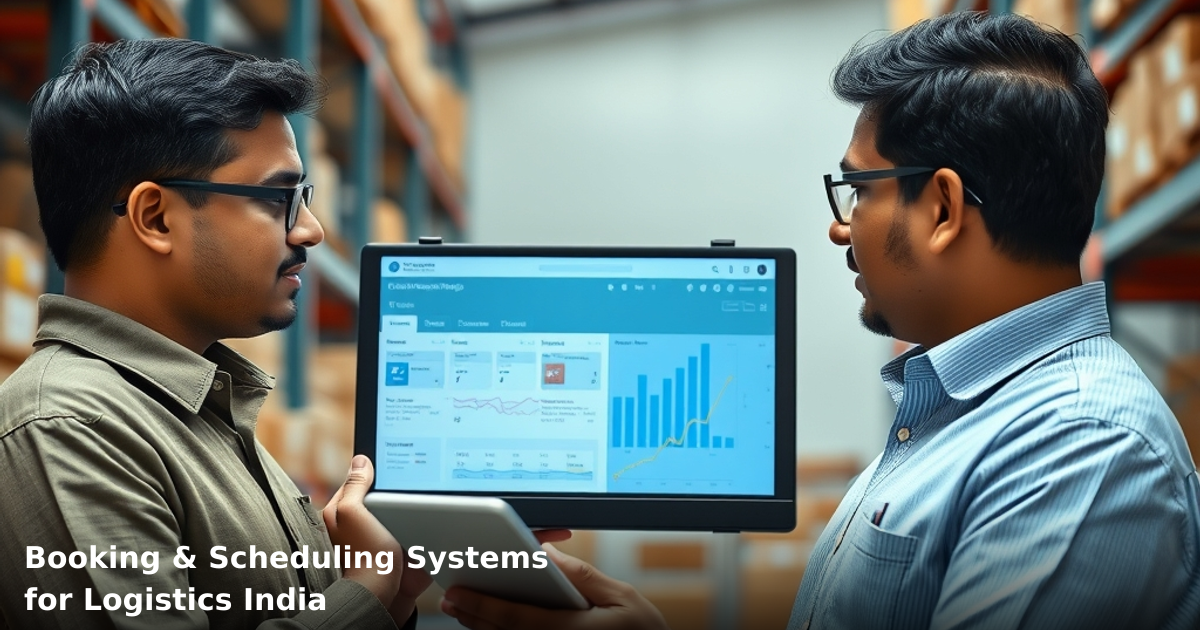
7. Scheduling and Meeting Automation
Your team spends 30 minutes daily on emails like "Are you free Tuesday at 2 PM?" A scheduling tool lets customers book slots directly—no back-and-forth.
For Indian businesses: Works for consultants, service providers, coaches, and anyone with appointment-based business. The tool syncs with your calendar, sends reminders, collects payments, and reschedules automatically if you're unavailable.
Real example: A financial advisor in Mumbai was spending 5 hours weekly coordinating meeting times with clients. After implementing scheduling automation, that dropped to 15 minutes. No-shows reduced by 60% because clients get SMS reminders. She now takes 12 more client meetings per month.
Setup time: 2–3 days. Monthly cost: ₹800–₹3,000.
Comparison Table: AI Automation Tools at a Glance
| Tool | Best For | Setup Time | Monthly Cost | Typical ROI |
|---|---|---|---|---|
| Chatbots | Customer support, lead capture | 1–2 weeks | ₹2,000–₹8,000 | 6–8 weeks |
| Email/SMS Automation | Lead nurturing, repeat sales | 3–5 days | ₹1,500–₹6,000 | 4–6 weeks |
| Document Processing | Invoice & receipt handling | 2–3 weeks | ₹4,000–₹12,000 | 3–4 weeks |
| WhatsApp Automation | Customer communication | 1–2 weeks | ₹3,000–₹10,000 | 4–8 weeks |
| Inventory Automation | Stock management | 2–4 weeks | ₹5,000–₹15,000 | 2–4 weeks |
| CRM Automation | Lead scoring & follow-up | 1–3 weeks | ₹4,000–₹8,000 | 6–12 weeks |
| Scheduling Tools | Appointment booking | 2–3 days | ₹800–₹3,000 | 2–3 weeks |
Step-by-Step Guide for Implementing AI Automation in Your Business
We build this automation for your business
Our team maps your current workflow, identifies automation opportunities, and delivers a working system in 2–3 weeks.
Step 1: Identify Your Biggest Time Sink
Don't automate everything at once. Pick one process that eats 5+ hours per week and is repetitive (same steps every time).
Common culprits: customer follow-ups, invoice entry, appointment scheduling, inventory checks, email responses.
Ask your team: "What task do you hate doing most?" That's usually the best place to start.
Step 2: Document the Current Process
Spend 2–3 days watching how your team currently handles this task. Write down every step. Note where decisions are made vs. where it's just data entry.
Example: "Customer sends inquiry → Team member reads it → Types response → Sends email → Logs in CRM."
If 80% of that is data entry, it's automatable. If 80% is judgment calls, you'll need a different approach.
Step 3: Choose Your Tool
Use the comparison table above. Match your process to the tool category. Then research 2–3 specific tools in that category.
For Indian SMBs, prioritize:
- Tools with local payment options (no need for international credit cards)
- Tools with WhatsApp integration
- Tools that work offline or with poor internet (because not all of India has 5G)
- Tools with decent customer support in Hindi or English
Step 4: Run a Pilot (2–4 Weeks)
Don't roll out to your entire business. Pick 20–30% of your volume and test the tool.
Track: time saved, errors introduced, customer satisfaction, cost.
If it works, scale to 100%. If it doesn't, tweak or switch tools.
Step 5: Train Your Team
Your staff needs to understand what the tool is doing and why. Spend 1–2 hours training them. Show them what they're no longer responsible for and what their new job is (usually: exception handling and judgment calls).
This is critical. If your team feels threatened, they'll sabotage the tool.
Step 6: Monitor and Adjust
Track metrics weekly for the first month. Is the tool saving the promised time? Are errors increasing? Are customers happy?
Most tools need tweaking in the first 2–4 weeks. Adjust rules, templates, and workflows based on real data.
Step 7: Scale to Other Processes
Once one process is automated, move to the next. You'll get faster at implementation each time.
Common Mistakes to Avoid
Automating the wrong thing: You automate a process that only takes 2 hours/week. Wrong. Start with 5+ hours/week. ROI is faster.
Expecting zero errors: AI tools make mistakes. Usually 2–5% error rate. Your job is to catch those exceptions. Don't expect perfection.
Not training your team: Your staff feels threatened. They don't use the tool properly. It fails. You blame the tool. The real issue: poor change management.
Choosing tools based on price alone: The cheapest tool often has terrible support, poor integrations, and a steep learning curve. You'll waste more time fixing it than you save.
Not measuring results: You implement a tool and don't track whether it actually saved time or money. Three months later, you're not sure if it's working. Measure everything.
Automating before documenting: Your process is messy and undocumented. You automate it. Now your mess is automated 1,000 times faster. Document first, automate second.
Key Takeaways
- AI automation isn't about replacing your team—it's about eliminating repetitive, low-value work so your team can focus on strategy and customer relationships.
- Start with one process that takes 5+ hours/week and is highly repetitive. Chatbots, email automation, and invoice processing are the quickest wins for most Indian SMBs.
- According to a McKinsey report, businesses that automate routine tasks see 20–35% productivity gains within the first 6 months.
- Setup takes 1–4 weeks depending on the tool. ROI typically arrives within 3–8 weeks.
- Most Indian SMBs save ₹50,000–₹2 lakh monthly after implementing 2–3 automation tools.
- The biggest mistake is automating without a plan. Document your process, run a pilot, train your team, and measure results.
- WhatsApp automation and CRM automation are non-negotiable for Indian businesses in 2026.
Frequently Asked Questions
Quick answers about ai-automation
01 How much will I actually spend on AI automation tools if I'm a 10-person team? ›
You're looking at ₹15,000–₹40,000 per month for a solid stack: ChatGPT Plus (₹200/month), Zapier free tier or paid (₹500–₹2,000), Typeform (₹1,500–₹3,000), and an email automation tool like Mailchimp (₹2,000–₹5,000). Most SMBs I've worked with start with ₹20,000/month and scale up only when they see ROI—don't buy everything at once.
02 How long does it typically take to see measurable results after implementing AI automation? ›
You'll see quick wins in 2–3 weeks (fewer manual emails, faster customer responses), but real ROI appears around 6–8 weeks when your team adapts workflows and you measure time saved. A client of mine in logistics saved 12 hours weekly on invoice processing within 45 days of setting up document automation—that's ₹30,000+ in monthly labor hours recovered.
03 Is AI automation only for large companies, or can my 5-person startup actually benefit? ›
Smaller teams benefit more—a 5-person team can automate customer follow-ups, lead qualification, and invoice processing to act like a 10-person operation. I've seen ₹5 lakh revenue startups using ₹8,000/month in AI tools and cutting administrative work by 40%, which means founders spend more time selling instead of admin.
04 Everyone says AI will replace our jobs—should I be worried about automating my team's tasks? ›
This is the biggest misconception: automation replaces repetitive tasks, not jobs—it replaces the boring 3 hours your accountant spends on data entry, not the accountant. The teams that thrive are those who redeploy people toward client strategy, sales, and problem-solving; your employee becomes more valuable, not redundant.
05 Where should a complete beginner start if they've never used automation tools before? ›
Start with one pain point—if you're drowning in customer emails, begin with ChatGPT + Zapier (free tier) to draft responses and route them to the right person; if invoicing kills your time, automate that first. Pick one tool, spend 1–2 weeks learning it thoroughly, then add the next one; most SMBs I advise go from zero to productive in 3–4 weeks with this approach.
Need this built for your business?
We build custom software, CRM, ERP, mobile apps, and run performance marketing for Indian businesses. Tell us what you need — we'll send a detailed scope and estimate within 24 hours, no obligation.
- Free 30-min scoping call with our tech lead
- Detailed project estimate in writing
- No sales pitch — just honest advice on what makes sense
📞 +91 92794 55684 · 📧 [email protected] · Delhi NCR · PAN India