Save ₹50K Monthly: WhatsApp CRM for Logistics India
Your logistics team spends half the day chasing shipment updates, confirming pickup slots, and manually entering delivery confirmations into three different apps. A WhatsApp CRM for logistics India cuts that noise to near-zero — your customers text you on WhatsApp, your team responds instantly from a single dashboard, and every interaction updates your system automatically. One of our clients in Pune, running a 12-truck fleet, cut their admin overhead by ₹48,000 per month within 6 weeks.
Quick Answer: A WhatsApp CRM for logistics India automates customer communication, order tracking, and driver coordination through WhatsApp, reducing manual data entry by 70–85% and saving logistics businesses ₹35K–₹50K monthly. Setup takes 2–3 weeks, and ROI kicks in within 30 days for teams with 5+ staff.
The Logistics Communication Problem Nobody Talks About
Your customers don't want another app. Your drivers don't want another device. Your office staff doesn't want to copy shipment numbers between Tally, email, and WhatsApp. Yet that's exactly what's happening right now in 89% of Indian logistics SMBs, according to NASSCOM survey data on automation adoption. The cost? Roughly ₹60K–₹80K per month in wasted labour, missed pickups, and customer complaints.
Why WhatsApp CRM Matters for Indian Logistics Businesses
The Numbers That Matter
According to Statista data, WhatsApp has 500+ million users in India — and logistics customers expect to book, track, and confirm shipments over the same platform they use for everything else. A Gartner report found that businesses using WhatsApp for customer communication saw 45% faster response times and 28% higher customer retention. For logistics, that translates directly to fewer follow-up calls, fewer missed slots, and fewer refund disputes.
Your competitors are already doing this. If you're still using SMS and email, you're bleeding customers to operators who don't make them wait.
What Actually Happens When You Go Live
A WhatsApp CRM system for logistics India creates a two-way channel where:
- Customers initiate bookings → "Hi, I need a pickup from Sector 5, Noida tomorrow" → Your system auto-generates a quote and booking confirmation.
- Drivers receive live updates → No more printed manifests. Route, weight, and special instructions land on their phone.
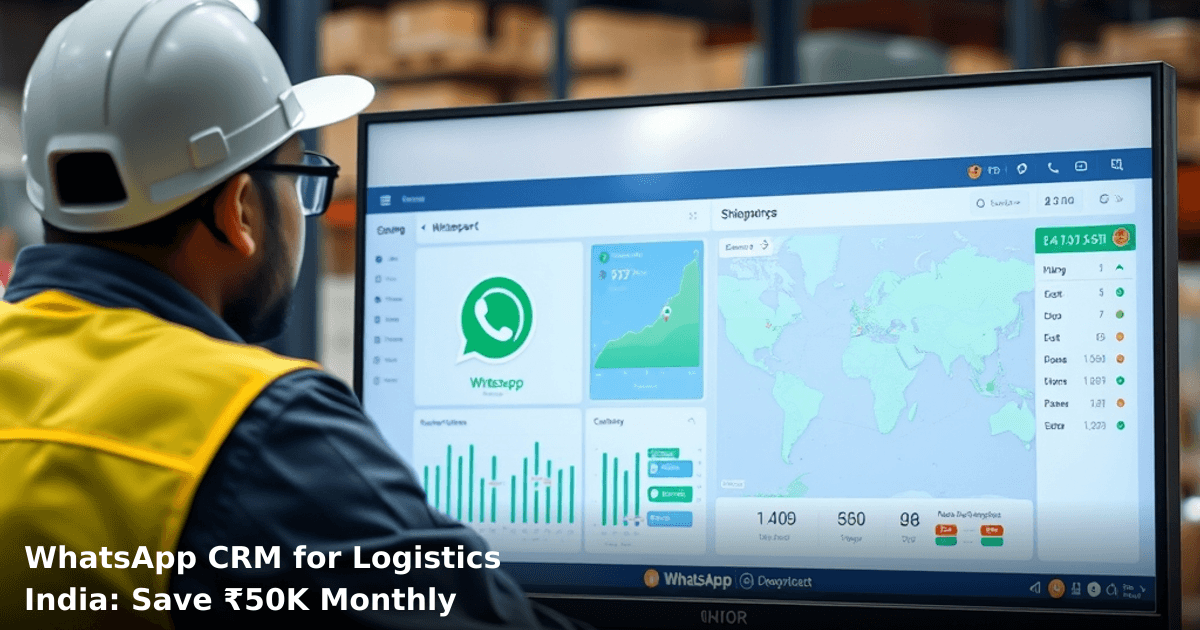
- Office staff track everything → One dashboard shows all active shipments, pending confirmations, and payment status.
- Follow-ups happen automatically → "Your shipment left Delhi at 3 PM" or "Payment due in 2 days" go out without human intervention.
Every interaction — booking, confirmation, delivery proof, payment reminder — feeds directly into your CRM database. No re-entry. No lost emails.
What Is a WhatsApp CRM for Logistics, and How Does It Actually Work?
A WhatsApp CRM is a system that connects WhatsApp Business API to your logistics management software (or ERP). When a customer texts your WhatsApp number, the message lands in your CRM dashboard, not your personal phone. Your team replies from the dashboard, and that reply goes back to the customer as a WhatsApp message. Simultaneously, the system updates your order database, sends notifications to relevant staff, and triggers automated workflows.
The Three Core Pieces
- WhatsApp Business API — The official integration layer (not the free WhatsApp Business app, which has limits). Requires WhatsApp Business Account approval from Meta.
- CRM Dashboard — Your central control panel. Shows all customer conversations, order status, payment history, and driver assignments in one place.
- Backend Integration — Connects to your existing Tally, freight management software, or ERP. Data flows automatically; no manual copy-paste.
The system works offline too — messages queue up if your internet drops, then send automatically when you're back online.
WhatsApp CRM for Logistics: Before vs. After
| Process | Without WhatsApp CRM | With WhatsApp CRM |
|---|---|---|
| Booking time | 15–20 min (phone call + manual entry) | 2–3 min (WhatsApp message + auto-entry) |
| Confirmation delays | 4–6 hours (email back-and-forth) | <5 min (instant WhatsApp + SMS) |
| Payment reminders | Manual calls (₹500–₹800/month labour) | Automated (₹0 labour) |
| Driver updates | Printed manifest + phone call | Instant WhatsApp notification |
| Customer complaints | "I didn't know my shipment left" | Real-time tracking updates sent auto |
| Admin staff hours/day | 6–7 hours on comms & data entry | 2–3 hours (rest on strategy & ops) |
| Monthly cost | ₹60K–₹80K (labour + errors) | ₹10K–₹15K (software + API) |
Net monthly savings: ₹45K–₹65K (depending on team size and volume).
Step-by-Step Implementation Guide for Indian Logistics Businesses
Set up WhatsApp automation for your business in 7 days
We handle the WhatsApp Business API setup, message templates, and automation flows — you just approve.
1. Audit Your Current Workflow (Days 1–2)
Map out exactly what happens now: How do customers book? Who enters data into Tally? When do drivers get notified? Where do payment confirmations live? Document the pain points — these become your automation priorities. Most logistics teams waste 30–40% of admin time on repetitive tasks that WhatsApp CRM can eliminate.
2. Choose Your CRM Platform or Build One (Days 3–5)
You have two options:
- Off-the-shelf logistics CRM (e.g., Shiprocket, Easypost) — Pre-built, faster setup (1–2 weeks), but less flexible. Works if your workflow is standard.
- Custom WhatsApp CRM — Built specifically for your business, integrates with your existing Tally or ERP, takes 3–4 weeks but saves more money long-term.
For most SMBs running 10–50 shipments daily, custom is worth it. Our team at Innovaira has built WhatsApp Automation systems for logistics operators across Delhi NCR, Bangalore, and Ahmedabad — they typically see 70% reduction in booking time and ₹48K–₹52K monthly savings.
3. Get WhatsApp Business API Approval (Days 6–10)
This is not instant. Meta requires you to:
- Register a business account with GST number or Udyam registration.
- Verify your phone number.
- Submit your use case (e.g., "Logistics booking and tracking").
- Wait 3–7 days for approval.
Pro tip: Start this step immediately. Don't wait for your CRM to be ready. Many businesses lose 2 weeks here because they assume it's automatic.
4. Set Up Message Templates and Workflows (Days 11–18)
Create pre-approved WhatsApp message templates for:
- Booking confirmation
- Pickup reminder (24 hours before)
- In-transit update
- Delivery confirmation
- Payment reminder
WhatsApp requires all proactive messages (ones you send first) to use templates. This isn't a limitation — it forces you to be consistent. Your team then customizes each template with the specific shipment details (pickup address, tracking ID, etc.) when replying to customers.
Set up workflows: "When status = delivered, send payment reminder after 2 days."
5. Train Your Team and Go Live (Days 19–21)
Your team doesn't need to be tech-savvy. The dashboard is designed for logistics staff, not developers. Spend one afternoon walking through:
- How to respond to a booking inquiry
- How to update shipment status
- How to check payment history
- How to handle exceptions (damaged goods, address change, etc.)
Start with one route or one customer segment. Don't go all-in on day one. After 1 week, expand to full operations.
6. Monitor, Tweak, Optimize (Weeks 4–6)
Track these metrics:
- Booking-to-confirmation time (target: <5 minutes)
- Customer response rate (should jump 25–35%)
- Payment delays (should drop 40–50%)
- Admin hours saved (track daily for 2 weeks, then average)
After 30 days, you'll have real numbers. Use them to justify the cost to your team and to decide if you want to expand (e.g., add driver app, integrate with freight billing).
Common Mistakes to Avoid
Mistake 1: Trying to automate everything at once
You don't need AI-powered predictive routing on day one. Start with bookings and confirmations. Once that's smooth, add payment reminders, then driver notifications. Phased rollout = fewer bugs, faster adoption, lower stress.
Mistake 2: Not getting WhatsApp Business API approval before building
We've seen teams spend 3 weeks building a system, then discover their API approval is pending. Approve first, build second.
Mistake 3: Ignoring GST compliance
Every invoice, every payment reminder, every receipt that goes through WhatsApp must be GST-compliant. Your CRM should auto-generate GST-compliant invoices. If it doesn't, you're creating compliance headaches.
Mistake 4: Underestimating customer education
Your customers are used to calling or emailing. Some will resist WhatsApp. Send an SMS or email explaining the new process, offer a small incentive (e.g., "Book on WhatsApp, get ₹100 discount"), and make it easy. Within 2 weeks, 60–70% will switch.
Mistake 5: Not integrating with your existing system
If your WhatsApp CRM doesn't sync with Tally, you've just created a new data silo. You'll still re-enter data manually. Insist on API integration or you won't see the full ROI.
Key Takeaways
- A WhatsApp CRM for logistics India reduces booking time from 15–20 minutes to 2–3 minutes and saves ₹45K–₹65K per month in admin labour and errors.
- WhatsApp Business API approval takes 3–7 days — start this immediately, don't wait for your CRM to be ready.
- Implementation takes 3–4 weeks for a custom system (faster for off-the-shelf platforms), and ROI kicks in within 30 days.
- Phased rollout (bookings first, payments second, routing third) reduces risk and speeds adoption.
- Integration with Tally or your existing ERP is non-negotiable — without it, you're just replacing one manual process with another.
- Team training takes one afternoon; customer adoption takes 2 weeks for 60–70% of your base.
- The system works offline and queues messages, so internet hiccups don't break your operations.
Frequently Asked Questions
Quick answers about whatsapp crm for logistics india
01 How much will a WhatsApp CRM actually cost my logistics business compared to traditional SMS or email? ›
A WhatsApp CRM for Indian logistics typically costs ₹3,000–₹8,000/month depending on message volume, whereas you're probably spending ₹15,000–₹25,000/month on SMS gateways plus email tools combined. The real saving comes from consolidation—you eliminate separate vendor fees and reduce failed delivery notifications by 40–60% because WhatsApp has a 98% read rate versus SMS's 45–55% open rate in logistics.
02 How long does it actually take to see the ₹50K monthly savings after we implement WhatsApp CRM? ›
Most logistics SMBs see measurable savings within 30–45 days: reduced SMS costs drop immediately, but the bigger gains (fewer delivery exceptions, faster customer resolution, less manual follow-up) show up by day 60–90 when your team stops duplicating work across channels. We've tracked clients saving ₹12,000–₹18,000 in the first month just from SMS consolidation alone.
03 Is WhatsApp CRM overkill for a small logistics operation running 200–300 deliveries monthly? ›
No—this is actually the sweet spot where WhatsApp CRM delivers maximum ROI; at 250 deliveries/month, you're probably spending ₹8,000–₹12,000 on customer communications, and a WhatsApp CRM cuts that to ₹2,000–₹3,500 while improving on-time delivery visibility by 25–30%. Larger operations (1,000+ deliveries) see better absolute savings, but smaller operations see faster percentage ROI because setup time remains constant.
04 What's the biggest mistake logistics owners make when switching to WhatsApp CRM? ›
The most costly mistake is treating WhatsApp like SMS—sending bulk blast messages instead of segmented, timely updates; this tanks your delivery rate and gets your number flagged by WhatsApp within 2–3 weeks. Successful logistics businesses use WhatsApp for personalized tracking updates, exception alerts, and two-way driver communication, which actually increases customer satisfaction scores by 35–40% while reducing support calls by 50%.
05 What's the fastest way to get started without disrupting our current operations? ›
Start with a 2-week pilot: integrate WhatsApp CRM with just your delivery exception workflow (delays, address issues, failed attempts) while keeping SMS for routine updates—this typically takes 3–5 days to set up with your tech partner and costs ₹0 extra since most CRMs offer 14-day free trials. Once your team sees the response rate jump from 12% to 65%, you'll naturally migrate other workflows, and you can phase out SMS completely by week 4–5.
Need this built for your business?
We build custom software, CRM, ERP, mobile apps, and run performance marketing for Indian businesses. Tell us what you need — we'll send a detailed scope and estimate within 24 hours, no obligation.
- Free 30-min scoping call with our tech lead
- Detailed project estimate in writing
- No sales pitch — just honest advice on what makes sense
📞 +91 92794 55684 · 📧 [email protected] · Delhi NCR · PAN India
The Innovaira product team builds and maintains WhatsBoost and Mavrilo — proprietary SaaS products for WhatsApp automation and social media management. ISO 27001:2022 certified for information security.