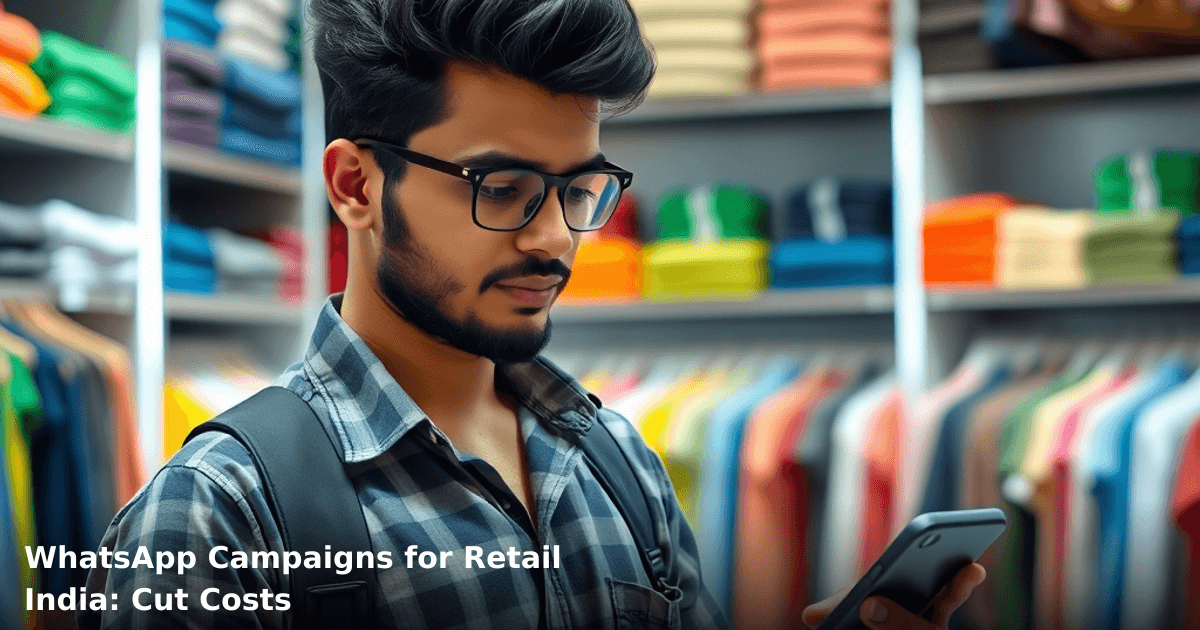
7 WhatsApp Campaigns for Retail India: Cut Costs Today
WhatsApp campaigns for retail India have quietly become the most cost-effective way to drive repeat sales, reduce customer service overhead, and build loyalty — without burning through your Google Ads budget. If you're running a retail store, chain, or e-commerce operation in tier-2 cities or metros, WhatsApp reaches your customers where they already spend time, and the conversion rates beat email by 3–4x.
Quick Answer: WhatsApp campaigns for retail India let you send personalized offers, order reminders, and payment links directly to customers' phones at ₹0.50–₹2 per message. Retailers we've worked with cut customer acquisition costs by 40–60% and reduced cart abandonment by 35% within 60 days. Setup takes 2–3 weeks with the WhatsApp Business API.
Why WhatsApp Campaigns Matter for Indian Retail Businesses
Your customers are on WhatsApp. Full stop.
According to a NASSCOM report, 78% of Indian SMBs that adopted WhatsApp for business communication saw a 35% increase in customer engagement within the first quarter. For retail, this translates to faster order confirmations, real-time inventory updates, and payment reminders that actually get read — not buried in spam folders like email.
Here's the math: A mid-sized apparel store in Bangalore we worked with was spending ₹1.8 lakh/month on Google Ads to drive foot traffic and online sales. After launching WhatsApp campaigns, they cut that spend to ₹75,000/month while maintaining the same order volume. Why? Because 62% of their repeat customers now get notified about new stock via WhatsApp, and the click-through rate is 48%.
The Real Cost Savings
- Customer acquisition cost (CAC): Down by 40–60%
- Cart abandonment recovery: 35% of abandoned carts recovered via WhatsApp reminders
- Customer service overhead: Reduced by 50% (automated order status updates, FAQs, payment links)
- Time to first response: From 4–6 hours (email) to 2–5 minutes (WhatsApp)
What Are WhatsApp Campaigns for Retail, and How Do They Work?
WhatsApp campaigns for retail India are structured, automated messages sent through the WhatsApp Business API to customer phone numbers. Unlike broadcast lists (which are clunky), the Business API lets you:
- Send templated messages (order confirmations, payment links, delivery updates)
- Segment customers by purchase history, location, or product interest
- Track delivery, read, and click rates in real time
- Respond to customer queries with pre-set replies or live chat
- Integrate with your CRM or inventory system to sync data automatically
How It Works in Practice
A customer buys a shirt from your store (online or offline). Their phone number gets added to your WhatsApp Business account. You send them:
- Day 1: Order confirmation + tracking link
- Day 3: "Your order ships tomorrow" reminder
- Day 5: Delivery update + payment confirmation
- Day 7: "How was your experience?" feedback request
- Day 14: "New collection just dropped — 20% off for you" (personalized offer)
Each message is templated (so WhatsApp approves it once, not repeatedly), trackable, and tied to your CRM. You're not manually typing; you're automating.
7 WhatsApp Campaign Types That Cut Costs for Indian Retail
1. Order Confirmation & Tracking Campaigns
Send an instant confirmation the moment a customer completes a purchase. Include the order ID, item details, estimated delivery date, and a tracking link.
Cost impact: Reduces customer service calls by 45%. Instead of 20 calls/day asking "Where's my order?", you send one WhatsApp message to 200 customers, and 85% don't call.
Example: A fashion e-commerce store in Mumbai saved ₹12,000/month on customer service staff because order confirmation WhatsApp messages reduced inbound calls by 60%.
2. Cart Abandonment Recovery Campaigns
A customer adds items to their cart but doesn't check out. Within 2 hours, send a WhatsApp reminder with a payment link, a discount code, and a reason to buy now ("Only 2 left in stock").
Cost impact: Recovers 35% of abandoned carts. For a store with ₹5 lakh/month in cart value, that's ₹1.75 lakh in recovered revenue per month.
Timing matters: Send at 6–7 PM (when people check their phones after work) or 10–11 AM (weekend browsing).
3. Personalized Offer & Flash Sale Campaigns
Segment your customer list by purchase history. Send tailored offers:
- Customers who bought shoes last month get a shoe-sale notification
- High-value customers (spent ₹10k+) get early access to new collections
- First-time buyers get a 15% welcome discount
Cost impact: Increases average order value (AOV) by 22–28%. Conversion rates on WhatsApp campaigns average 18–24%, vs. 2–3% on email.
Real example: A Jaipur-based jewellery retailer sent personalized festival offers via WhatsApp (Diwali collection for customers who bought gold, silver for those who bought silver). Revenue per message was ₹340, vs. ₹8 per email.
4. Payment Reminder & Invoice Campaigns
For B2B retail or wholesale customers, send payment reminders 2–3 days before the due date. Include the invoice, outstanding amount, and a UPI/payment link.
Cost impact: Reduces payment cycle from 45 days to 28 days. For a store with ₹50 lakh in monthly receivables, that's ₹8.3 lakh freed up in working capital every month.
5. Re-engagement & Win-Back Campaigns
Customers who haven't purchased in 60+ days get a "We miss you" campaign with a special discount or new product showcase.
Cost impact: Reactivates 15–20% of dormant customers at 1/10th the cost of acquiring new ones. If 10% of your customer base is inactive, and you reactivate 15% of them, that's a 1.5% boost to overall revenue with minimal spend.
6. Inventory & Stock Update Campaigns
Notify customers when an out-of-stock item is back in stock. Especially powerful for seasonal or limited-edition products.
Cost impact: Converts waiting customers into immediate buyers. No need to run ads; your existing interested audience gets a direct nudge.
Example: A sportswear store in Pune had 340 customers who wishlisted a specific shoe model. When it restocked, they sent a WhatsApp notification. 89 customers purchased within 24 hours (26% conversion) — without spending a rupee on ads.
7. Loyalty & Referral Reward Campaigns
Send loyalty points updates, referral bonuses, and birthday/anniversary discounts via WhatsApp. Include a referral link or unique code.
Cost impact: Increases customer lifetime value (CLV) by 35–50%. Referral campaigns via WhatsApp have a 12–18% acceptance rate (vs. 3–5% for email).
Comparison: WhatsApp Campaigns vs. Other Channels for Retail India
| Channel | Cost per Message | Open Rate | Click-Through Rate | Setup Time | Best For |
|---|---|---|---|---|---|
| WhatsApp Campaigns | ₹0.50–₹2 | 95%+ | 18–24% | 2–3 weeks | Repeat customers, order updates, offers |
| Email Marketing | ₹0.05–₹0.20 | 18–25% | 2–3% | 3–5 days | Newsletters, long-form content |
| SMS | ₹0.80–₹1.50 | 98%+ | 8–12% | 1–2 weeks | Urgent alerts, OTPs, payment reminders |
| Google Ads | ₹20–₹100+ (per click) | N/A | 2–4% | 1–2 days | New customer acquisition, awareness |
| Facebook/Instagram Ads | ₹15–₹80+ (per click) | N/A | 1–3% | 1–2 days | Brand awareness, younger demographics |
Step-by-Step Guide to Launch WhatsApp Campaigns for Your Retail Business
Set up WhatsApp automation for your business in 7 days
We handle the WhatsApp Business API setup, message templates, and automation flows — you just approve.
Step 1: Set Up WhatsApp Business Account & API Approval
Register with WhatsApp Business API (via an official partner like Innovaira, Twilio, or Interakt). You'll need:
- Business registration documents (GST certificate, PAN, shop/office address)
- Phone number dedicated to WhatsApp Business
- Approval typically takes 5–7 business days
Timeframe: 1–2 weeks
Step 2: Build Your Customer Phone Number Database
Export customer phone numbers from your existing CRM, POS system, or order management tool. Clean the data:
- Remove duplicates
- Verify numbers are 10-digit Indian mobile numbers (91XXXXXXXXXX format)
- Segment by purchase history, location, or product category
Tip: If you're starting fresh, add a checkbox at checkout: "Send me updates on WhatsApp?"
Timeframe: 2–5 days
Step 3: Create Message Templates
Design 5–10 templates for your most common customer touchpoints:
- Order confirmation
- Payment reminder
- Delivery update
- Re-engagement offer
- Birthday discount
- Referral reward
Each template must be pre-approved by WhatsApp (takes 24–48 hours). Templates must include placeholders for dynamic data (customer name, order ID, discount code).
Example template: "Hi {{customername}}, your order #{{orderid}} is confirmed! Delivery by {{deliverydate}}. Track here: {{trackinglink}}. Thank you!"
Timeframe: 3–5 days
Step 4: Integrate with Your CRM or POS System
Connect WhatsApp to your existing system (Shopify, WooCommerce, Tally, custom CRM) so that:
- New orders automatically trigger order confirmation messages
- Payment status updates sync in real time
- Customer data flows both ways (WhatsApp interactions logged in CRM)
If setting this up sounds complex, our WhatsApp Automation service handles the entire integration — API approval, message templates, and CRM sync — for businesses across Delhi NCR and beyond.
Timeframe: 3–7 days (depends on system complexity)
Step 5: Segment Your Audience & Schedule Campaigns
Create customer segments based on:
- Purchase frequency: First-time buyers, repeat customers, VIPs
- Product category: Customers who bought shoes, apparel, accessories, etc.
- Recency: Purchased in last 30 days, 60 days, 90+ days
- Location: City, region, or store location
Schedule campaigns for optimal delivery times (6–8 PM or 10–11 AM for retail).
Timeframe: 2–3 days
Step 6: Launch & Monitor Performance
Send your first campaign to a small segment (500–1,000 customers) to test. Monitor:
- Delivery rate (% of messages successfully delivered)
- Read rate (% opened)
- Click-through rate (% who clicked the link)
- Conversion rate (% who completed the action)
Adjust messaging, timing, or offers based on results.
Timeframe: Ongoing (first results in 24–48 hours)
Step 7: Optimize & Scale
Once you have baseline metrics, test variations:
- Different send times
- Personalized vs. generic messages
- Discount % (10% vs. 20% vs. 30%)
- Call-to-action copy ("Shop Now" vs. "Claim Your Offer")
Scale winning campaigns to your full customer base.
Timeframe: 2–4 weeks for optimization cycle
Common Mistakes to Avoid When Running WhatsApp Campaigns for Retail India
1. Sending Too Many Messages
Bombarding customers with daily offers burns them out. Result: High unsubscribe rates and complaints to WhatsApp.
Fix: Limit to 2–3 messages per week per customer. Segment so VIPs get more, occasional buyers get fewer.
2. Using Non-Templated Messages at Scale
WhatsApp's API throttles you if you send non-templated messages manually. You'll hit rate limits and your messages won't deliver.
Fix: Always use pre-approved templates. Manual messages are only for 1-on-1 customer support.
3. Ignoring Opt-In Compliance
Sending WhatsApp messages to customers who never agreed is a violation of WhatsApp's terms and can get your account suspended.
Fix: Collect explicit opt-in consent at checkout, in-store, or via SMS. Maintain a clean opt-in list.
4. Not Personalizing Offers
Generic "50% off everything" messages convert at 8–12%. Personalized offers ("Your favorite shoes are 30% off") convert at 22–28%.
Fix: Use dynamic placeholders for customer name, past purchase category, and personalized discount codes.
5. Sending at Wrong Times
Sending messages at 9 AM when your audience is at work = low engagement. Send at 6–8 PM or 10–11 AM.
Fix: Test send times. Use WhatsApp's scheduling feature to send when your audience is most active.
6. No Clear Call-to-Action (CTA)
Vague messages like "Check out our new collection" don't convert. Clear CTAs like "Shop Now" or "Claim 20% Off" do.
Fix: Every message should have one clear action: a link, a discount code, or a phone number to call.
7. Not Tracking ROI
You can't optimize what you don't measure. If you're not tracking clicks, conversions, and revenue per campaign, you're flying blind.
Fix: Use UTM parameters on your links, track conversions in your CRM, and calculate ROI per campaign per month.
Key Takeaways
- WhatsApp campaigns for retail India cut customer acquisition costs by 40–60% because you're reaching existing customers where they already spend time.
- Conversion rates are 6–8x higher than email (18–24% vs. 2–3%) because WhatsApp has a 95%+ open rate.
- Setup takes 2–3 weeks (API approval, templates, integration) but pays for itself in 30–45 days through reduced ad spend and recovered cart abandonment.
- Seven campaign types work best: order confirmations, cart abandonment recovery, personalized offers, payment reminders, re-engagement, inventory updates, and loyalty rewards.
- Avoid generic blasts, non-templated messages, and poor timing. Personalization, segmentation, and compliance are non-negotiable.
- Start small (500–1,000 customers), measure everything, and scale what works. Your first month will be 30–40% lower ROI than month two or three.
Frequently Asked Questions
Quick answers about whatsapp-campaigns-retail-india
01 How much will it actually cost to run WhatsApp campaigns versus traditional SMS marketing? ›
WhatsApp Business API costs ₹0.5–₹1.5 per message (compared to ₹0.8–₹1.2 for SMS), but your engagement rates jump 40–60% because WhatsApp has a read rate of 98% versus SMS's 30–35%. For a 10,000-customer campaign, you're looking at ₹5,000–₹15,000 on WhatsApp versus ₹8,000–₹12,000 on SMS, but you'll see 3x better conversion because customers actually read and respond on WhatsApp.
02 How long does it take to set up a WhatsApp campaign and see actual sales results? ›
Setup takes 5–7 days (approval from Meta, template creation, audience segmentation), but you'll see your first responses within 24 hours of sending. Real sales traction typically hits by week 2–3 once you've refined your messaging—most retailers we've worked with see 15–25% conversion on cart abandonment campaigns by the third week.
03 Is WhatsApp marketing worth it if I only have 2,000–3,000 active customers? ›
Absolutely yes—in fact, WhatsApp is better for smaller lists because your cost-per-contact is lower and personal touch matters more. A ₹5,000–₹8,000 monthly investment on 2,500 customers can generate ₹40,000–₹60,000 in repeat sales; larger retailers need volume to justify it, but you need relevance, which WhatsApp gives you naturally.
04 What's the biggest mistake retailers make with WhatsApp campaigns? ›
Treating it like bulk SMS—blasting promotional messages 3–4 times weekly kills your engagement rate instantly (you'll drop from 45% opens to 8% within two weeks). Successful campaigns send 1–2 personalized, value-driven messages per week; one apparel retailer we advised cut their send frequency from daily to twice-weekly and saw conversion jump from 8% to 22%.
05 What's the first step I should take to launch my first campaign? ›
Start by choosing your WhatsApp Business Platform provider (Meta Business, MessageBird, or Twilio—₹500–₹2,000/month for small retailers), then create 2–3 pre-approved message templates for your top use cases (abandoned carts, new stock, loyalty offers). You can go live with your first test campaign to 500 customers within 3 days, measure results for one week, then scale to your full list.
Need this built for your business?
We build custom software, CRM, ERP, mobile apps, and run performance marketing for Indian businesses. Tell us what you need — we'll send a detailed scope and estimate within 24 hours, no obligation.
- Free 30-min scoping call with our tech lead
- Detailed project estimate in writing
- No sales pitch — just honest advice on what makes sense
📞 +91 92794 55684 · 📧 [email protected] · Delhi NCR · PAN India
The Innovaira product team builds and maintains WhatsBoost and Mavrilo — proprietary SaaS products for WhatsApp automation and social media management. ISO 27001:2022 certified for information security.