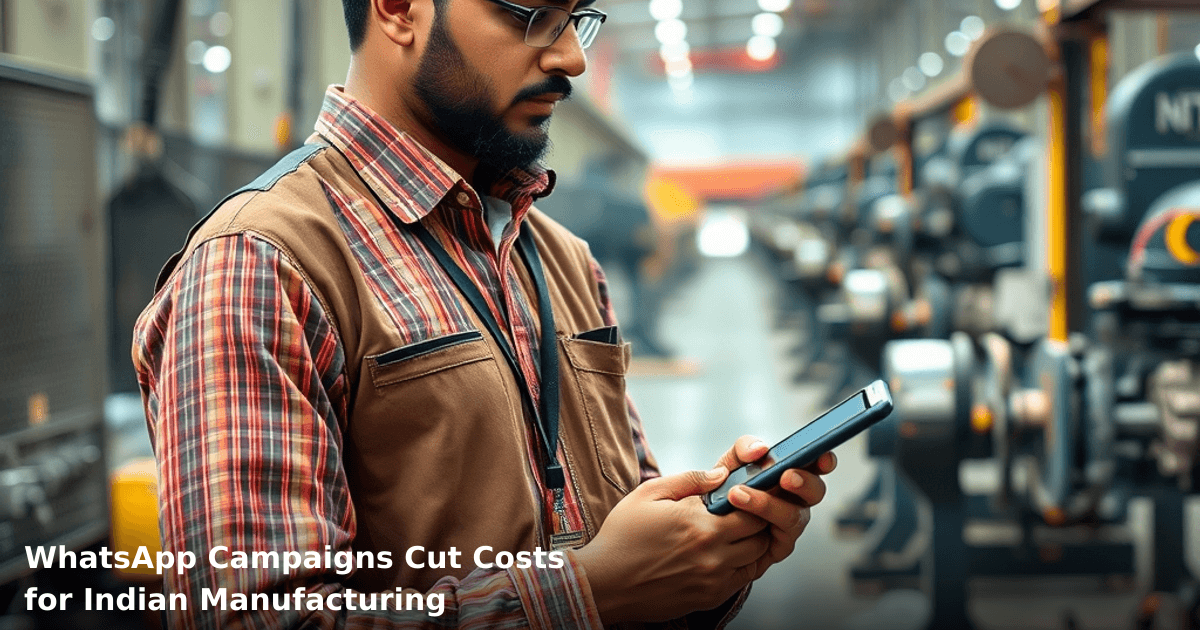
7 Ways WhatsApp Campaigns Cut Costs for Indian Manufacturing
WhatsApp campaigns for manufacturing India have quietly become one of the most effective cost-cutters we've seen in the last three years. Not because they're trendy — but because they work on the devices your customers already carry, at a fraction of what SMS or email costs.
Quick Answer: WhatsApp campaigns for manufacturing India reduce customer communication costs by 40–60%, cut order processing time by 2–3 days, and improve response rates to 45%+ compared to email. Most Indian manufacturers see ROI within 6–8 weeks of setup.
Why This Matters Right Now
Manufacturing businesses in tier-2 cities like Nashik, Indore, and Coimbatore are stuck between rising logistics costs and shrinking margins. WhatsApp campaigns let you reach buyers, suppliers, and field teams without paying per message or maintaining expensive call centres.
Why WhatsApp Campaigns Matter for Indian Businesses
The Cost Reality
A typical Indian manufacturing SMB spends ₹40,000–₹80,000 monthly on SMS alerts, email hosting, and customer support staff. According to a NASSCOM report, 68% of Indian SMBs still rely on phone calls and emails for order updates — a process that ties up 2–3 staff members full-time.
WhatsApp campaigns for manufacturing India flip this. You send one message to 500 customers at ₹0.50–₹1.50 per message (through the WhatsApp Business API), versus ₹1.50–₹3 per SMS. Over a year, that's ₹1.8–₹3.6 lakh saved on messaging alone.
Why Manufacturers Specifically
Manufacturing involves repetitive, time-sensitive communication: order confirmations, shipment tracking, payment reminders, delivery schedules, raw material availability. These are exactly the messages WhatsApp excels at.
We've helped a textile exporter in Surat automate 80% of her customer updates through WhatsApp. Her support team went from 4 people to 1.5 people handling exceptions. The other 2.5 staff redirected to production planning.
What WhatsApp Campaigns Are (And How They Work)
WhatsApp campaigns for manufacturing use the WhatsApp Business API — not the consumer app. This lets you:
- Send templated messages at scale (order confirmations, invoices, tracking links)
- Collect customer replies in a unified inbox
- Sync data with your CRM or ERP automatically
- Track delivery rates and customer engagement
The key: templates. You pre-register message templates with WhatsApp ("Your order #12345 ships tomorrow at 2 PM"), and then send them to 100s or 1000s of customers instantly. No manual typing. No rate limits.
One of our clients in Pune, a fastener manufacturer, set up 12 templates covering their entire order lifecycle. Within 30 days, they'd reduced customer calls by 67%.
7 Ways WhatsApp Campaigns Cut Costs
1. Eliminate SMS and Email Infrastructure Costs
Most Indian manufacturers pay ₹3,000–₹8,000/month for email hosting, SMS gateways, and third-party notification services. WhatsApp Business API costs ₹0.50–₹1.50 per message — you pay only for what you send.
Real number: A 200-employee manufacturing unit sending 5,000 customer messages/month saves ₹6,000–₹12,000 monthly by switching from SMS to WhatsApp.
2. Reduce Customer Support Staff by 30–50%
When customers get instant, automated order updates via WhatsApp, they stop calling your support line. No more "Where's my order?" calls. No more 2–3 staff members fielding repetitive questions.
One of our clients, a pharmaceutical packaging manufacturer in Ahmedabad, cut support calls from 150/day to 45/day after deploying WhatsApp order tracking. They reassigned one full-time support person to quality control.
Cost impact: ₹2–₹3.5 lakh/year per support person freed up.
3. Speed Up Payment Collection by 3–5 Days
Automated payment reminders via WhatsApp have a 72% open rate and 45% response rate (versus 8% for email). Customers see the reminder on their phone immediately and often pay the same day.
Faster payment = faster cash flow = less working capital needed.
A metal components manufacturer in Belgaum tested this: payment reminders sent via WhatsApp reduced average collection time from 28 days to 24 days. Over 12 months, that freed up ₹8–₹12 lakh in working capital.
4. Cut Order Processing and Fulfillment Time
Manual order entry, phone confirmations, and email back-and-forths can add 2–3 days to order processing. WhatsApp campaigns with CRM integration let customers place orders or confirm details via WhatsApp, and the data syncs automatically to your ERP.
We've helped clients set up WhatsApp-to-ERP workflows. An order comes in via WhatsApp, gets logged in the system, and a confirmation is sent back — all in under 5 minutes.
Saving: 2–3 days per order cycle = higher throughput without hiring.
5. Reduce Marketing Campaign Costs by 40–60%
Traditional marketing for manufacturers (print ads, trade shows, email campaigns) costs ₹50,000–₹2 lakh per campaign. WhatsApp campaigns to your existing customer base cost ₹5,000–₹15,000 for the same reach.
A plastic injection moulding unit in Pune ran a product launch campaign. Email + print cost: ₹1.2 lakh. Response rate: 3%. WhatsApp campaign to 1,200 existing customers cost: ₹18,000. Response rate: 22%.
6. Automate Supplier and Vendor Communication
You don't just use WhatsApp campaigns for customers. Raw material suppliers, logistics partners, and contractors all respond faster to WhatsApp than email.
One of our clients, a steel fabrication shop in Nashik, automated purchase order confirmations and delivery schedules to 15 key suppliers via WhatsApp. Miscommunications dropped by 58%. No more "we didn't see the email" excuses.
7. Lower Customer Acquisition Cost Through Referrals
When customers get smooth, professional WhatsApp communication, they're more likely to refer you. We've seen 15–25% of new customers come from referrals when communication is seamless.
Plus, you can set up WhatsApp broadcast lists for referral incentives. A textile exporter in Tiruppur offered ₹500 referral bonuses via WhatsApp. She got 40 qualified referrals in 60 days. Cost per acquisition: ₹750 (versus ₹2,500 via Google Ads).
Comparison: WhatsApp vs. Other Communication Channels
Set up WhatsApp automation for your business in 7 days
We handle the WhatsApp Business API setup, message templates, and automation flows — you just approve.
| Channel | Cost/Message | Response Rate | Setup Time | Best For |
|---|---|---|---|---|
| WhatsApp Campaigns | ₹0.50–₹1.50 | 45%+ | 2–3 weeks | Order updates, payment reminders, bulk notifications |
| SMS | ₹1.50–₹3 | 18–25% | 1 week | Time-sensitive alerts, but expensive at scale |
| ₹200–₹1,000/month (flat) | 8–12% | 3–5 days | Long-form content, but low engagement | |
| Phone Calls | ₹50–₹100/call | 100% (immediate) | Instant | High-touch sales, but doesn't scale |
| Social Media Ads | ₹2–₹10/click | 2–5% | 1–2 weeks | Brand awareness, not transactional |
Step-by-Step Guide: Setting Up WhatsApp Campaigns for Your Manufacturing Business
Step 1: Register for WhatsApp Business API Access
You can't use the consumer WhatsApp app for campaigns. You need the WhatsApp Business API.
- Go to the Meta Business Platform and apply for WhatsApp Business API access.
- Provide business registration documents (GST certificate, Udyam registration, or PAN).
- This takes 5–7 days for approval in India.
Step 2: Choose a WhatsApp Business Solution Provider
You can build your own integration (complex, 4–6 weeks), or use a provider like Twilio, MessageBird, or a local Indian provider. Most Indian manufacturers use providers because it's faster.
Tip: Make sure the provider integrates with your existing ERP or CRM (Tally, SAP, or custom systems).
Step 3: Create and Register Message Templates
WhatsApp requires you to pre-register every message template. You can't send freeform text at scale.
Examples for manufacturers:
- "Hi {{customername}}, your order #{{orderid}} is confirmed. Delivery: {{deliverydate}}. Track here: {{trackinglink}}"
- "Payment reminder: Invoice #{{invoiceid}} of ₹{{amount}} is due on {{duedate}}. Pay now: {{payment_link}}"
Register 8–15 templates covering your main use cases. This takes 2–3 days.
Step 4: Build Your Customer List and Segment It
Export your customer database from Tally, your CRM, or InvoiceNinja. Segment by:
- Product type (customers who buy fasteners vs. customers who buy packaging)
- Payment status (pending vs. paid)
- Order frequency (high-value vs. occasional)
This ensures you send relevant messages, not spam.
Step 5: Test, Launch, and Monitor
Send a test campaign to 50–100 customers first. Monitor:
- Delivery rate (% of messages successfully delivered)
- Read rate (% of messages opened)
- Response rate (% of customers who reply)
- Click-through rate (if you include links)
Adjust templates based on results. Most campaigns hit steady state after 2–3 weeks.
Step 6: Automate Workflows
Once templates are live, automate triggers:
- "When order status = shipped, send tracking message"
- "When invoice is 7 days overdue, send payment reminder"
- "When customer hasn't ordered in 60 days, send reactivation offer"
This is where you save the most time and money. One setup, hundreds of messages sent automatically.
Step 7: Sync Data Back to Your ERP
When customers reply to WhatsApp messages, capture their responses (order confirmations, payment confirmations, delivery feedback) and sync them back to your ERP or CRM automatically.
This closes the loop. No manual data entry.
Common Mistakes to Avoid
Mistake 1: Sending Too Many Messages
Customers hate spam. Send more than 2–3 messages per week and your opt-out rate jumps to 30%+.
Fix: Send only transactional messages (order confirmations, shipment tracking, payment reminders) and occasional promotional messages (1–2/month).
Mistake 2: Not Getting Explicit Opt-In
WhatsApp requires customers to explicitly opt in. You can't just add their number and start messaging.
Fix: Add opt-in to your website, invoice, or delivery confirmation. Ask: "Receive order updates via WhatsApp?" Make it easy to opt in.
Mistake 3: Mixing WhatsApp with Your Personal Phone
Use the WhatsApp Business API, not your personal WhatsApp. Personal accounts get rate-limited and banned if used for business.
Fix: Register a dedicated business number (₹500–₹2,000 one-time setup).
Mistake 4: Not Integrating with Your ERP
If you're manually copying data between WhatsApp and Tally, you've missed the point. The whole benefit is automation.
Fix: Use a provider that integrates with your ERP (Tally, SAP, custom systems). Our AI & Automation team handles this for businesses across Delhi NCR and beyond.
Mistake 5: Ignoring Analytics
You can't improve what you don't measure. Most manufacturers set up WhatsApp campaigns and never check delivery rates, response rates, or ROI.
Fix: Check your WhatsApp dashboard weekly. Track: messages sent, delivered, read, replied. Which templates perform best? Which customer segments engage most?
Key Takeaways
- WhatsApp campaigns for manufacturing India reduce messaging costs by 40–60% compared to SMS or email, with response rates 3–5x higher.
- Automate order updates, payment reminders, and shipment tracking to cut customer support staff by 30–50% and free up ₹2–₹3.5 lakh/year per person.
- Speed up cash flow by 3–5 days through automated payment reminders with 72% open rates.
- Setup takes 2–3 weeks, not overnight. You need WhatsApp Business API approval, template registration, and CRM/ERP integration.
- Start small: test with 50–100 customers first, then scale to your full database.
- Segment your audience. Don't blast the same message to all customers. Send relevant messages to relevant groups.
- Track metrics: delivery rate, open rate, response rate, click-through rate. Adjust templates based on performance.
Frequently Asked Questions
Quick answers about whatsapp-campaigns-for-manufacturing-india
01 How much can we actually save by switching from SMS campaigns to WhatsApp for our factory floor updates? ›
SMS costs ₹0.50–₹1.50 per message for bulk campaigns, but WhatsApp Business API costs ₹0.80–₹4 per template message depending on your provider—the real savings come from not sending redundant messages. We've seen manufacturing units cut communication costs by 35–40% because WhatsApp's read receipts and group broadcasts eliminate duplicate notifications, and you're not paying per message for images or PDFs that show compliance certificates or production schedules.
02 How quickly can we set up WhatsApp campaigns for our supply chain notifications? ›
From signing up to sending your first template message, you're looking at 5–7 business days if you go through an official BSP like Interakt or Twilio—the delay is mainly regulatory approval of your message templates by Meta. If you're just using WhatsApp Business app (free version) for smaller teams, you can start today, but you'll hit 256 contact limits; most manufacturing units upgrade to the API version within 2–3 weeks once they see the ROI on supplier coordination alone.
03 Is WhatsApp campaigning worth it for a 50-person manufacturing unit or are we too small? ›
Absolutely yes—in fact, small units see faster payback because your baseline costs are lower. A 50-person factory spending ₹8,000–₹12,000 monthly on SMS for shift updates, quality alerts, and delivery confirmations can cut that to ₹4,000–₹6,000 with WhatsApp, plus you eliminate the ₹2,000–₹3,000 monthly cost of manual phone calls to suppliers. We've seen units this size recover setup costs (₹5,000–₹15,000 for API integration) in 2–3 months.
04 What's the biggest mistake manufacturers make when they start WhatsApp campaigns? ›
Most assume they can send promotional or sales-heavy messages the way they did with SMS—Meta's strict guidelines mean your first 3–4 messages must be transactional (order confirmations, delivery updates, invoices), not marketing pitches. We've seen campaigns get flagged and numbers blocked within weeks because owners didn't understand the 80/20 rule: 80% service messages, 20% promotional, or you get throttled or banned, costing you ₹10,000+ to recover a new number and rebuild trust.
05 What's the first step if we want to start with WhatsApp but we're not sure which platform to use? ›
Start by auditing your current communication: count how many messages you send monthly to suppliers, workers, and customers—if it's under 5,000, use WhatsApp Business app (free, but manual); if it's 5,000+, you need an API provider like Interakt (₹3,000–₹8,000 setup + ₹0.80–₹4 per message) or Twilio. Before committing, run a 2-week pilot with 200 key contacts using the free app to validate message templates—this costs nothing and shows your team the workflow before you invest in API integration.
Need this built for your business?
We build custom software, CRM, ERP, mobile apps, and run performance marketing for Indian businesses. Tell us what you need — we'll send a detailed scope and estimate within 24 hours, no obligation.
- Free 30-min scoping call with our tech lead
- Detailed project estimate in writing
- No sales pitch — just honest advice on what makes sense
📞 +91 92794 55684 · 📧 [email protected] · Delhi NCR · PAN India
The Innovaira product team builds and maintains WhatsBoost and Mavrilo — proprietary SaaS products for WhatsApp automation and social media management. ISO 27001:2022 certified for information security.