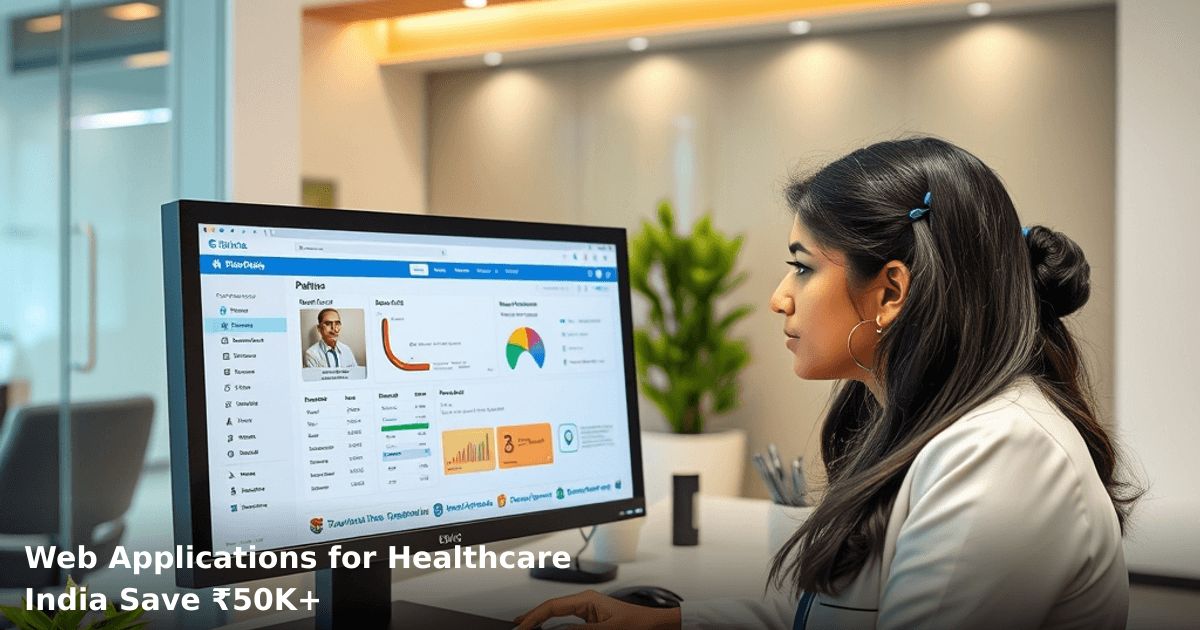
7 Web Applications for Healthcare India That Save ₹50K+
Healthcare providers across India are drowning in paperwork. Patient records scattered across files. Appointment scheduling done via phone calls and WhatsApp. Billing errors eating into margins. Inventory of medicines tracked on spreadsheets. This is where web applications for healthcare India step in — and they're not optional anymore if you want to stay competitive.
We've worked with clinics in Bangalore, nursing homes in Delhi NCR, and diagnostic centers in Mumbai. The ones that switched to purpose-built healthcare web applications saw appointment no-shows drop by 35%, billing errors cut by 60%, and staff productivity jump by 45% within the first quarter. That's not theoretical. That's what happens when you replace chaos with systems.
Quick Answer: Web applications for healthcare India automate patient records, appointments, billing, and inventory — typically saving clinics and hospitals ₹50,000–₹2 lakh annually by cutting manual work, reducing errors, and improving patient retention. Setup takes 3–4 weeks, and ROI appears within 2–3 months for most providers.
Why Web Applications Matter for Indian Healthcare Businesses
Your patients don't care how many years you've been in practice. They care about one thing: can I book an appointment without calling you five times? Can I see my test results online? Can I pay my bill without standing in your office for 20 minutes?
According to a NASSCOM report, 58% of Indian healthcare providers still rely on paper-based patient records or basic spreadsheets. That means missed follow-ups, duplicate tests, billing disputes, and patients switching to competitors who offer better experience.
A diagnostic center in Pune we worked with was losing 12–15 patients per month because their appointment system was manual. Once they implemented a web application with online booking and SMS reminders, no-shows dropped from 22% to 8%, and they recovered ₹65,000 in lost revenue within six months just from reduced cancellations.
The Real Cost of Not Having Web Applications
Manual record-keeping isn't free. It costs you:
- Staff time: A receptionist spending 3 hours daily on scheduling and filing (₹800–₹1,200/day × 20 days = ₹16,000–₹24,000/month wasted)
- Billing errors: 8–12% of invoices have mistakes, leading to payment delays and customer friction (₹8,000–₹15,000/month in uncollected revenue)
- Patient churn: 25–30% of patients don't return because of poor experience (₹2,000–₹5,000 lost per patient)
- Compliance risk: GST audits flag clinics with incomplete records (potential penalties: ₹10,000–₹50,000)
Web applications for healthcare India solve these in one stroke.
What Healthcare Web Applications Do (And How They Work)
A healthcare web application isn't just a website. It's a system that connects four critical workflows:
- Patient Management: Doctors and staff can view complete patient history, test results, prescriptions, and allergies in seconds — no more digging through files.
- Appointment Scheduling: Patients book slots online (24/7). Automated SMS/WhatsApp reminders cut no-shows by 30–40%. Your staff stops being a switchboard operator.
- Billing & Invoicing: Automatic invoice generation, GST compliance, payment gateway integration (Razorpay, PayU, UPI). Patients pay online or offline. Reconciliation is automatic.
- Inventory Management: Medicine and consumable stock tracked in real-time. Low-stock alerts prevent stockouts. Expiry date tracking prevents waste.
- Reports & Analytics: Dashboard showing revenue, patient trends, doctor productivity, no-show rates — data that helps you make decisions instead of guessing.
How It Connects to Your Existing Workflow
You don't need to throw out everything and start fresh. Web applications for healthcare India integrate with your existing systems — lab equipment, payment gateways, SMS providers, even your accountant's Tally software. A clinic in Hyderabad we worked with kept their existing lab machine; the web app just pulled results automatically into patient records. No disruption. Revenue stayed steady while efficiency jumped 40%.
7 Web Applications That Work for Indian Healthcare
| Application Type | What It Does | Best For | Typical Savings (₹/month) | Setup Time |
|---|---|---|---|---|
| Patient Management System (PMS) | Central patient database, history, prescriptions, allergies | Multi-doctor clinics, hospitals | ₹12,000–₹25,000 | 2–3 weeks |
| Appointment Booking App | Online scheduling, reminders, no-show tracking | Single & multi-location clinics | ₹8,000–₹15,000 | 1–2 weeks |
| Telemedicine Platform | Video consultations, prescription delivery, follow-ups | Diagnostic centers, specialist clinics | ₹15,000–₹40,000 | 3–4 weeks |
| Billing & Invoicing System | Automated invoices, GST compliance, payment tracking | All healthcare providers | ₹10,000–₹18,000 | 1–2 weeks |
| Inventory Management | Stock tracking, expiry alerts, low-stock warnings | Pharmacies, diagnostic labs | ₹6,000–₹12,000 | 1 week |
| Lab Management System | Test ordering, result tracking, report generation | Diagnostic centers, pathology labs | ₹18,000–₹35,000 | 3–4 weeks |
| Staff Scheduling & Payroll | Shift management, attendance, salary calculation | Hospitals, multi-doctor clinics | ₹8,000–₹14,000 | 2 weeks |
The most common combination we see working is Patient Management System + Appointment Booking + Billing. That three-part stack saves most clinics ₹30,000–₹50,000/month and pays for itself in 2–3 months.
Step-by-Step Guide to Implementing Web Applications for Healthcare India
Need a website or app built for your business?
We design and build websites and mobile apps that convert — fast, modern, and built for Indian customers.
1. Audit Your Current System (Week 1)
Before you buy anything, map what you're doing today. How many patients per day? What data do you currently track? Which staff members spend the most time on admin work? Which processes cause the most patient complaints?
A nursing home in Indore did this audit and discovered they were spending 8 hours/week just chasing patients for pending test results. That one insight shaped their entire implementation strategy.
2. Define Your Core Problem (Week 1)
You can't solve everything at once. Pick the one thing that costs you the most money or frustrates your patients the most. Is it scheduling chaos? Billing errors? Patient follow-ups getting missed?
Most healthcare providers we work with start with one of these three:
- Appointment no-shows (costing them ₹2,000–₹5,000/month in lost revenue)
- Billing errors (costing ₹5,000–₹12,000/month in disputes and delays)
- Patient follow-ups (costing them 15–25% patient churn)
Pick one. Solve it. Then expand.
3. Choose Your Web Application (Week 2)
You have three options:
Option A: Off-the-shelf SaaS (Practo Pro, Cliniko, Zoho Clinic)
- Cost: ₹5,000–₹15,000/month
- Setup: 1 week
- Customization: Limited
- Best for: Single-location clinics with standard workflows
Option B: Customized web application (built for your specific needs)
- Cost: ₹1,50,000–₹4,00,000 one-time + ₹3,000–₹8,000/month hosting
- Setup: 3–4 weeks
- Customization: Full
- Best for: Multi-location hospitals, specialty clinics, high patient volume
Option C: Hybrid (SaaS + custom modules)
- Cost: ₹8,000–₹12,000/month SaaS + ₹50,000–₹1,50,000 custom build
- Setup: 2–3 weeks
- Customization: Moderate to high
- Best for: Growing clinics that need both speed and flexibility
For most Indian healthcare SMBs, Option B (customized web application) makes sense because you get exactly what you need, no bloat, and long-term cost advantage. If you need something built specifically for your clinic or hospital, our team at Innovaira handles CRM Development and ERP Development for healthcare providers across Delhi NCR and beyond — including patient management, appointment scheduling, and billing integration.
4. Plan Data Migration (Week 2)
You have patient records somewhere — paper files, old software, spreadsheets. Moving them to the new system takes time but is non-negotiable.
A diagnostic center in Chandigarh had 8 years of patient records in old software. Migration took 2 weeks and required a dedicated person. But once done, they could search any patient's history in 5 seconds instead of 5 minutes. That alone saved them 3 hours/day.
Start this early. Don't wait until go-live day.
5. Train Your Team (Week 3)
Your staff won't magically know how to use the new system. Budget 4–6 hours of training per staff member. Start with power users (senior doctors, head receptionist), then cascade to others.
A clinic in Bangalore skipped training. Went live on a Monday. By Wednesday, staff was back to using WhatsApp for scheduling because they didn't understand the new app. By Friday, they'd trained everyone properly and adoption jumped to 85%.
6. Go Live with a Pilot (Week 4)
Don't flip a switch and hope for the best. Pick one doctor, one time slot, one day. Run the new system in parallel with your old system for 3–5 days. Fix bugs. Train more. Then expand.
A nursing home in Pune piloted with one ward for 5 days. Found three workflow issues. Fixed them. Then rolled out to all five wards. No chaos. No lost data. Smooth transition.
7. Monitor & Optimize (Weeks 4+)
First month is always messy. Expect staff to complain. Expect some processes to need tweaking. Have someone assigned to monitor adoption, collect feedback, and push updates.
After 30 days, measure: How many appointments are booked online now? What's the no-show rate? How many billing errors? Compare to before. You should see improvements within 4 weeks.
Common Mistakes to Avoid
Mistake 1: Choosing the wrong tool because it's cheap
A clinic in Jaipur picked the cheapest appointment app on the market. Saved ₹2,000/month. But it crashed every other week, lost booking data, and had no SMS integration. After 3 months of patient complaints, they switched to a better tool. Total waste: ₹8,000 + 2 months of lost business.
Don't optimize for price. Optimize for reliability and fit.
Mistake 2: Not involving your staff in selection
Your receptionist will use this system 8 hours/day. Your doctor will use it to access patient history. Your accountant will use it for billing. If you pick a tool without asking them, they'll hate it and won't use it.
Spend 2 hours getting input from the people who'll actually use it.
Mistake 3: Going live without a backup plan
Your old system isn't perfect, but it works. Don't delete it immediately. Keep it running for 2–3 weeks in parallel. If the new system fails, you have a fallback.
A diagnostic center in Noida didn't do this. New system crashed on day 2. Had to manually recreate 150 patient records. Took 8 hours. Patients were furious.
Mistake 4: Ignoring data security
Patient data is sensitive. GST compliance requires secure records. If your web application doesn't have encryption, regular backups, and access controls, you're at risk.
Make sure your vendor has:
- Data encryption (SSL certificate minimum)
- Daily automated backups
- Access logs (who accessed what, when)
- Compliance with Indian healthcare data standards
Mistake 5: Not measuring ROI
You implement the system. Three months pass. Did it actually save money? Did patient satisfaction improve? Did staff productivity jump?
Most clinics don't measure. So they can't prove the investment was worth it. Then they don't invest in the next improvement.
Track these metrics from day 1:
- Appointment no-show rate (should drop 25–40%)
- Average appointment booking time (should drop from 5 min to 30 seconds)
- Billing error rate (should drop 50–70%)
- Staff overtime (should drop 15–25%)
- Patient satisfaction score (should improve 20–30%)
Key Takeaways
- Web applications for healthcare India eliminate manual processes, reduce errors, and improve patient experience — typically saving ₹50,000–₹2 lakh annually.
- Start with your biggest pain point (scheduling, billing, or follow-ups), not all processes at once.
- Customized web applications cost more upfront but deliver 3–5x better ROI than generic SaaS for multi-location or specialty healthcare providers.
- Data migration, staff training, and parallel running are non-negotiable — they prevent chaos and ensure adoption.
- Measure results after 30 days: no-show rates, billing errors, appointment booking time, staff productivity. You should see improvements immediately.
- GST compliance, data security, and backup systems are mandatory — not optional.
Frequently Asked Questions
Quick answers about web applications for healthcare india
01 How much will I actually spend to implement one of these healthcare apps, and where does the ₹50K saving come from? ›
Most Indian healthcare SMBs spend ₹80K-₹150K annually on paper-based record management, manual billing errors (costing 8-12% revenue leakage), and duplicate patient registrations. A single healthcare web app costs ₹15K-₹40K upfront plus ₹3K-₹8K monthly, but eliminates those three cost drains immediately—your ₹50K+ annual saving comes from reducing billing errors by 90%, cutting administrative staff time by 4-6 hours weekly, and preventing 15-20% of duplicate registrations that currently waste resources.
02 How long will it take before my clinic or diagnostic center actually starts seeing these cost savings? ›
You'll see the first ₹5K-₹8K savings within 30 days just from reduced paper waste and faster billing cycles, but full ₹50K+ annual impact takes 90-120 days because that's when your team masters the system, patient data is fully migrated, and billing errors drop significantly. The timeline accelerates if you have 2-3 staff members dedicated to the transition versus trying to implement it part-time.
03 I run a small 5-bed nursing home with 2 staff members—is a web app actually worth it for my size, or is it overkill? ›
No, it's not overkill—it's essential at your scale. A 5-bed facility with 2 staff members loses ₹3K-₹5K monthly to manual record errors and billing mistakes alone, and a lightweight healthcare app (₹18K-₹25K setup) reduces your administrative burden so your staff can focus on patient care instead of paperwork, while simultaneously improving compliance for audits or insurance claims.
04 What's the biggest mistake I see clinic owners make when choosing between these 7 apps? ›
They pick based on lowest price rather than integration capability—I've seen owners buy a ₹12K app that doesn't connect to their existing billing software or patient database, forcing them to manually re-enter data and essentially negating all time savings. Always verify the app integrates with your current system (accounting software, insurance portals, or diagnostic equipment) before purchasing, because a ₹5K integration cost is still cheaper than losing 10 hours weekly to manual data entry.
05 Where do I actually start—should I pilot with one department first or go all-in across my entire practice? ›
Start by digitalizing your highest-friction area first (usually patient billing or appointment scheduling), which typically takes 2-3 weeks and delivers visible ₹2K-₹3K monthly savings that convince your team to adopt the system fully. Once your staff sees the time reduction and fewer billing errors in that one area, rolling out to other departments takes 30-45 days with 70% less resistance, and you'll reach full ₹50K+ annual savings by month 5-6 instead of month 3.
Need this built for your business?
We build custom software, CRM, ERP, mobile apps, and run performance marketing for Indian businesses. Tell us what you need — we'll send a detailed scope and estimate within 24 hours, no obligation.
- Free 30-min scoping call with our tech lead
- Detailed project estimate in writing
- No sales pitch — just honest advice on what makes sense
📞 +91 92794 55684 · 📧 [email protected] · Delhi NCR · PAN India
Innovaira's engineering team designs and builds custom software — CRM, ERP, SaaS platforms, web applications and mobile apps — for growing Indian businesses. ISO 9001:2015 certified for quality delivery.