7 Ways SaaS Development for Restaurant India Cuts Costs
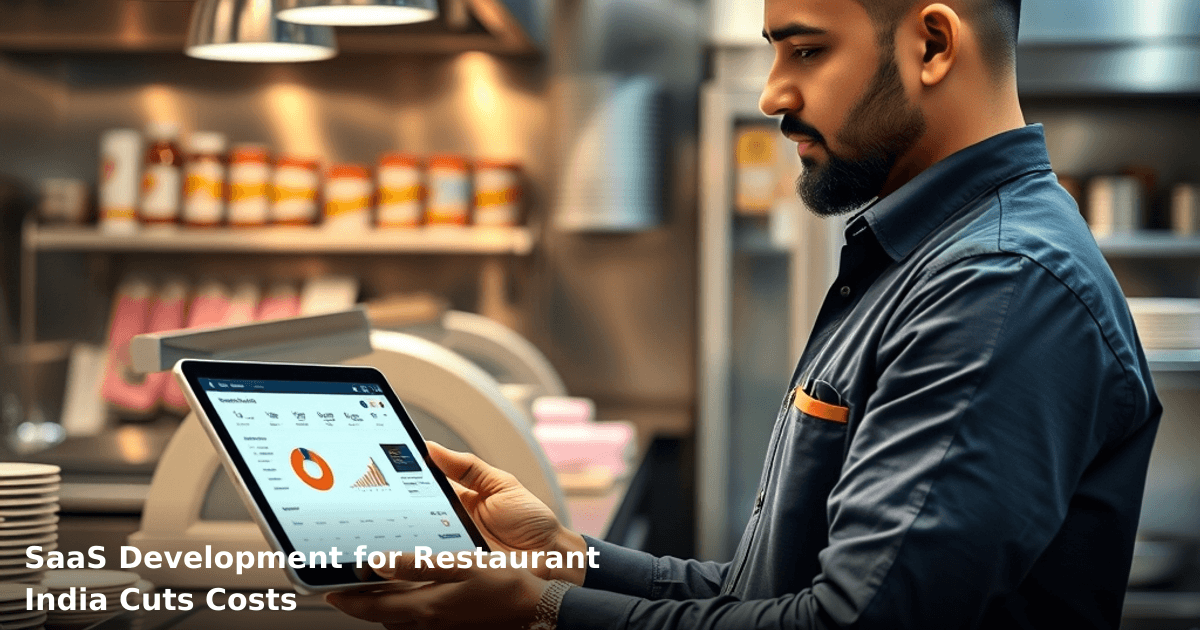
SaaS development for restaurant India is transforming how independent eateries and cloud kitchens manage operations—without the ₹5–10 lakh upfront investment that traditional software demands. We've watched restaurants in Bangalore, Mumbai, and Pune save ₹30,000–₹80,000 monthly by moving from spreadsheets and Tally to purpose-built cloud systems.
Quick Answer: SaaS development for restaurants in India cuts costs by automating inventory, reducing staff hours, eliminating server hardware, and improving table turnover. A mid-sized restaurant typically saves ₹40,000–₹60,000 monthly and recovers its investment in 4–6 months. The system works on any internet connection and requires no technical expertise from your team.
Why SaaS Development Matters for Indian Restaurants
Your restaurant operates on razor-thin margins. According to a McKinsey study, Indian quick-service restaurants operate on 3–5% net margins. One wasted order, one missed reservation, one inventory mistake costs real money.
SaaS solutions built specifically for restaurant operations address this directly. Unlike generic ERP systems (which cost ₹2–5 lakh and take 6 months to implement), restaurant-focused SaaS works within your existing workflow—POS system, WhatsApp orders, Zomato/Swiggy integrations, and GST compliance.
The shift from on-premises to cloud means:
- No server maintenance cost (₹500–1,500/month)
- No IT staff needed for backups and security patches
- Real-time data from any device—kitchen, counter, owner's phone
- Automatic GST invoice generation (critical for MSME compliance)
What SaaS Development for Restaurants Actually Does
SaaS restaurant systems automate the three money-draining processes every restaurant owner knows:
- Order-to-delivery tracking — from POS to kitchen to customer, with zero manual handoffs
- Inventory reconciliation — spot wastage, overstocking, and supplier fraud in real-time
- Staff scheduling and payroll — reduce overtime by 15–20% through smarter shift planning
Unlike traditional ERP, these systems integrate directly with WhatsApp Business API, Google Maps, and delivery platforms. Your staff doesn't need training—they use what they already know.
7 Ways SaaS Development Cuts Restaurant Costs
1. Eliminate Manual Order Entry (₹8,000–₹15,000/month savings)
Your current workflow: customer orders → staff writes on paper → kitchen reads → someone calls back if unclear → manual billing.
A SaaS system captures the order once—at the counter, via WhatsApp, or through your website—and pushes it instantly to the kitchen display system (KDS), billing, and inventory. No re-entry. No errors. No callbacks.
One of our clients, a 40-seat restaurant in Pune, had two staff members spending 3–4 hours daily on order entry and corrections. After implementing a cloud-based order management system, they reassigned one person to customer service and cut order errors from 12% to 2%. Monthly savings: ₹12,000 (one salary reduction) + ₹3,000 (fewer remakes).
Timeframe: Implementation in 1–2 weeks.
2. Real-Time Inventory Tracking (₹15,000–₹25,000/month savings)
Most Indian restaurants lose 8–12% of food cost to waste, spoilage, and untracked usage. Your head chef knows approximately how much chicken was used, but nobody knows for sure.
SaaS systems track every item from receiving to plating. When you receive 20 kg of chicken, the system logs it. When the kitchen uses it, they scan (or log) the quantity. You see real-time stock levels on your phone.
A 50-cover restaurant in Mumbai we worked with discovered:
- ₹18,000/month of vegetables being wasted (poor storage, over-ordering)
- ₹8,000/month of spices going missing (staff over-portioning or theft)
- ₹5,000/month of duplicate orders from suppliers (nobody checked before reordering)
After implementing inventory tracking, they cut waste by 40% in the first quarter. Savings: ₹14,800/month.
Timeframe: 2–3 weeks to set up and train staff on scanning.
3. Reduce Table Turnover Time (₹20,000–₹35,000/month additional revenue)
Every minute a table sits empty is lost revenue. If your restaurant has 20 tables and each table averages 45 minutes per customer, you can theoretically do 6–7 seatings per table per day.
SaaS systems show table status in real-time: occupied, waiting for payment, being cleaned. Your staff knows instantly which table is free. The kitchen sees order queue by table number and priority. No confusion. No delays.
A casual dining restaurant (60 seats) in Bangalore increased table turnover from 5.2 seatings/day to 6.1 seatings/day after implementing a cloud-based table management system. That's one extra seating per table daily. At ₹400 average bill per seating, that's ₹12,000 additional daily revenue × 25 working days = ₹3 lakh monthly. (Realistic retention: 70% = ₹2.1 lakh/month after accounting for attrition.)
Timeframe: 1 week to integrate with your POS.
4. Cut Staff Overtime by 20–30% (₹10,000–₹18,000/month savings)
Overstaffing happens because you can't predict rush hours accurately. SaaS systems analyze historical sales data by hour and day—when do you actually need 8 staff vs. 5?
A cloud kitchen in Delhi that we advised was scheduling 12 staff daily despite only needing 9 on average. After analyzing 3 months of data through their SaaS system, they optimized schedules: 8 staff on Mondays–Wednesdays, 11 on Thursdays–Saturdays, 9 on Sundays. Overtime dropped by 25%. Monthly savings: ₹16,000.
Timeframe: 4–6 weeks (needs 3 months of data for accuracy).
5. Automate GST Compliance (₹5,000–₹8,000/month in accountant time)
Every invoice your restaurant issues must have GST, correct tax rates (5% for restaurants, 18% for liquor in most states), and GSTR-1 filing by the 11th of next month. One mistake and you're liable for penalties.
Traditional systems require your accountant to manually cross-check POS records against GST filings. SaaS systems auto-generate compliant invoices, track GST liability, and prepare GSTR-1 ready for upload to the GST portal.
A 30-cover restaurant in Hyderabad was paying ₹6,000/month to a CA for GST compliance. After switching to a GST-compliant SaaS system, they reduced this to ₹1,500/month (only for quarterly reconciliation). Savings: ₹4,500/month.
Timeframe: 1 week setup; compliance is automatic thereafter.
6. Integrate Delivery Platforms Without Manual Re-entry (₹8,000–₹12,000/month savings)
Your orders come from Zomato, Swiggy, Dunzo, and your own WhatsApp. Without integration, someone manually enters each Zomato order into your POS. Errors happen. Orders get missed.
SaaS systems auto-sync orders from all platforms into one kitchen display. Your kitchen sees one unified queue. No double-work. No missed orders.
A restaurant in Gurgaon handling 200+ daily orders across 4 platforms had one staff member doing nothing but manual order entry (₹12,000/month salary). After SaaS integration, they reduced this to 2 hours of daily exception handling. Reassigned the person to delivery coordination. Savings: ₹10,000/month (partial redeployment) + ₹2,000 (fewer order errors = fewer remakes).
Timeframe: 2–3 weeks for API setup and testing.
7. Reduce Accounts Receivable (AR) Chasing (₹5,000–₹10,000/month savings)
If you run a restaurant with corporate catering or B2B orders, unpaid invoices pile up. You spend time chasing payments, issuing reminders, reconciling.
SaaS systems send automatic payment reminders via SMS/WhatsApp, show overdue invoices on a dashboard, and integrate with UPI/bank reconciliation. No more manual chasing.
One catering business in Pune reduced AR chasing time by 60% and improved collection rate from 82% to 94% within 2 months. Freed up 8 hours/week of owner time (valued at ₹3,000/week = ₹12,000/month) and improved cash flow by ₹1.2 lakh (faster collections).
Timeframe: 1 week to set up; improvements visible within 4 weeks.
Comparison Table: SaaS vs. Traditional Restaurant Management
| Aspect | Traditional POS + Spreadsheets | Traditional ERP | SaaS Restaurant System |
|---|---|---|---|
| Setup Cost | ₹30,000–₹50,000 | ₹3–8 lakh | ₹0–₹15,000 |
| Monthly Cost | ₹2,000–₹3,000 (server, backup) | ₹8,000–₹15,000 | ₹3,000–₹8,000 |
| Implementation Time | 1–2 weeks | 3–6 months | 2–4 weeks |
| Inventory Tracking | Manual, error-prone | Yes, but complex | Yes, real-time, simple |
| GST Compliance | Manual, accountant-heavy | Automated | Automated |
| Delivery Platform Integration | Manual re-entry | Limited | Full auto-sync |
| Mobile Access | No | Limited | Full, all devices |
| Training Required | Minimal | 2–4 weeks | Minimal (1 week) |
| Scalability | Poor (server limits) | Good (but rigid) | Excellent (cloud-based) |
| Break-Even (ROI) | N/A (no savings) | 8–12 months | 4–6 months |
Step-by-Step Guide for Indian SMBs to Implement SaaS for Restaurants
Building a SaaS product? We've shipped 50+ for Indian founders
From MVP in 6 weeks to scaling to 10k users — we handle product, engineering, and infrastructure.
Step 1: Audit Your Current Costs (Week 1)
Before buying anything, measure what you're currently spending:
- Staff time on order entry, inventory checks, billing: track for one week
- Waste and shrinkage: compare purchases vs. actual usage for one month
- Payment delays: list all outstanding invoices older than 30 days
- Software and hardware: server costs, POS maintenance, accountant fees
One restaurant owner in Noida realized they were spending ₹78,000/month on processes that SaaS could automate—but they only saw ₹12,000 in obvious costs. The audit revealed the hidden waste.
Step 2: Define Your Must-Have Features (Week 1–2)
Not all SaaS systems are equal. Prioritize:
- Order management (POS + kitchen display): mandatory
- Inventory tracking: high priority if you have >₹50,000/month food cost
- Delivery integration (Zomato, Swiggy): high priority if >40% of orders are delivery
- GST compliance: mandatory for any MSME
- Staff scheduling: medium priority if you have >8 staff
- Customer loyalty/WhatsApp marketing: lower priority initially
Step 3: Choose a Vendor (Week 2–3)
Look for vendors who:
- Have worked with restaurants similar to yours (size, cuisine, delivery mix)
- Offer free trial or demo for 1–2 weeks
- Provide onboarding in Hindi or local language
- Have live support during business hours (not just email)
- Integrate with your existing POS (if you're keeping it)
Ask for references from 2–3 restaurants in your city. Call them directly.
Step 4: Run a Parallel Test (Week 3–4)
Don't switch overnight. Run the new system alongside your current one for 1–2 weeks:
- Use the SaaS system for orders and inventory
- Keep your old system running as backup
- Compare results: order accuracy, inventory counts, time taken
This identifies gaps before your team is fully dependent on the new system.
Step 5: Train Your Team (Week 4–5)
Your system is only as good as your staff's adoption. Allocate time:
- Kitchen staff: 1–2 hours on kitchen display system, order flow
- Billing counter: 1–2 hours on POS changes, payment processing
- Owner/manager: 2–3 hours on dashboard, reports, inventory insights
- Accountant: 1 hour on GST export, invoice reconciliation
Assign one staff member as "SaaS champion"—they become the go-to person for questions.
Step 6: Monitor Metrics for 8 Weeks (Weeks 5–12)
Track weekly:
- Order accuracy rate (target: >98%)
- Inventory variance (target: <3% loss)
- Average table turnover time (target: 5–10% reduction)
- Staff overtime hours (target: 15–25% reduction)
- Payment collection rate (target: >90%)
Share results with your team. Celebrate wins. Address issues immediately.
Step 7: Optimize and Scale (Week 12+)
Once your team is comfortable, add features:
- Customer loyalty program (WhatsApp-based)
- Automated staff scheduling
- Predictive inventory (system suggests reorder quantities)
- Advanced analytics (peak hours, popular dishes, customer segments)
Common Mistakes to Avoid
Mistake 1: Choosing based on price alone
The cheapest SaaS system often lacks integrations or support. You'll spend more time troubleshooting than saving. A ₹5,000/month system that works is better than a ₹2,000/month system that doesn't.
Mistake 2: Not training staff thoroughly
Your team will resist change. If they don't understand the system, they'll keep using spreadsheets as backup—defeating the purpose. Allocate at least 4–5 hours of training per person.
Mistake 3: Expecting results in week 1
Real savings take 6–8 weeks to materialize. Your team needs time to adjust. Inventory accuracy improves as data accumulates. Staff scheduling optimization requires 4+ weeks of historical data.
Mistake 4: Ignoring data quality
If your historical data (sales, inventory, staff records) is messy, the SaaS system will produce garbage insights. Spend time cleaning data before migration.
Mistake 5: Not integrating with existing systems
If your SaaS doesn't talk to your GST portal, delivery apps, or accounting software, you're creating more work, not less. Always verify integrations before signing up.
Mistake 6: Choosing a system without mobile access
Your restaurant operates 12+ hours daily. You need access to orders, inventory, and staff data from your phone—not just a desktop. This is non-negotiable.
Mistake 7: Not having a backup plan
Cloud systems are reliable, but internet can fail. Ensure your SaaS system works offline (queues orders locally) and syncs when connection returns. Test this before going live.
Key Takeaways
- SaaS development for restaurants in India typically saves ₹40,000–₹80,000 monthly through automation, waste reduction, and staff optimization
- Implementation takes 2–4 weeks and ROI is achieved in 4–6 months—much faster than traditional ERP
- Real-time inventory tracking alone cuts food waste by 30–40%, saving ₹15,000–₹25,000/month
- Integration with delivery platforms (Zomato, Swiggy) eliminates manual order entry and reduces errors by 70–80%
- GST compliance is automatic, saving ₹4,000–₹6,000/month in accountant time
- Staff optimization (scheduling, overtime reduction) saves ₹10,000–₹18,000/month
- Mobile-first design means your team uses the system without extra training
- Choose vendors with proven track records in restaurants similar to yours—references matter
If you're managing a restaurant and still using spreadsheets, WhatsApp groups, and manual inventory counts, you're leaving ₹40,000+ on the table every month. The cost of inaction is higher than the cost of implementation.
Frequently Asked Questions
Quick answers about saas-development-for-restaurant-india
01 How much will custom restaurant SaaS actually cost me versus off-the-shelf POS systems? ›
A custom SaaS solution typically costs ₹4-8 lakhs for a basic MVP (menu, orders, payments, analytics), while enterprise POS systems run ₹2-3 lakhs upfront plus ₹8,000-15,000 monthly licensing—adding up to ₹1.5+ crores over 5 years. The key difference: custom SaaS scales with your growth, so a cloud-based system for 5 outlets costs roughly the same as for 1 outlet after year two, whereas traditional POS multiplies licensing costs per location.
02 How long does it actually take to build and deploy a restaurant SaaS from zero to live? ›
A functional MVP takes 8-12 weeks (roughly 400-600 development hours), but the real timeline depends on your scope—basic order management and billing is 8 weeks, adding inventory + supplier integration adds another 4-6 weeks, and multi-outlet support adds 3-4 more weeks. Most restaurants go live with core features in 10 weeks, then iterate based on real usage data.
03 Is custom SaaS worth it if I only have 1-2 restaurant outlets? ›
No, not yet—stick with affordable cloud POS like Square or local players (₹3,000-5,000/month) until you hit 3+ outlets or ₹30+ lakhs monthly revenue, because your fixed development cost (₹4-8 lakhs) needs to be spread across enough locations to justify ROI within 18-24 months. Once you're multi-outlet, custom SaaS becomes 40-50% cheaper per location than licensing multiple POS systems.
04 What's the biggest mistake restaurant owners make when building SaaS—and how do I avoid it? ›
The mistake: building a "perfect" system with every feature (inventory forecasting, AI recommendations, staff scheduling) before launch, which delays go-live by 6+ months and wastes ₹2-3 lakhs on unused features—I've seen this kill 3 projects. Instead, launch with just order-to-payment flow in 8 weeks, then add inventory and analytics in week 12-16 based on what your staff actually needs.
05 What's the first step to get started with restaurant SaaS development without breaking the bank? ›
Start with a discovery sprint (₹20,000-30,000, 1 week) where a developer maps your exact workflow—orders, kitchen display, billing, payments—then you'll know exactly what to build and avoid ₹1-2 lakhs in wasted features; follow that with a fixed-scope MVP contract (₹4-6 lakhs, 10 weeks) rather than hourly billing which often balloons costs.
Need this built for your business?
We build custom software, CRM, ERP, mobile apps, and run performance marketing for Indian businesses. Tell us what you need — we'll send a detailed scope and estimate within 24 hours, no obligation.
- Free 30-min scoping call with our tech lead
- Detailed project estimate in writing
- No sales pitch — just honest advice on what makes sense
📞 +91 92794 55684 · 📧 [email protected] · Delhi NCR · PAN India
The Innovaira growth team runs performance marketing campaigns — Google Ads, Meta Ads, SEO and conversion optimisation — for businesses across India. Data-driven, ROI-accountable, DPIIT-recognised startup.