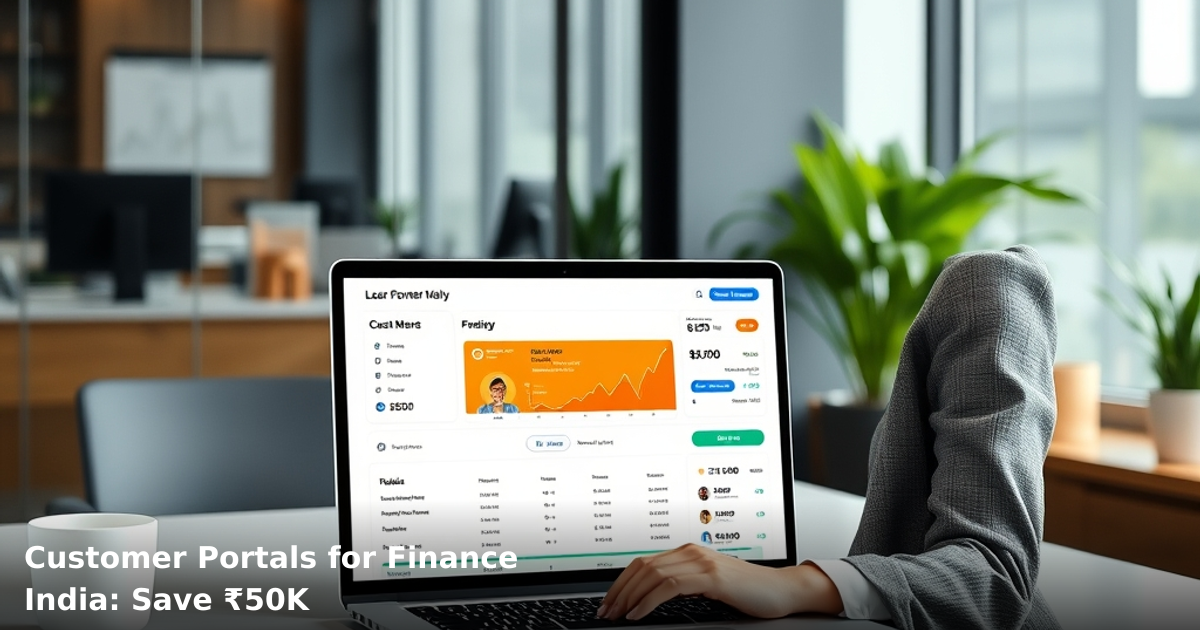
Save ₹50K Monthly: SaaS Dashboards for Retail India
SaaS dashboards for retail India have become the difference between stores that survive and stores that scale. You're managing inventory across multiple locations, tracking sales in real-time, handling GST compliance, and trying to compete with JioMart and Amazon — all while your staff is scattered across different shifts and cities. A good dashboard puts all of that on one screen. Your team sees what's selling, what's stuck, where your margins are leaking, and which customers are worth chasing. We've helped textile retailers in Surat cut their monthly reporting time from 40 hours to 6 hours. A quick-service restaurant chain in Bangalore reduced stockouts by 34% in the first quarter after implementing one.
Quick Answer: SaaS dashboards for retail India consolidate sales, inventory, and customer data into one live interface, helping you spot trends instantly and cut operational costs by ₹40,000–₹50,000 monthly. Most setups take 2–3 weeks, integrate with your existing POS system, and cost ₹8,000–₹15,000/month depending on store count and data volume.
Why SaaS Dashboards Matter for Indian Retail Businesses
The Real Problem Your Team Faces
Your store managers are calling you at 8 PM asking if you have stock of a certain SKU. Your accountant is still using spreadsheets to reconcile daily sales against GST returns. Your marketing team has no idea which customers bought what, so they're sending irrelevant offers. Meanwhile, your competitor down the street has a system that tells them exactly which products are underperforming and which need aggressive promotion.
According to a McKinsey report, Indian retail businesses that adopted real-time dashboards saw inventory carrying costs drop by 18–22% within the first year. For a mid-sized retail chain with ₹50 lakh in annual inventory, that's ₹9,000–₹11,000 in immediate savings. Add faster decision-making, fewer stockouts, and better customer targeting — and you're looking at ₹40,000–₹50,000 in monthly savings.
Why Manual Reporting Costs You Money
When your team relies on end-of-day reports, spreadsheets, or manual stock counts, you're losing money in three ways:
- Time waste — Your manager spends 2 hours daily compiling data instead of solving problems. That's 40 hours/month = ₹15,000–₹20,000 in lost productivity for a tier-2 city retail manager.
- Delayed decisions — By the time you see a trend, it's yesterday's news. A product is dying on the shelf while you're still ordering more.
- Hidden errors — Manual entry means typos, duplicates, and reconciliation nightmares. GST audits become stressful.
SaaS dashboards for retail India solve this by automating data collection and presenting it the moment it happens.
What Is a Retail SaaS Dashboard and How Does It Work?
The Core Components
A retail dashboard typically includes:
- Sales Analytics — Real-time revenue, transaction count, average order value (AOV), and category-wise performance across all stores.
- Inventory Management — Live stock levels, reorder alerts, slow-moving SKU identification, and supplier performance.
- Customer Insights — Repeat purchase rate, customer lifetime value (CLV), churn risk, and purchase frequency by location.
- Financial Dashboards — GST compliance, profit margins by product/location, cash flow, and payment method breakdown (UPI, card, cash, etc.).
- Staff Performance — Sales per staff member, transaction accuracy, and shift-wise revenue trends.
How It Connects to Your Existing Systems
Your POS system (Tally, Square, Zoho, or custom) feeds transaction data directly into the dashboard. Inventory management software (if you use one) syncs stock levels. Your customer database (email, phone, UPI ID) connects for loyalty and repeat purchase tracking. Everything updates in real-time or near-real-time (usually within 5–15 minutes).
You don't replace your POS. The dashboard sits on top of it, pulling data automatically. Your staff doesn't need training on a new system — they just log in and see the numbers.
Comparison: Popular SaaS Dashboards for Indian Retail
| Dashboard | Monthly Cost | Best For | Setup Time | GST Ready? | Multi-Store Support |
|---|---|---|---|---|---|
| Zoho Analytics + Zoho Inventory | ₹5,000–₹12,000 | Small to mid-size chains (5–15 stores) | 2–3 weeks | Yes | Yes, up to 50 stores |
| Microsoft Power BI (with Retail Template) | ₹8,000–₹18,000 | Data-heavy retailers, complex analysis | 3–4 weeks | Yes, with custom setup | Yes, unlimited |
| Tableau (Tableau Public + Premium) | ₹12,000–₹25,000 | Enterprise retail chains | 4–6 weeks | Yes, with custom setup | Yes, unlimited |
| Metabase (Self-hosted or Cloud) | ₹3,000–₹8,000 | Budget-conscious, tech-savvy teams | 2–3 weeks | Yes, with custom setup | Yes |
| Custom SaaS Dashboard (via Innovaira) | ₹10,000–₹20,000 | Retailers with unique workflows, multi-channel sales | 3–4 weeks | Yes, built-in | Yes, unlimited |
Why the range? Pricing depends on number of stores, users, data volume, and whether you need custom integrations (e.g., linking your WhatsApp sales channel or marketplace orders from Flipkart/Amazon).
Step-by-Step Guide: Implementing a SaaS Dashboard for Your Retail Business
1. Audit Your Current Data Sources
Before you buy anything, list where your data lives:
- POS system (Tally, Square, Zoho, etc.)
- Inventory management tool (if separate from POS)
- Customer database (spreadsheet, CRM, or email list)
- Accounting software (Tally, Zoho Books, etc.)
- Marketplace integrations (if you sell on Flipkart, Amazon, JioMart)
Write down which systems are connected and which are siloed. Siloed data = manual work = cost.
2. Define Your KPIs (What You Actually Need to See)
Don't collect data just because you can. Decide what decisions you need to make daily, weekly, and monthly:
- Daily: Which stores are hitting/missing targets? Any stockouts?
- Weekly: Which products are trending? Which are dying?
- Monthly: Profit margin by store/category? Customer acquisition cost (CAC)?
A retail manager in Delhi NCR once told us they were tracking 47 metrics. We cut it to 12. Their decision time dropped from 3 hours to 20 minutes.
3. Choose Your Dashboard Platform
Use the comparison table above as a starting point. If you already use Zoho for invoicing, Zoho Analytics makes sense. If your team is comfortable with Excel, Metabase or Power BI might feel familiar. If your workflows are unusual (e.g., you run a pop-up retail model or sell via WhatsApp), a custom dashboard might be worth the extra cost.
4. Connect Your Data Sources and Set Up Integrations
This is where most projects stall. Your POS needs to talk to your dashboard. Your inventory system needs to sync. Your accounting software needs to feed GST data.
If you're using Zoho or Power BI, these integrations are usually plug-and-play (30 minutes to 2 hours). If you're using a custom dashboard, your developer will handle this — it typically takes 3–5 days.
5. Build Your Dashboard Views and Train Your Team
Once data is flowing, you design the dashboard. What does your store manager see? What does your finance team see? What does your marketing team see? They're not the same.
Then run a 2-hour training session with your team. Show them how to filter by date, drill down into a store, and export a report. Most people get it in one session.
6. Monitor, Tweak, and Scale
Your dashboard isn't static. After 2 weeks, you'll realize you need a new metric or a view you didn't anticipate. That's normal. Good dashboard platforms let you modify things yourself without developer help.
After 6 weeks, you'll have a solid baseline. That's when you start using it to make real decisions — reallocating stock between stores, running targeted promotions, or adjusting staffing.
Common Mistakes to Avoid
Building a SaaS product? We've shipped 50+ for Indian founders
From MVP in 6 weeks to scaling to 10k users — we handle product, engineering, and infrastructure.
Mistake 1: Choosing a Dashboard First, Then Figuring Out Your Data
Many retailers buy a dashboard software and then realize their POS doesn't integrate cleanly, or their data is too messy to visualize. Start with your data. Know what you have and where it lives. Then pick a dashboard that connects to those sources.
Mistake 2: Overcomplicating Your First Dashboard
You don't need 50 charts on day one. Start with 5–7 critical metrics. Add more later. A cluttered dashboard is useless.
Mistake 3: Not Allocating Time for Setup and Training
If you're using a pre-built solution like Zoho Analytics, budget 2–3 weeks for setup and 1 week for team training. If you're building custom, add another 1–2 weeks. Rushing this means your team won't use it, and you'll waste money.
Mistake 4: Ignoring Data Quality
Garbage in, garbage out. If your POS data has duplicate entries, missing customer info, or incorrect stock counts, your dashboard will reflect that. Spend a week cleaning your data before you go live.
Mistake 5: Setting It and Forgetting It
A dashboard is only useful if you act on what it tells you. If you're not reviewing it weekly and making decisions based on it, you're paying for a report generator. Assign someone (usually your operations or finance lead) to own the dashboard and drive action from it.
How Much Can You Actually Save?
Let's break it down with a real example:
Scenario: Mid-sized apparel retailer with 8 stores in tier-2 cities
| Cost/Waste | Before Dashboard | After Dashboard | Monthly Savings |
|---|---|---|---|
| Manager reporting time (8 managers × 10 hrs/month × ₹500/hr) | ₹40,000 | ₹8,000 | ₹32,000 |
| Stockouts (lost sales due to out-of-stock items) | ₹25,000/month | ₹8,000/month | ₹17,000 |
| Excess inventory (holding slow-moving stock) | ₹18,000/month in carrying costs | ₹6,000/month | ₹12,000 |
| Manual reconciliation errors (GST audits, corrections) | ₹5,000/month average | ₹1,000/month | ₹4,000 |
| Total Monthly Savings | — | — | ₹65,000 |
| Dashboard Cost | — | — | ₹12,000 |
| Net Savings | — | — | ₹53,000/month |
This retailer breaks even in 1 week and saves ₹53,000 monthly. After 12 months, they've saved ₹6.36 lakh.
Not every retailer will see exactly these numbers. A single-store business might save ₹12,000–₹18,000/month. A large chain (30+ stores) might save ₹1,00,000+/month. But the pattern holds: SaaS dashboards for retail India typically pay for themselves in 1–2 weeks.
Key Takeaways
- Real-time visibility costs ₹8,000–₹15,000/month but saves ₹40,000–₹50,000 monthly through reduced waste, faster decisions, and better inventory management.
- Your POS system doesn't need to change. A dashboard sits on top of it and pulls data automatically.
- Setup takes 2–3 weeks for pre-built solutions, 3–4 weeks for custom dashboards. Most of that time is data cleanup and team training, not technical complexity.
- Start with 5–7 critical KPIs. Don't try to track everything on day one.
- Assign one person to own the dashboard and drive weekly decisions from it. Otherwise, it becomes an expensive report generator.
- GST compliance becomes easier. Most modern dashboards have built-in GST reporting, so audits are faster and less stressful.
Frequently Asked Questions
Quick answers about saas-dashboards-for-retail-india
01 How much will a retail dashboard actually cost my store compared to what I'm spending now? ›
Most Indian retail SMBs are currently spending ₹8,000–₹15,000 monthly on fragmented tools (manual inventory sheets, separate billing software, WhatsApp-based order tracking), plus ₹2,000–₹5,000 on staff hours wasted on data entry. A unified SaaS dashboard like Zoho Retail or Dukaan Pro costs ₹3,000–₹7,000 monthly all-in, cutting your total tech spend by 50–60% while eliminating 4–6 hours of daily manual work—that's your ₹50K monthly savings right there when you factor in recovered labor costs.
02 How quickly can I actually get this running in my store without disrupting daily sales? ›
You can have a basic dashboard live in 3–5 days: Day 1 is setup and staff training (2–3 hours), Days 2–3 involve migrating your inventory data and syncing your POS, and by Day 4–5 you're running parallel (old system + new system) to catch any gaps. Most store owners see real operational improvements—faster billing, accurate stock counts—within the first week, though it takes 30 days to fully retire legacy processes and train all staff to trust the new system completely.
03 Is a SaaS dashboard worth it for my small 1–2 store operation, or is it overkill? ›
Absolutely yes—this is actually where dashboards deliver the fastest ROI. A single-store owner managing ₹5–₹20 lakh monthly revenue loses 8–12 hours weekly to manual reconciliation, inventory mismatches, and duplicate order entry; a dashboard cuts that to 1–2 hours. If you're operating 2+ stores, the savings compound: multi-store visibility alone prevents ₹8,000–₹15,000 monthly in lost sales from stockouts, and centralized reporting takes 40 minutes instead of 3–4 hours. Even at ₹5 lakh monthly revenue, the math works.
04 Everyone says dashboards need perfect data to work—does that mean I have to clean up my mess first? ›
This is the biggest mistake I see: store owners delay implementation waiting for "perfect" inventory data, losing 6–12 months of potential savings. Modern SaaS dashboards handle messy data with automated reconciliation and flagging—they're actually better at finding your errors than you are. Start with 80% clean data (takes 2–3 days max), let the dashboard identify the remaining 20% of discrepancies over the first 2 weeks, then fix incrementally. Waiting for perfection costs you ₹35,000–₹50,000 in lost efficiency while you're still doing things manually.
05 What's the actual first step I should take—do I need to replace my entire POS system? ›
No, start with a dashboard overlay on your existing setup. Most retail dashboards integrate with your current POS (Loyalworks, Epos Now, even basic GST billing software) via API or CSV imports—no replacement needed. Week 1: pick a dashboard, connect it to your POS and bank account, import 6 months of transaction history. Week 2: set up your core reports (daily sales, inventory levels, top products). You'll see ₹5,000–₹8,000 in monthly savings immediately just from visibility, then add features (customer analytics, automated reordering) as your team gets comfortable—total implementation cost is ₹500–₹2,000 setup, not ₹50,000+.
Need this built for your business?
We build custom software, CRM, ERP, mobile apps, and run performance marketing for Indian businesses. Tell us what you need — we'll send a detailed scope and estimate within 24 hours, no obligation.
- Free 30-min scoping call with our tech lead
- Detailed project estimate in writing
- No sales pitch — just honest advice on what makes sense
📞 +91 92794 55684 · 📧 [email protected] · Delhi NCR · PAN India
The Innovaira product team builds and maintains WhatsBoost and Mavrilo — proprietary SaaS products for WhatsApp automation and social media management. ISO 27001:2022 certified for information security.