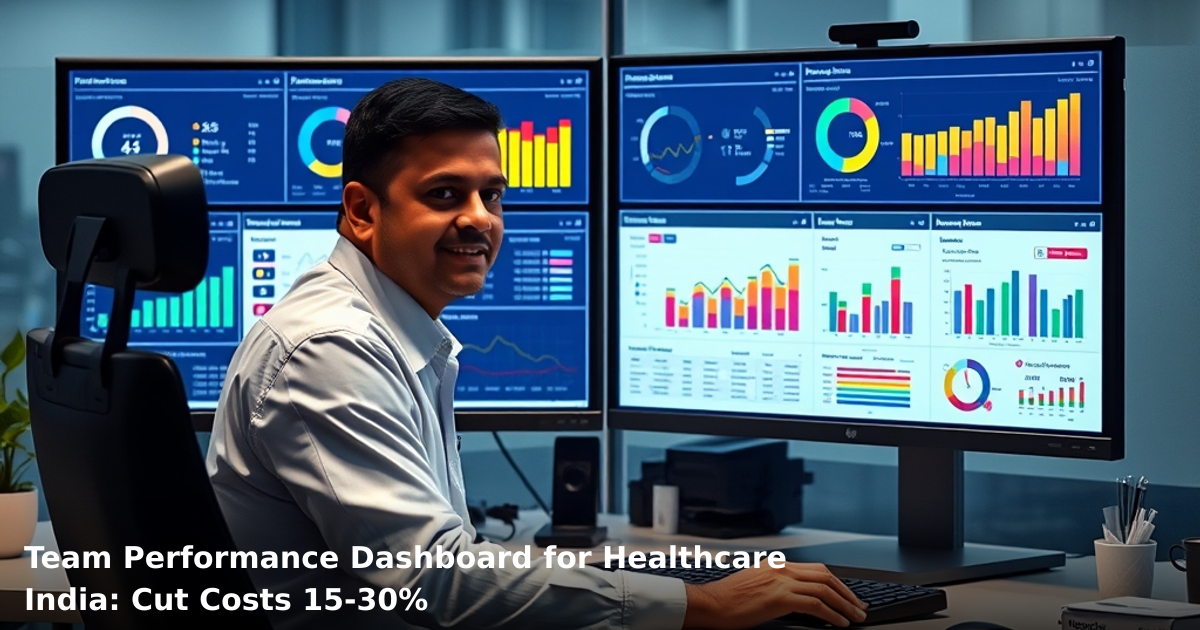
7 Ways Custom Reports & Analytics Cut Education Costs in India
Custom reports & analytics for education India are no longer a luxury—they're how schools and coaching institutes stop bleeding money on things they can't see. Most education businesses in India run on gut feeling, outdated spreadsheets, and phone calls. The result? You overspend on marketing that doesn't convert, hire more staff than you need, and lose track of which courses actually make money.
Quick Answer: Custom reports & analytics for education India help schools reduce operational costs by 20–35% within 6 months by tracking student acquisition costs, course profitability, staff efficiency, and attendance patterns. A mid-sized coaching center in Bangalore saved ₹2.8 lakh monthly by identifying underperforming batches and optimizing teacher allocation through data-driven reporting.
Why Custom Reports & Analytics Matters for Indian Education Businesses
Education is one of India's fastest-growing sectors. According to NASSCOM reports, the EdTech market in India is projected to reach $30 billion by 2025. But here's the catch: most school owners and coaching center operators still manage finances like it's 2010.
You're juggling multiple revenue streams—classroom fees, online courses, test prep, counseling services. You have student data scattered across WhatsApp, Google Forms, Excel sheets, and your accountant's laptop. Your principal or director has no real-time visibility into which programs are profitable, which students are at risk of dropping out, and where you're burning cash unnecessarily.
This is where custom reporting and analytics for education in India makes the difference. It's not about collecting more data. It's about seeing the data that actually matters—and acting on it fast.
The Cost Problem in Indian Education
- Tier-2 and tier-3 cities: Schools spend ₹15,000–₹40,000 monthly on marketing with no way to track ROI. A Gartner report found that 58% of Indian SMBs in education have no attribution model.
- Coaching centers: Staff costs run 40–50% of revenue, but you can't see which teachers drive actual results.
- Online programs: You're paying for LMS hosting, Zoom licenses, and email tools—but you don't know which courses have 90% dropout rates.
Custom analytics for education India flips this. Suddenly, you're not guessing anymore.
What Custom Reports & Analytics for Education India Actually Does
Custom reporting isn't a dashboard with pretty charts. It's a system that pulls data from your enrollment system, payment gateway, student database, and attendance records—then surfaces only the metrics that matter to your bottom line.
Think of it this way: a generic report shows you "100 students enrolled this month." A custom report for your education business shows you "100 students enrolled this month, 23 are from Google Ads (₹8,500 spend), 14 from referrals, 63 from direct walk-ins; conversion rate is 18%, average fee is ₹12,000, and 8 students are likely to drop out based on attendance patterns."
That second report lets you make decisions. The first one just makes you feel busy.
How It Works in Practice
- Data integration: Your student management system, payment gateway (Razorpay, PayU), attendance app, and email marketing tool connect to a central analytics engine.
- Automated report generation: Every morning, your principal gets a one-page report showing yesterday's enrollments, revenue, staff efficiency, and student risk flags.
- Drill-down capability: If a report says "Math batch has 35% attendance," you can click to see which students, which days, and which topics they're missing.
- Alerts: The system flags anomalies—sudden drop in inquiries, high refund requests, a teacher with zero student ratings—so you catch problems before they compound.
7 Ways Custom Reports & Analytics Cut Education Costs in India
1. Identify Unprofitable Courses and Batch Timings
Most education businesses run courses because "it's what we've always offered." A coaching center in Pune was running 6 batches of English grammar. Custom analytics revealed that 3 batches had only 4–5 students each (breakeven was 8), while 2 batches had waiting lists. They consolidated to 4 batches, cut 2 teachers, and kept revenue the same. Savings: ₹1.2 lakh monthly.
What to measure:
- Revenue per batch
- Cost per student (teacher salary ÷ enrolled students)
- Attendance rate by batch
- Dropout rate by course and timing
Action: If a batch is below breakeven for 3 consecutive months, either merge it or shut it down.
2. Optimize Teacher Allocation and Reduce Redundant Staff
You're probably paying teachers for hours they don't teach. One school in Hyderabad discovered that 2 of their 12 teachers were teaching only 6–8 hours weekly (the rest were "on call" for substitutions). Custom reporting showed that student load could be redistributed across 10 teachers. They offered voluntary separation to the 2 underutilized teachers and saved ₹85,000 monthly.
What to measure:
- Hours taught vs. hours paid
- Student-to-teacher ratio by subject
- Class utilization (how full is each batch?)
- Teacher performance (ratings, student outcomes, retention)
Action: Use data to make transparent decisions about hiring and reallocation.
3. Cut Marketing Spend on Low-ROI Channels
Education businesses in India throw money at Facebook Ads, Google Ads, and local newspaper ads without tracking which one actually converts. Custom analytics for education India integrates UTM parameters, phone call tracking, and enrollment source attribution. A coaching center in Delhi was spending ₹50,000/month on Facebook Ads with a 2% conversion rate (₹25,000 per enrollment). Google Ads had a 6% conversion rate (₹8,300 per enrollment). They killed Facebook and doubled Google Ads spend. Enrollments jumped 40%, cost per enrollment dropped 35%.
What to measure:
- Cost per inquiry by channel
- Cost per enrollment by channel
- Student lifetime value by acquisition channel
- Time from inquiry to enrollment (sales cycle length)
Action: Redirect budget to channels with cost per enrollment under your break-even threshold.
4. Reduce Student Dropout Rates Through Early Intervention
Dropouts are silent killers. A student who enrolls but quits after 2 months is a lost ₹12,000 and a wasted seat. Custom reports flag at-risk students before they leave. Indicators include: attendance below 70%, no homework submission for 2 weeks, low test scores, or inactivity on the learning platform.
One school in Bangalore used this data to identify 47 at-risk students, called their parents, and offered 1-on-1 support. 34 stayed. At ₹15,000 per student, that's ₹5.1 lakh in retained revenue. Cost of intervention: ₹50,000. ROI: 1,000%.
What to measure:
- Dropout rate by cohort, course, and teacher
- Attendance trends
- Assignment submission rates
- Test performance trends
- Parent engagement (calls, parent-teacher meetings)
Action: Build a "risk score" for each student; trigger outreach when score exceeds threshold.
5. Negotiate Better Vendor Deals Using Data
You're probably overpaying for LMS hosting, video conferencing, and SMS/email tools because you don't know how much you're actually using them. Custom analytics shows exact usage. A school in Mumbai was paying ₹8,000/month for an LMS but using only 30% of its features. They switched to a lighter platform at ₹3,000/month. Annual savings: ₹60,000.
Another school discovered they had 3 overlapping email tools. Consolidation saved ₹15,000 quarterly.
What to measure:
- Monthly spend by vendor
- Usage metrics (seats used, bandwidth, features activated)
- Cost per user
- Uptime and support response time
Action: Audit your tech stack quarterly. Kill tools with <50% utilization.
6. Improve Fee Collection and Reduce Bad Debts
Late payments and defaults drain cash flow. Custom reports show payment patterns by student, course, and parent. If a parent has missed 2 consecutive payments, the system flags it for follow-up. One school in Ahmedabad found that 12% of enrolled students had unpaid fees averaging ₹8,000 each. Automated reminders and payment plans recovered ₹9.6 lakh over 4 months.
What to measure:
- Days sales outstanding (DSO)
- Payment default rate
- Collection rate by payment method (UPI, bank transfer, cash)
- Parent payment history
Action: Set up automated payment reminders at 5, 10, and 15 days overdue. Offer payment plans for parents facing temporary cash flow issues.
7. Right-Size Your Operations Based on Seasonal Demand
Education has seasons. Admissions spike in May–June and November–December. Custom analytics shows you exactly when to hire, when to scale back, and when to run promotions. A coaching center in Chandigarh was keeping 8 staff year-round but only needed 6 in off-season months. By hiring temporary staff during peak months instead, they saved ₹2.5 lakh annually.
What to measure:
- Enrollment trends by month and year
- Inquiry volume by season
- Staff utilization by season
- Revenue forecast for next 12 months
Action: Plan hiring 2–3 months in advance based on historical data and growth targets.
Comparison Table: Custom Analytics Approaches for Education
| Aspect | DIY (Excel + Manual Tracking) | Generic Dashboard Tool | Custom Reports & Analytics |
|---|---|---|---|
| Setup time | 1–2 weeks | 2–4 weeks | 3–6 weeks |
| Monthly cost | ₹0 (your time) | ₹5,000–₹15,000 | ₹10,000–₹25,000 |
| Data sources integrated | 1–2 (usually manual) | 3–5 (limited) | 8–12 (all your systems) |
| Real-time updates | No (weekly at best) | Partial (daily) | Yes (hourly) |
| Custom metrics | Yes, but time-consuming | Limited | Unlimited |
| Alerts & automation | No | Basic | Advanced |
| Decision speed | Slow (analysis takes days) | Medium (1–2 days) | Fast (minutes) |
| Best for | Micro-schools (<50 students) | Growing schools (50–300) | Established centers (300+) |
Step-by-Step Guide for Indian Education Businesses
Ready to scale your business systematically?
We combine software, automation, and marketing to build growth systems that work while you sleep.
Step 1: Audit Your Current Data Sources
List every system where student data lives:
- Student management system (SMS) or admission software
- Payment gateway (Razorpay, PayU, Instamojo)
- Attendance app or register
- Learning management system (LMS)
- Email marketing tool
- WhatsApp Business (if you use it for updates)
- Google Forms (for surveys, feedback)
- Your accountant's Tally file
Write down: who owns it, how often it's updated, and what data it holds.
Step 2: Define Your Key Metrics
Don't try to track everything. Pick 8–10 metrics that directly impact your bottom line:
- Cost per enrollment (by channel)
- Student lifetime value
- Dropout rate (by course, by cohort)
- Course profitability (revenue – teacher cost – overhead)
- Teacher utilization (hours taught ÷ hours paid)
- Days sales outstanding (fee collection speed)
- Attendance rate (by student, by batch)
- Staff cost as % of revenue
Write these down. These are your "north star" metrics.
Step 3: Choose a Reporting Platform or Partner
Option A: Use a generic dashboard tool (Metabase, Looker, Google Data Studio) if you have a tech-savvy team member who can build queries.
Option B: Use education-specific software (Teachmint, Edtech, Juno) that has built-in analytics.
Option C: Partner with a custom analytics provider who understands education (like Innovaira) to build reports tailored to your business.
If setting up custom reporting infrastructure sounds complex, our CRM Development and ERP Development services handle the entire integration—data consolidation, automated reporting, and alert systems—for education businesses across Delhi NCR and beyond. We've built systems for coaching centers, schools, and online course platforms.
Step 4: Set Up Data Integration
Connect your SMS, payment gateway, and attendance system to your reporting platform. This usually involves:
- API credentials (your software provider gives these)
- Setting up a data warehouse or ETL pipeline
- Mapping data fields (e.g., "enrollment date" from SMS = "admission_date" in reports)
- Testing data accuracy
Most education software providers offer plug-and-play integrations. If not, a developer can build it in 1–2 weeks.
Step 5: Create Your First Reports
Start simple. Build 3 reports:
- Daily dashboard: Today's enrollments, revenue, inquiries, at-risk students
- Weekly performance report: Batch-wise attendance, course profitability, teacher hours
- Monthly business review: Trends, anomalies, cost breakdown, forecast
Share these with your principal/director every morning, week, and month. Use them in team meetings.
Step 6: Set Up Alerts
Configure automated alerts for:
- Enrollment below target (e.g., <5 per day)
- Refund requests (flag high volumes)
- Student attendance below 70%
- Fee payment overdue by >15 days
- Staff utilization below 70%
Alerts should go to your principal via email or WhatsApp.
Step 7: Review and Iterate
Every month, ask:
- Which metrics actually changed your decisions?
- Which reports do you ignore?
- What data are you still missing?
Kill reports that don't drive action. Add new metrics as your business evolves.
Common Mistakes to Avoid
Mistake 1: Tracking too many metrics You end up with 50 dashboards and no clarity. Pick 8–10 metrics and obsess over them for 90 days.
Mistake 2: Not integrating all data sources If your attendance system doesn't talk to your payment system, you can't calculate "cost per student." Incomplete data = bad decisions.
Mistake 3: Ignoring data quality If your SMS has students with duplicate records or missing phone numbers, your analytics will be garbage. Clean your data first.
Mistake 4: Building reports but not acting on them A report that sits in an email inbox is useless. Use data in team meetings. Make decisions. Track outcomes.
Mistake 5: Expecting overnight results Custom analytics takes 2–3 months to show ROI. You need time to collect data, identify patterns, and implement changes. Stick with it.
Mistake 6: Hiring a data analyst before defining your questions You'll waste ₹60,000/month on someone who builds pretty charts instead of solving real problems. Define your metrics first, then hire.
Key Takeaways
- Custom reports & analytics for education India reduce operational costs by 20–35% within 6 months by eliminating guesswork.
- Start by tracking cost per enrollment, course profitability, dropout rates, and teacher utilization—the metrics that directly hit your bottom line.
- Identify unprofitable courses (save ₹1–2 lakh monthly), optimize staff allocation (save ₹50,000–₹1.5 lakh monthly), and cut marketing waste (save ₹20,000–₹50,000 monthly).
- Early intervention using attendance and engagement data can reduce dropout rates by 30–40%, recovering ₹3–5 lakh in annual revenue per 100-student cohort.
- Set up automated alerts for at-risk students, late payments, and low utilization so your team acts before problems compound.
- Most education businesses can implement custom analytics in 4–8 weeks with minimal disruption to daily operations.
Frequently Asked Questions
Quick answers about custom-reports-analytics-education-india
01 How much will implementing custom analytics actually cost my small education center in Delhi? ›
Most education centers spend ₹15,000–₹45,000 per month on generic reporting tools that don't match their needs, but custom reports can be built for ₹8,000–₹25,000 one-time setup plus ₹3,000–₹8,000 monthly maintenance. I've seen centers cut their overall software costs by 30–40% by replacing 3–4 separate tools with one integrated custom dashboard that tracks student performance, fee collection, and attendance in real-time.
02 How long does it actually take to set up custom reports so we can start using them? ›
A basic custom reporting system takes 2–3 weeks to build and deploy for a 200–500 student institution, but you'll see initial cost savings within the first month as you stop paying for unused features in bloated platforms. The real timeline win is that once live, your staff saves 8–10 hours per week on manual data compilation—that's roughly ₹4,000–₹6,000 in labor costs recovered weekly.
03 Is custom analytics worth it for my small coaching center with just 50 students? ›
Absolutely—even micro-centers with 40–80 students benefit because you'll eliminate at least ₹2,000–₹4,000 monthly spend on oversized platforms, but more importantly, you'll gain visibility into which batches are actually profitable and which students are at risk of dropping out. I've seen 50-student centers reduce their student churn by 15–20% just by tracking engagement metrics they weren't seeing before.
04 We keep hearing custom reports are complicated—isn't it easier to just use Excel? ›
This is the biggest mistake I see: Excel works until you have 200+ students, then your staff spends 6–8 hours weekly on manual updates, formula errors cause fee discrepancies, and you lose historical trend data that could show you're losing 12–15% of students in specific months. Custom reports automate this entirely and cost less than the salary hours you're burning on spreadsheet management.
05 How do we actually get started without disrupting our current operations? ›
Start by auditing what data you're currently collecting but not using—most centers find they're already gathering 60–70% of what custom reports need—then partner with a provider for a 2-week pilot on just one metric (like fee collection tracking or attendance patterns) before rolling out the full system. This ₹5,000–₹10,000 pilot typically pays for itself in the first month through identified inefficiencies.
Need this built for your business?
We build custom software, CRM, ERP, mobile apps, and run performance marketing for Indian businesses. Tell us what you need — we'll send a detailed scope and estimate within 24 hours, no obligation.
- Free 30-min scoping call with our tech lead
- Detailed project estimate in writing
- No sales pitch — just honest advice on what makes sense
📞 +91 92794 55684 · 📧 [email protected] · Delhi NCR · PAN India
Innovaira's engineering team designs and builds custom software — CRM, ERP, SaaS platforms, web applications and mobile apps — for growing Indian businesses. ISO 9001:2015 certified for quality delivery.