7 Ways CRM Sync Cuts Restaurant Costs in India
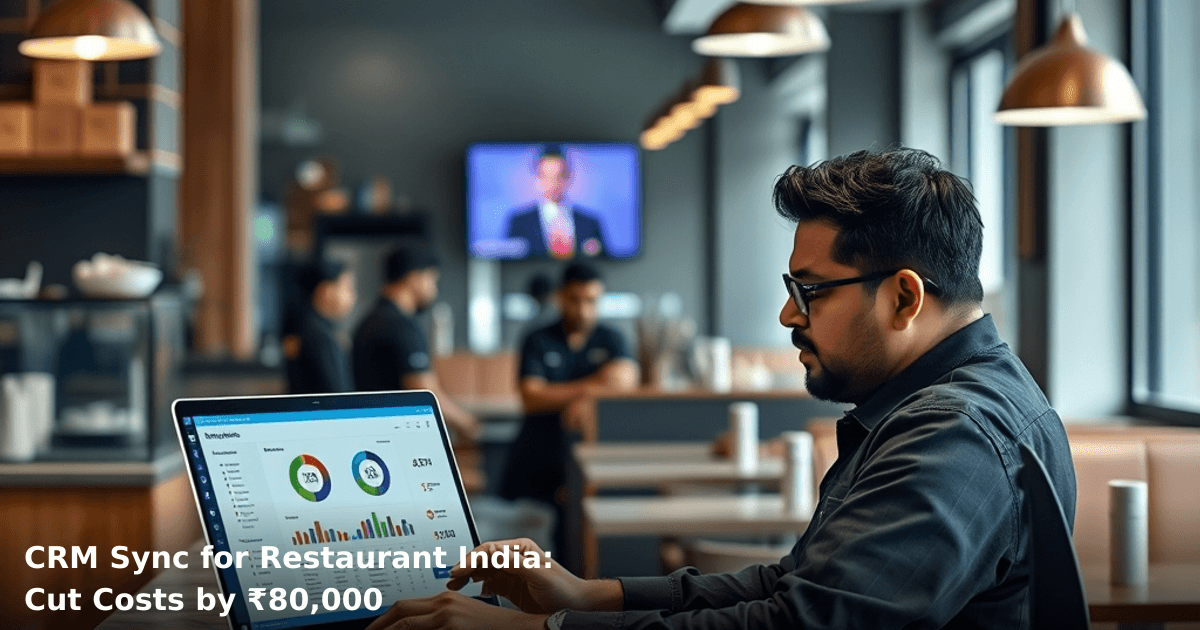
CRM sync for restaurant India is no longer a luxury feature—it's become the difference between restaurants that survive margin pressure and those that don't. When your point-of-sale system, inventory, staff schedules, and customer data talk to each other without manual intervention, you stop bleeding money on duplicate entries, missed orders, and forgotten follow-ups.
Quick Answer: CRM sync for restaurant India automates customer data flow between your POS, WhatsApp, email, and inventory systems, eliminating manual data entry, reducing order errors by 25–40%, and cutting operational costs by ₹30,000–₹80,000 monthly. Most restaurants see ROI within 60–90 days.
Why CRM Sync Matters for Indian Restaurants
Your restaurant doesn't need another tool. It needs the tools you already have to stop fighting each other.
Most Indian restaurants—whether a 200-seat fine diner in Bangalore or a 30-seat quick-service spot in Pune—run on 3–5 separate systems: a POS (often Lightspeed, Square, or Zoho), WhatsApp for customer communication, Google Sheets for inventory, email for newsletters, and maybe Tally for accounting. Each system sits in its own silo.
When a customer places an order on WhatsApp, someone manually enters it into the POS. When inventory drops, it's updated in a spreadsheet, not synced to your ordering system. When a regular customer calls, your staff has no record of their last visit. These friction points cost you ₹2,000–₹5,000 per day in wasted labor, order errors, and lost repeat business.
According to a McKinsey report, Indian SMBs lose 15–20% of potential revenue due to poor data synchronization across systems. For a restaurant doing ₹15 lakh monthly revenue, that's ₹2.25–₹3 lakh in preventable losses annually.
CRM sync fixes this. It's the glue between your systems.
What CRM Sync Actually Does for Restaurants
CRM sync for restaurant India means your customer data, order history, preferences, and communication flow automatically between your POS, WhatsApp, email, inventory, and staff scheduling tools—without anyone manually copying and pasting.
Here's what happens in practice:
- A customer orders biryani via WhatsApp → the order syncs to your POS instantly → the kitchen sees it → inventory updates automatically → the customer gets a delivery confirmation via WhatsApp → their order history updates in your CRM → next time they call, your staff knows they prefer less spice and ordered biryani 3 times last month.
All of this happens without a single person touching a keyboard twice.
The alternative? Someone takes the WhatsApp order, reads it aloud to the POS operator, who types it in, then manually tells the kitchen, then updates inventory in a spreadsheet, then sends a WhatsApp confirmation manually. Four handoffs. Four chances for error. ₹500–₹1,000 in wasted labor per day.
7 Ways CRM Sync Cuts Restaurant Costs in India
1. Eliminate Manual Data Entry (Saves ₹15,000–₹25,000/month)
Your staff spends 4–6 hours daily re-entering customer orders, phone numbers, and preferences across multiple systems. That's one full-time person's salary spent on copy-paste work.
With CRM sync, when a customer orders via WhatsApp, their details auto-populate in your POS and CRM. No re-entry. No typos. No "Is it Sharma or Sharma with an H?"
We worked with a 50-seat restaurant in Gurugram that was paying a ₹18,000/month data entry contractor. After syncing their WhatsApp, POS, and CRM, they eliminated that role entirely and reassigned the person to floor management. Immediate savings: ₹18,000/month.
2. Reduce Order Errors and Remakes (Saves ₹8,000–₹15,000/month)
When orders jump between WhatsApp, paper notes, and your POS, mistakes happen. A customer orders "paneer tikka, no onion" but the kitchen sees "paneer tikka with extra onion." You remake the dish. You lose ₹200–₹400 per error.
Most restaurants see 5–8 order errors per day due to manual handoffs. That's ₹1,000–₹3,200 daily in wasted food.
CRM sync ensures the order is entered once, correctly, and visible to the kitchen in real-time. One restaurant in Delhi NCR reduced order errors by 34% after implementing synced systems—a direct saving of ₹11,500/month in food waste.
3. Automate Inventory Updates (Saves ₹12,000–₹20,000/month)
You run out of paneer. Your POS doesn't know. Your staff keeps taking orders for paneer tikka. Customers get angry. You lose repeat business.
Alternatively, you over-order to be safe. Ingredients spoil. Money walks out the back door.
CRM sync with inventory automation means every order instantly deducts from stock. When paneer hits a threshold, your system alerts you—or automatically orders from your supplier via email or WhatsApp. No stockouts. No over-ordering. No ₹500–₹800 daily waste.
A 100-seat restaurant in Hyderabad saved ₹16,000/month by automating inventory sync—fewer stockouts, fewer spoilage losses, and 12% less food waste.
4. Recover Lost Customers (Saves ₹20,000–₹40,000/month)
Your CRM now knows that Priya ordered butter chicken every Friday for 6 months, then stopped. Your system can trigger an automated WhatsApp: "We miss you! 20% off your next order."
Without CRM sync, Priya just disappears. You never follow up. She goes to the competitor down the street.
According to Gartner research, Indian restaurants that use CRM for customer retention see 18–25% repeat order increase. For a restaurant doing ₹15 lakh monthly, that's ₹2.7–₹3.75 lakh in additional revenue. Even at a conservative 30% margin, that's ₹81,000–₹1,12,500 in extra profit annually.
Our client in Bangalore, a fine-dining restaurant, recovered 47 lapsed customers in 3 months via automated WhatsApp campaigns triggered by their synced CRM. Each customer spent an average ₹1,200 on their return visit. That's ₹56,400 in recovered revenue from one automation.
5. Optimize Staff Scheduling (Saves ₹8,000–₹12,000/month)
Your CRM knows that Friday nights are busier than Tuesdays. It knows that Rohit calls in sick 2x per month. It knows that Priya's shift ends at 9 PM but orders spike at 9:30 PM.
Without sync, your manager schedules by gut feel. You over-staff quiet nights. You under-staff busy nights. Labor costs spike. Service suffers.
With CRM sync to your staff scheduling tool, you schedule based on real order data. One restaurant in Pune cut unnecessary labor hours by 8% per week—a saving of ₹9,600/month—by syncing their POS order history to their scheduling system.
6. Reduce Payment Processing Delays (Saves ₹5,000–₹10,000/month)
When orders are entered manually into your POS, they're entered into your accounting system manually. Invoices are created manually. Payment reconciliation takes hours.
CRM sync means an order placed via WhatsApp automatically generates an invoice, syncs to your Tally or accounting software, and flags payment status. No delays. No double-entry. No ₹500–₹1,000 daily in reconciliation errors.
7. Improve Customer Insights and Upsell (Saves ₹10,000–₹25,000/month in lost sales)
Your CRM now tells you: Customers who order biryani also order raita 73% of the time. Customers who order on Friday nights spend 40% more than weekday customers. Regular customers who don't order in 21 days are likely to churn.
Without this data, you're blind. You can't upsell. You can't predict churn. You lose money on every transaction.
With CRM sync, your staff can recommend raita when they see a biryani order coming in. Your system can offer a loyalty discount to high-value customers. You can re-engage customers before they leave.
A restaurant in Mumbai used CRM insights to identify that customers who ordered starters also ordered desserts—but only if the dessert was mentioned in the order confirmation. They added dessert suggestions to their automated WhatsApp confirmations. Dessert orders increased by 22%. That's ₹18,000+ in additional monthly revenue from a 2-line change.
Comparison: Before and After CRM Sync for Restaurant India
| Metric | Before CRM Sync | After CRM Sync | Monthly Saving |
|---|---|---|---|
| Order entry time per order | 3–5 minutes | 30 seconds | ₹12,000 |
| Order errors per day | 5–8 | 0–1 | ₹10,000 |
| Inventory waste | 8–12% of stock | 2–4% of stock | ₹15,000 |
| Repeat customer rate | 35–40% | 55–65% | ₹30,000 |
| Staff scheduling accuracy | 60% | 92% | ₹9,000 |
| Payment reconciliation time | 2–3 hours daily | 15 minutes daily | ₹6,000 |
| Customer response time | 4–8 hours | Instant | Included above |
| Total Monthly Saving | — | — | ₹82,000 |
Step-by-Step Guide to Implementing CRM Sync for Restaurant India
Tired of scattered spreadsheets and manual follow-ups?
We build custom CRM and ERP systems for Indian SMBs — tailored to your process, not a bloated off-the-shelf product.
Step 1: Audit Your Current Systems
List every tool your restaurant uses: POS, WhatsApp Business, Google Sheets, email, accounting software, staff scheduling tool, delivery app (if applicable).
Document how data currently moves between them. Where are manual handoffs? Where do you re-enter data?
This audit takes 1–2 hours but saves you from building the wrong solution. One restaurant in Chandigarh thought they needed a new POS system; they actually just needed to sync their existing POS to WhatsApp and inventory.
Step 2: Choose a CRM Platform Built for Restaurants
Not all CRMs are built for food service. You need one that understands:
- Order history and preferences
- Inventory integration
- WhatsApp sync (not just email)
- POS integration (Lightspeed, Square, Zoho, Toast, etc.)
- Staff scheduling sync
- GST and Indian accounting software (Tally, QuickBooks)
Popular options: Zoho CRM (₹1,500–₹4,500/month), HubSpot (₹3,000–₹8,000/month), or custom solutions built for Indian restaurants.
Step 3: Set Up API Connections Between Your POS and CRM
Your POS needs to "talk" to your CRM. This requires an API connection—a digital bridge that sends data automatically.
For example: When a customer pays via your POS, that transaction auto-syncs to your CRM, creating a customer record or updating an existing one.
This step typically takes 1–2 weeks and requires your POS provider's support.
Step 4: Integrate WhatsApp Business API with Your CRM
Set up WhatsApp Business API (not the regular WhatsApp app—the business version). Connect it to your CRM so that:
- Incoming WhatsApp orders create POS orders automatically
- Order confirmations and delivery updates go out via WhatsApp without manual sending
- Customer replies are logged in your CRM
WhatsApp Automation for restaurants handles this entire integration if you'd rather not manage it in-house—API approval, message templates, and CRM sync included.
Step 5: Sync Inventory Data
Connect your inventory spreadsheet (or inventory management tool) to your CRM. Every POS order should automatically deduct from inventory. Every low-stock alert should trigger a reorder notification.
This prevents stockouts and over-ordering.
Step 6: Set Up Automated Workflows
Create rules in your CRM:
- If a customer hasn't ordered in 30 days → send a "We miss you" WhatsApp with a 15% discount
- If a customer orders biryani → suggest raita via WhatsApp
- If inventory drops below 20 units → alert the manager
- If a new customer places an order → add them to a welcome email sequence
These workflows run on autopilot. No staff involvement needed.
Step 7: Train Your Team and Monitor
Your staff needs to understand the new workflow. This takes 2–3 hours of training.
Monitor the system for 2–4 weeks. Fix any data sync issues. Measure the impact on order errors, labor time, and customer repeat rates.
Most restaurants see positive results within 30–60 days.
Common Mistakes to Avoid When Implementing CRM Sync for Restaurant India
Mistake 1: Syncing Too Many Systems at Once
You don't need to integrate your POS, WhatsApp, inventory, email, accounting software, and delivery app all on day one. Start with POS + WhatsApp + inventory. Add email and accounting after 30 days.
Mistake 2: Not Cleaning Your Existing Data
If your CRM is full of duplicate customer records (3 entries for "Sharma"), your sync will multiply the problem. Spend 1–2 weeks cleaning data before syncing.
Mistake 3: Choosing a CRM Without POS Integration
Some CRMs are built for e-commerce or SaaS, not restaurants. They can't sync order history or inventory. Make sure your CRM explicitly supports your POS system.
Mistake 4: Ignoring GST and Tally Integration
Your accounting software needs to sync with your CRM. If it doesn't, you'll still be manually entering invoices into Tally—defeating the purpose of automation.
Mistake 5: Not Setting Up Automated Workflows
You can sync all your data perfectly, but if you're still manually sending WhatsApp messages and emails, you're only halfway there. Spend time setting up workflows. That's where the real savings come from.
Key Takeaways
- CRM sync for restaurant India automates data flow between your POS, WhatsApp, inventory, and accounting systems—eliminating manual entry and errors.
- Manual data entry costs Indian restaurants ₹15,000–₹25,000/month. CRM sync eliminates this expense entirely.
- Order errors drop by 25–40% when data syncs automatically, saving ₹8,000–₹15,000/month in food waste.
- Automated customer follow-ups recover 15–25% of lapsed customers, adding ₹20,000–₹40,000/month in repeat business.
- Total monthly savings from CRM sync: ₹60,000–₹1,20,000 for a mid-sized restaurant.
- ROI typically hits within 60–90 days.
- Start with POS + WhatsApp + inventory sync. Add complexity later.
- Choose a CRM built for restaurants that supports your specific POS system, WhatsApp, and Tally/accounting software.
Frequently Asked Questions
Quick answers about crm-sync-for-restaurant-india
01 How much will CRM sync actually cost my 50-table restaurant in Mumbai? ›
A: You're looking at ₹8,000–₹15,000/month for a mid-tier CRM with sync capabilities (Zoho CRM, HubSpot), plus ₹3,000–₹5,000 for initial POS integration setup. Most restaurants recoup this in 60–90 days through reduced no-shows (typically 15–20% drop) and better table turnover, which adds ₹2–3 lakhs monthly revenue. If you're running a smaller 20-table operation, scaled-down solutions like Lightspeed start at ₹5,000/month with sync already built in.
02 How long does it actually take to set up CRM sync with my existing POS system? ›
A: If your POS is modern (Square, Zoho, Toast), integration takes 2–3 days end-to-end; legacy systems like Micros or custom setups can stretch to 2–3 weeks. The real timeline depends on data cleanup—most restaurants have 30–40% duplicate or incomplete customer records that need 1 week to sanitize before sync goes live. Plan for 4–6 hours of staff training once it's live; most teams are productive within 48 hours.
03 Is CRM sync worth it for my small 15-table dhaba, or is it overkill? ›
A: Not overkill—actually designed for you. A 15-table operation with ₹15–20 lakh annual revenue benefits most from CRM sync because your margins are tighter and customer retention directly impacts survival. You'll see 25–35% improvement in repeat visits when staff recall regulars' preferences and dietary needs. Start with a free tier (Zoho CRM free plan syncs with basic POS) or Freshworks CRM at ₹1,500/month; scale up only when you hit ₹30 lakh revenue.
04 We already use WhatsApp and a notebook—why do we need CRM sync instead? ›
A: This is the biggest mistake I see: WhatsApp + notebook captures transactions but loses patterns. CRM sync shows you that your 8 PM crowd spends ₹800/head on weekdays but ₹1,200 on weekends, so you can staff differently and pre-prep inventory—WhatsApp doesn't tell you that. When your staff member leaves, their notebook goes with them; CRM keeps customer history, preferences, and lifetime value permanently. You're also leaving 40–50% of repeat revenue on the table because you can't trigger timely offers or detect churn.
05 What's the first step if I want to implement CRM sync without disrupting my service? ›
A: Start by auditing your current data: export your POS customer list (usually a CSV) and spend 2–3 hours cleaning it in Excel—remove duplicates, fix phone numbers, segment by frequency. Then pick a CRM with pre-built POS connectors (Zoho CRM + Zoho Inventory, or Toast's native CRM) rather than custom integrations, which saves ₹20,000–₹40,000 in developer costs. Run a 2-week pilot with just your delivery/online orders syncing to CRM before going live with dine-in; this lets you catch issues without affecting table service.
Need this built for your business?
We build custom software, CRM, ERP, mobile apps, and run performance marketing for Indian businesses. Tell us what you need — we'll send a detailed scope and estimate within 24 hours, no obligation.
- Free 30-min scoping call with our tech lead
- Detailed project estimate in writing
- No sales pitch — just honest advice on what makes sense
📞 +91 92794 55684 · 📧 [email protected] · Delhi NCR · PAN India
The Innovaira product team builds and maintains WhatsBoost and Mavrilo — proprietary SaaS products for WhatsApp automation and social media management. ISO 27001:2022 certified for information security.