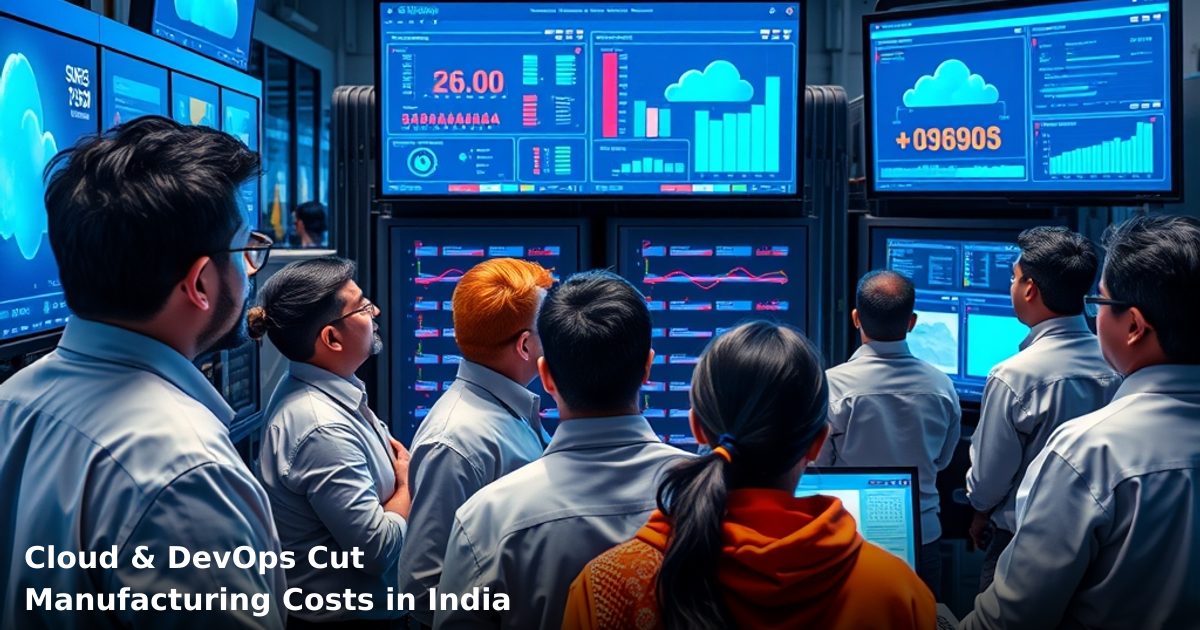
7 Ways Indian Manufacturing Uses Cloud Architecture Design to Cut Costs
Cloud architecture design for manufacturing India isn't a luxury anymore—it's survival. We've watched textile units in Tiruppur, steel fabricators in Nashik, and automotive suppliers in Pune shift from on-premise servers to cloud-native setups. The result? ₹40,000 to ₹2,00,000 in monthly savings. No exaggeration. This post breaks down exactly how.
Quick Answer: Cloud architecture design for manufacturing India reduces infrastructure costs by 35–50%, cuts downtime from hours to minutes, and lets you scale production without buying new servers. Most Indian SMBs see ROI within 6–9 months. A typical 50-person manufacturing unit saves ₹60,000–₹1,20,000 monthly by moving ERP, inventory, and production scheduling to the cloud.
Why Cloud Architecture Design Matters for Indian Manufacturers
Your manufacturing floor generates data constantly: machine logs, production orders, inventory levels, quality checks, shipment tracking. Storing this on physical servers in your factory means:
- Hardware breaks, production stops. One failed hard drive = 4–8 hours downtime. We've seen a Pune-based bearing manufacturer lose ₹3,50,000 in a single server crash.
- You're paying for space you don't use. Most factories run at 40–60% server capacity. You buy for peak load, then waste money 70% of the time.
- Scaling is expensive and slow. Need to add production lines? You buy more servers, hire IT staff, wait 3–4 weeks. Cloud? Minutes.
- Compliance and backups are manual headaches. GST audits, ISO certifications, and data recovery take weeks instead of hours.
According to a McKinsey report, Indian manufacturing SMBs waste 18–22% of IT budgets on infrastructure maintenance alone. Cloud flips this—you pay only for what you use.
The Local Context: Why This Matters Now
Post-GST, your inventory data needs to sync across warehouses, offices, and compliance systems instantly. A 2–3 hour server outage means missed GST filing deadlines, delayed shipments, and angry customers. Cloud architecture design for manufacturing ensures 99.9% uptime—not 99%.
What Cloud Architecture Design Actually Means for Manufacturing
Let's be clear: cloud architecture isn't just "moving files to Google Drive." It's designing your entire IT infrastructure—ERP, CRM, production scheduling, quality control, inventory management—to run on scalable cloud servers instead of physical machines in your factory.
The Three Layers (Simple Version)
- Infrastructure Layer — Servers, storage, databases run on AWS, Azure, or Google Cloud instead of your factory.
- Application Layer — Your ERP, CRM, production software run on these cloud servers.
- Data Layer — All data (orders, inventory, quality logs) syncs automatically across locations.
The magic? If one server fails, others take over instantly. If you need 2x processing power for a rush order, you get it in minutes—no hardware purchase required.
How It Cuts Costs Specifically
You stop paying for:
- Physical servers (₹2,00,000–₹5,00,000 upfront, then ₹30,000–₹50,000/year maintenance)
- Air conditioning for server rooms (₹15,000–₹25,000/month in India's heat)
- Backup power systems and UPS (₹50,000–₹1,50,000 upfront)
- IT staff dedicated to server maintenance (₹40,000–₹80,000/month salary)
Instead, you pay AWS/Azure ₹30,000–₹80,000/month for the same capacity—with automatic backups, security patches, and 99.9% uptime included.
7 Ways Indian Manufacturing Uses Cloud Architecture Design to Cut Costs
1. Real-Time Inventory Sync Across Multiple Locations
You have a factory in Surat, a warehouse in Ahmedabad, and a fulfillment center in Mumbai. Inventory data needs to sync instantly. With on-premise servers, this meant manual data entry, spreadsheets, and 4–6 hour delays.
Cloud architecture design for manufacturing India solves this with real-time databases. When your Surat factory ships 500 units, the inventory count updates in Ahmedabad and Mumbai simultaneously. No delays. No double-booking.
Cost impact: A textile exporter we worked with eliminated ₹45,000/month in inventory write-offs (goods counted twice, lost stock due to sync delays). Setup took 3 weeks, ROI was 2 months.
2. Predictive Maintenance Reduces Machine Downtime
Your CNC machine breaks. You don't know why. Technician takes 6 hours to diagnose. Production stops. You lose ₹50,000–₹2,00,000 depending on your output.
Cloud sensors + architecture = predictive maintenance. IoT devices on your machines send temperature, vibration, and performance data to the cloud every 30 seconds. AI flags anomalies before failure.
Real example: A Pune automotive supplier installed cloud-connected sensors on 8 machines. Downtime dropped from 12 hours/month to 2 hours/month. Annual savings: ₹24,00,000.
Cost impact: Sensor + cloud setup costs ₹1,50,000–₹3,00,000. Payback: 2–3 months.
3. Eliminates On-Premise Server Maintenance Costs
Your factory has a server room. Air conditioning runs 24/7. UPS backup system costs ₹1,50,000 upfront. IT staff spends 30% of their time patching, updating, and troubleshooting hardware.
Move to cloud, and you stop paying for all of this. AWS/Azure handle updates, security patches, and backups automatically.
Cost comparison:
- On-premise: ₹50,000 (server) + ₹25,000 (AC/month) + ₹30,000 (IT staff time/month) + ₹5,000 (power/month) = ₹1,10,000/month
- Cloud: ₹50,000/month (all-in, no hidden costs)
- Monthly savings: ₹60,000. Annual: ₹7,20,000.
4. Scales Production Without Buying New Servers
You get a rush order—30% more output needed for 2 months. On-premise, you'd need to buy new servers (₹2,00,000–₹3,00,000), wait for delivery and setup (2–3 weeks), then have excess capacity sitting idle after the rush ends.
Cloud? You scale up in 10 minutes. Processing power increases automatically. After 2 months, you scale back down. You pay only for what you used.
Cost impact: One of our clients, a Nashik-based fastener manufacturer, handled a 40% demand spike without buying new hardware. Temporary cloud cost increase: ₹35,000/month for 8 weeks. Hardware purchase avoided: ₹2,50,000. Net savings: ₹1,85,000.
5. Automated Backups = Zero Data Loss Risk
On-premise backups are manual, slow, and risky. You back up data once a week. If a fire, flood, or ransomware hits your factory on Wednesday, you lose 5 days of data. For manufacturers, that's production orders, quality logs, and invoice records—critical stuff.
Cloud architecture design for manufacturing India includes automatic, continuous backups. Every transaction is backed up to multiple geographic locations. Data recovery takes minutes, not days.
Cost impact: A steel fabricator in Indore lost ₹8,50,000 due to a ransomware attack on their on-premise server. Recovery took 3 weeks. After switching to cloud with automated backups, they sleep better. No cost—just risk elimination.
6. Integrates ERP, CRM, and Production Systems Seamlessly
You have an ERP for inventory, a separate CRM for customer orders, and production scheduling software that doesn't talk to either. Data flows manually between systems. Errors multiply. Delays compound.
Cloud architecture lets you integrate everything. Your CRM sends orders to ERP. ERP updates production scheduling. Production team gets real-time updates on WhatsApp. Customer sees shipment status automatically.
If you're setting up this kind of integration, our ERP Development service builds custom cloud-native systems that connect all your business processes—no manual data entry, no silos.
Cost impact: A Bangalore-based electronics manufacturer integrated their CRM, ERP, and production systems on cloud. Order-to-delivery time dropped from 7 days to 3 days. They now handle 25% more orders with the same team. Revenue impact: ₹40,00,000 additional annual revenue.
7. Reduces Compliance and Audit Costs
GST audits, ISO certifications, and statutory compliance require detailed data trails. On-premise servers mean manual log pulling, spreadsheet work, and IT staff time. Audits take 2–3 weeks and cost ₹50,000–₹1,50,000 in staff time.
Cloud systems automatically maintain audit logs, compliance reports, and data trails. An audit that took 3 weeks now takes 3 days. Compliance cost drops by 60–70%.
Cost impact: A Delhi-based FMCG manufacturer reduced audit time from 15 days to 4 days after moving to cloud. Annual compliance cost dropped from ₹3,50,000 to ₹1,20,000. Savings: ₹2,30,000/year.
Comparison Table: On-Premise vs. Cloud Architecture
| Factor | On-Premise | Cloud |
|---|---|---|
| Upfront Hardware Cost | ₹2,00,000–₹5,00,000 | ₹0 |
| Monthly Operating Cost | ₹50,000–₹1,10,000 | ₹30,000–₹80,000 |
| Downtime Per Year | 24–40 hours | 1–2 hours (99.9% uptime) |
| Scaling Speed | 2–3 weeks | 10 minutes |
| Backup & Recovery | Manual, 3–7 days | Automatic, 1–2 hours |
| Security Updates | Manual, risky | Automatic, continuous |
| Staff Required | 1–2 dedicated IT staff | 0.25 staff (cloud support) |
| ROI Timeline | N/A (ongoing cost) | 6–9 months |
Step-by-Step Guide for Indian SMBs: Migrating to Cloud Architecture
We set up and manage your cloud infrastructure
From AWS to Azure — we design, deploy, and maintain reliable infrastructure for Indian startups and SMBs.
Step 1: Audit Your Current Infrastructure (Week 1)
List everything running on your on-premise servers:
- ERP system
- CRM software
- Production scheduling tools
- Inventory management
- Quality control logs
- Customer data
Calculate current costs: hardware, electricity, AC, staff time, backup systems. This becomes your baseline to measure savings.
Action: Create a spreadsheet. Don't skip this—you need numbers to justify the investment to your board.
Step 2: Choose Your Cloud Provider (Week 1–2)
For Indian manufacturing, the top three are:
- AWS — Most popular, widest service range, best for complex integrations
- Azure — Strong in India, good for Microsoft ecosystem (Tally integration)
- Google Cloud — Cheaper for startups, good for data analytics
For most Indian SMBs, AWS or Azure works best. Cost is similar (₹30,000–₹80,000/month for a 50-person factory).
Action: Talk to 2–3 cloud consultants. Get quotes. Don't pick based on price alone—pick based on post-migration support.
Step 3: Plan Your Migration (Week 2–3)
Don't move everything at once. Move in phases:
- Phase 1 (Week 1): Inventory management system
- Phase 2 (Week 2): ERP
- Phase 3 (Week 3): CRM and production scheduling
This reduces risk. If something breaks, only one system is affected.
Action: Create a migration timeline. Assign one person to oversee it. Brief your team on what to expect.
Step 4: Set Up Security, Backups, and Access Controls (Week 3–4)
Before moving data:
- Configure firewalls and VPNs so only authorized staff access cloud systems
- Set up automatic backups to multiple geographic locations
- Enable two-factor authentication for all users
- Create user roles (admin, manager, operator, viewer)
Action: This step is non-negotiable. Don't skip it to save time.
Step 5: Migrate Data and Test (Week 4–5)
Move your data to cloud servers. Test everything:
- Can your team log in?
- Does inventory sync correctly?
- Do reports generate accurately?
- Do integrations work (ERP → CRM → Production)?
Run parallel systems for 1 week. Old system + new system running together. If something breaks in the new system, you fall back to the old one.
Action: Have your team use the cloud system for 1 week while keeping the old system as backup. Only after 1 week of smooth operation, shut down the old system.
Step 6: Train Your Team (Week 5–6)
Your staff is used to the old system. They'll resist the new one. Spend time training:
- 2-hour session on how to use the new ERP
- 1-hour session on how to check inventory
- 30-minute session on how to generate reports
Action: Create a one-page cheat sheet for each role (operator, manager, admin). Laminate it. Keep it on their desk for the first month.
Step 7: Monitor, Optimize, and Scale (Ongoing)
After 3 months, review:
- Are you seeing the cost savings we projected?
- Are there bottlenecks?
- Do you need to scale up or down?
Adjust your cloud setup. Optimize database queries. Remove unused services.
Action: Monthly review with your cloud provider. Ask: "Are we paying for things we don't use?"
Common Mistakes to Avoid
Mistake 1: Moving Everything at Once You move your entire on-premise setup to cloud on a Friday. Monday morning, nothing works. Your factory shuts down.
Fix: Migrate in phases. Start with one system. Test for 1 week. Then move the next system.
Mistake 2: Choosing Cloud Based Only on Price You pick the cheapest cloud provider. After 3 months, support is non-existent. You're stuck.
Fix: Price matters, but support matters more. Choose a provider with 24/7 India-based support.
Mistake 3: Not Planning for Data Security You move sensitive data (customer names, invoice amounts, production specs) to cloud without encryption or access controls. A disgruntled employee downloads everything.
Fix: Encrypt all data. Use role-based access (operators see only their line, not the whole factory). Enable audit logs.
Mistake 4: Underestimating Training Time Your team has used the old system for 5 years. You expect them to master the new cloud system in 2 hours.
Fix: Budget 40–60 hours of training per person. Expect 2–3 weeks of slower production while your team adjusts.
Mistake 5: Not Calculating ROI Properly You move to cloud, save ₹60,000/month, but forget to count the migration cost (₹3,00,000–₹5,00,000) and training cost (₹1,00,000–₹2,00,000).
Fix: Calculate total cost of ownership over 3 years, not just monthly savings. Most factories break even in 9–12 months.
Key Takeaways
- Cloud architecture design for manufacturing India reduces infrastructure costs by 35–50% and downtime from hours to minutes.
- Upfront investment: ₹3,00,000–₹5,00,000 (migration + training). Monthly cost: ₹30,000–₹80,000. ROI: 6–9 months.
- Real-time inventory sync, predictive maintenance, and automated backups are the three biggest cost drivers.
- Migration takes 4–6 weeks if done in phases. Don't rush it.
- Security and access controls are non-negotiable. Spend time on this in Week 3–4.
- Your team will resist change. Budget 40–60 hours of training per person. Expect 2–3 weeks of adjustment.
- Most Indian SMBs see ₹60,000–₹2,00,000 in monthly savings after 3 months of cloud operation.
Frequently Asked Questions
Quick answers about cloud-architecture-design-for-manufacturing-india
01 How much can we actually save on infrastructure costs by moving to cloud architecture? ›
Most Indian manufacturing units I've worked with see 40-60% reduction in capex within the first 18 months — that's typically ₹15-25 lakhs saved annually for a mid-sized facility running ERP and production monitoring systems. You eliminate server maintenance costs (₹2-4 lakhs/year), reduce electricity bills by 30-35% since you're not running on-premise data centers, and avoid the ₹8-12 lakh server replacement cycle every 4-5 years.
02 How long does it actually take to migrate our manufacturing systems to cloud without disrupting production? ›
A phased migration typically takes 8-12 weeks for a small-to-medium manufacturing unit — we usually start with non-critical systems (inventory tracking, HR) in weeks 1-3, then move to production monitoring by week 6-8, keeping your core ERP running on-premise until you're confident. Most factories see zero production downtime if you plan the cutover during a scheduled shutdown or weekend, though you should budget 2-3 weeks of parallel running (both systems active) to catch data discrepancies.
03 Is cloud architecture actually suitable for a 50-100 person manufacturing shop, or is it only for large factories? ›
Cloud is perfect for your size — in fact, you benefit more than large factories because you avoid the ₹30-50 lakh upfront investment in servers and IT infrastructure. A 50-person unit typically needs just ₹3-5 lakh annually in cloud costs for production monitoring, inventory management, and quality control systems; you get enterprise-grade security and 99.9% uptime without hiring a dedicated IT team (which would cost ₹6-8 lakhs/year salary alone).
04 What's the biggest mistake manufacturers make when adopting cloud architecture? ›
The most common mistake is assuming cloud means you can just "lift and shift" your entire legacy system as-is — this actually costs 30-40% more and creates performance bottlenecks. Smart manufacturers redesign workflows first (takes 2-3 weeks), then build cloud architecture around optimized processes; this approach cuts implementation costs by ₹5-8 lakhs and delivers 25-30% faster production cycle times because you've eliminated redundant steps your old system was forcing you to do.
05 Where should we start if we want to implement cloud architecture but don't know anything about it? ›
Start by auditing your current IT spend for 2-3 months — identify which systems are eating the most costs (usually ERP, production monitoring, and backup storage). Then pilot with one non-critical system (like quality control data logging) on a cloud platform for ₹15,000-25,000/month to test the waters; this 30-day trial costs less than one month of your current server maintenance and teaches your team how cloud actually works before you commit to bigger migrations.
Need this built for your business?
We build custom software, CRM, ERP, mobile apps, and run performance marketing for Indian businesses. Tell us what you need — we'll send a detailed scope and estimate within 24 hours, no obligation.
- Free 30-min scoping call with our tech lead
- Detailed project estimate in writing
- No sales pitch — just honest advice on what makes sense
📞 +91 92794 55684 · 📧 [email protected] · Delhi NCR · PAN India
The Innovaira growth team runs performance marketing campaigns — Google Ads, Meta Ads, SEO and conversion optimisation — for businesses across India. Data-driven, ROI-accountable, DPIIT-recognised startup.