When you're running a business in Mumbai, every rupee spent on marketing has to show results. That's where heatmap analysis in Mumbai, India becomes your secret weapon—but only if you're working with the right partner. Most SMBs we talk to have no idea what their website visitors are actually doing once they land. They're guessing. Clicking around in the dark. Burning money on traffic that doesn't convert.
Quick Answer: Heatmap analysis shows you exactly where visitors click, scroll, and abandon on your website. The best heatmap analysis companies in Mumbai use tools like Hotjar or Microsoft Clarity to map user behavior, identify friction points, and boost conversions by 25–40%. Costs typically range from ₹5,000–₹25,000/month depending on traffic volume and tool complexity.
Why Heatmap Analysis Matters for Indian Businesses
Your Website Isn't Telling You the Truth
Here's the thing: Google Analytics tells you that someone visited. It doesn't tell you why they left without buying. A heatmap does. It shows you the exact pixels where users hover, pause, rage-click, or drop off. We worked with a real estate firm in Bandra who thought their homepage was fine—until heatmap analysis revealed 68% of visitors never scrolled past the fold. They fixed the layout, added a clear CTA above the fold, and conversions jumped 34% in 60 days.
The Mumbai Context: High Competition, Tight Margins
Mumbai's market is crowded. E-commerce, SaaS, real estate, fintech—everyone's fighting for attention. According to a McKinsey report, Indian SMBs that optimize their digital funnel see 2.3x ROI compared to those running blind. Heatmap analysis is the difference between throwing ₹50,000/month at Google Ads and actually knowing what's working.
What Heatmap Data Actually Reveals
- Click maps: Where users click (and where they expect to click but can't)
- Scroll maps: How far down the page users go before leaving
- Attention maps: Which elements grab eyes and which are invisible
- Session recordings: Video playback of real user journeys—awkward pauses, hesitations, everything
What Is Heatmap Analysis and How Does It Work?
The Basics
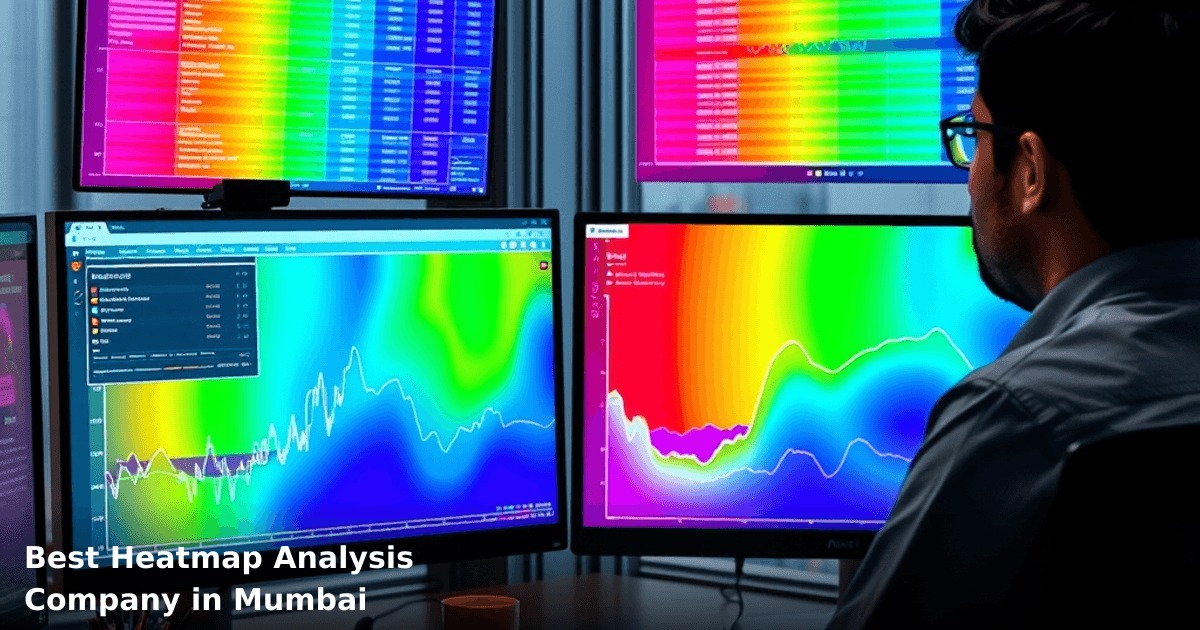
Heatmap analysis is behavioral analytics. You install a tracking pixel on your website (takes 5 minutes). The tool records anonymized user interactions—clicks, scrolls, mouse movements—and visualizes them as color-coded maps. Red = hot spots (high activity). Blue = cold spots (ignored). That's it.
How It Actually Works in Practice
- Tracking pixel installed → The tool starts collecting data from every visitor
- Data aggregates → After 500–1,000 visits, patterns emerge
- You get visual maps → See exactly where the friction is
- You iterate → Move buttons, simplify forms, rewrite copy based on real behavior
- Conversions improve → Typically 15–40% lift within 30–90 days
Why This Matters for Mumbai Businesses Specifically
Mumbai SMBs operate on thin margins. A ₹2 lakh/month marketing budget doesn't stretch far. Heatmap analysis lets you fix your website before spending more on ads. One of our clients, a SaaS startup in Fort, was spending ₹8,000/day on Google Ads but had a 3.2% conversion rate. After heatmap analysis revealed their form was too long, they shortened it, ran the same ad spend, and hit 7.8% conversions. Same traffic. Triple the leads. That's ₹4.2 lakh/month in extra revenue—with zero extra ad spend.
Best Heatmap Analysis Companies in Mumbai: What to Look For
The Market Reality
There are dozens of agencies claiming to offer "heatmap analysis" in Mumbai. Most just slap Hotjar on your site and call it a day. The real work—interpreting the data, connecting it to business goals, and recommending changes—is where the value is.
Key Criteria for Choosing
| Criteria | What Matters | Red Flag |
|---|---|---|
| Tool expertise | Hotjar, Microsoft Clarity, Lucky Orange, or Contentsquare | They only use one tool, won't explain why |
| Conversion focus | They connect heatmap data to your actual business metrics (sales, leads, signups) | They send you pretty reports with no actionable recommendations |
| Industry experience | They've worked with businesses like yours (e-commerce, SaaS, real estate, fintech) | Generic approach; they treat a ₹5 crore e-commerce site like a ₹20 lakh SMB website |
| Turnaround time | Insights within 2–3 weeks; recommendations within 4 weeks | They take 2 months to send a report |
| Post-analysis support | They help you implement changes, not just hand you data | They disappear after delivering the heatmap |
| Pricing transparency | Clear per-month cost; no hidden fees; scales with your traffic | Vague pricing; they upsell constantly |
Step-by-Step Guide to Choosing the Best Heatmap Analysis Company in Mumbai
1. Define Your Specific Problem (Not Just "We Want Heatmaps")
Don't say, "We need heatmap analysis." Say, "Our e-commerce checkout has a 6% abandonment rate at the payment step, and we need to know why." Or, "Our SaaS landing page gets 2,000 visits/month but only 40 signups. We need to find the friction."
Why it matters: A good agency will ask you this question. If they don't, they're just running a generic tool. You want someone who connects the data to your revenue problem.
2. Ask About Their Tool Stack
The best companies don't rely on one tool. They use:
- Hotjar (most popular, ₹29–99/month) for heatmaps and session recording
- Microsoft Clarity (free, but limited) for baseline data
- Lucky Orange (₹99–299/month) for conversion-focused recording
- Contentsquare (enterprise-level, ₹50,000+/month) for large-scale operations
Ask them: "Which tool would you recommend for my use case, and why?" If they say "Hotjar for everyone," move on.
3. Check Their Real-World Case Studies (Especially Mumbai/India-Based)
Ask for 3–5 case studies from businesses similar to yours. Don't accept generic examples. You want:
- Before/after metrics: "Conversion rate went from 2.1% to 3.4%"
- Specific changes made: "We moved the CTA button above the fold and simplified the form from 12 fields to 4"
- Timeline: "Results in 45 days"
- Industry match: Real estate firm in Mumbai > random SaaS case study
We've helped textile exporters in Surat, fintech startups in Bangalore, and e-commerce businesses in Mumbai—and each one needed a different heatmap strategy. If an agency claims one approach works for everyone, they're not paying attention.
4. Evaluate Their Analysis Depth
Here's the test: Ask them to explain what they'd look for on a typical e-commerce checkout page. A mediocre agency says, "We'll see where people click." A good one says:
"We'll map click patterns on each form field, check scroll depth to see if people even see the security badges, record sessions to catch hesitations before payment, compare behavior by traffic source (organic vs. paid), and identify if mobile users drop off differently than desktop. Then we'll prioritize fixes by impact—moving a CTA button might lift conversions 8%, but simplifying the payment method selector might lift it 15%."
That's the depth you want.
5. Ask About Implementation Support
Heatmaps are useless without action. The best companies don't just hand you data—they help you implement changes. Ask:
- "Will you help us A/B test the recommendations?"
- "Do you track results after we make changes?"
- "How many iterations do we typically do before seeing results?"
If they say, "That's outside our scope," they're not a true partner.
Comparison Table: Popular Heatmap Tools Used by Mumbai Agencies
| Tool | Best For | Cost | Learning Curve | India-Friendly? |
|---|---|---|---|---|
| Hotjar | E-commerce, SaaS landing pages | ₹2,900–9,900/month | Easy (2–3 days) | Yes, widely used |
| Microsoft Clarity | Free baseline analysis | Free | Very easy (1 day) | Yes, integrates with Azure |
| Lucky Orange | Conversion optimization | ₹6,000–18,000/month | Medium (1 week) | Yes, good support |
| Contentsquare | Enterprise, high-traffic sites | ₹50,000+/month | Steep (2–3 weeks) | Yes, but overkill for SMBs |
| Smartlook | Video + heatmap combo | ₹3,500–10,500/month | Medium (1 week) | Yes, growing in India |
Common Mistakes to Avoid When Choosing a Heatmap Analysis Company
We run campaigns like this for Indian businesses
From Google Ads to Meta — we handle strategy, creatives, targeting and weekly reporting end-to-end.
1. Hiring Based on Price Alone
A ₹3,000/month "heatmap service" is probably just Clarity with no analysis. A ₹50,000/month service might be overkill. The sweet spot for most Mumbai SMBs is ₹8,000–₹18,000/month—enough for Hotjar + professional analysis, not so much that you're overpaying.
2. Expecting Results Without Changes
Heatmaps show you the problem. They don't fix it. If an agency promises "heatmap analysis will increase conversions," they're selling snake oil. Heatmaps show you why conversions are low. You (or they, with your permission) have to fix it. Expect a 4–8 week cycle: analyze → recommend → test → measure.
3. Not Aligning Heatmaps to Business Goals
A heatmap showing "60% of users scroll to the testimonials section" is interesting but useless. A heatmap showing "users who view testimonials convert at 4.2%, but only 15% of traffic reaches that section" is actionable. Make sure your agency connects data to revenue.
4. Ignoring Mobile Behavior
In India, 70%+ of traffic is mobile. If your heatmap analysis only covers desktop, you're missing the majority of your users. Good agencies always compare mobile vs. desktop behavior separately.
5. Switching Agencies Too Soon
Heatmap data takes time to accumulate. 500 visits minimum for reliable patterns. If you switch agencies every 2 weeks, you'll never see results. Give it at least 6–8 weeks.
How Heatmap Analysis Connects to Your Broader Marketing Stack
If you're running Google Ads or SEO campaigns in Mumbai, heatmap analysis is the missing piece. You might be driving ₹5 lakh/month in traffic, but if your website converts at 1.5% instead of 3%, you're leaving ₹2.5 lakh/month on the table.
Here's how it fits:
- Google Ads + Heatmap: You know your ads work (they drive clicks). Heatmaps show you why visitors don't convert.
- SEO + Heatmap: You rank for keywords (traffic's coming). Heatmaps show you which landing pages actually engage users.
- CRM + Heatmap: You capture leads. Heatmaps show you which pages produce the best leads.
If you're considering a full optimization overhaul—landing page redesign, conversion rate optimization, or website restructuring—heatmap analysis is the foundation. We've worked with businesses across Delhi NCR and Mumbai who combined heatmap insights with CRM development to not just drive traffic, but qualify it. One fintech client went from 200 leads/month at 8% quality to 180 leads/month at 34% quality—same traffic, but leads that actually convert.
Step-by-Step Process: What a Real Heatmap Analysis Project Looks Like
1. Kickoff & Goal Definition (Week 1)
You meet with the agency. You tell them your biggest conversion problem. They ask clarifying questions:
- "What's your current conversion rate?"
- "Where do users typically abandon?"
- "Which traffic source converts best?"
- "What's your revenue per conversion?"
They don't start heatmaps yet. They align on what success looks like.
2. Tracking Setup & Baseline Data Collection (Week 1–2)
The agency installs Hotjar (or their tool of choice) and lets data accumulate. Minimum 500 visits; ideally 2,000+ for reliable patterns. They also audit your analytics setup (Google Search Console, Google Analytics) to understand traffic sources.
3. Initial Analysis & Insight Report (Week 3–4)
They deliver a report showing:
- Heatmaps by page (homepage, product page, checkout, etc.)
- Session recordings highlighting drop-off moments
- Comparison of behavior by traffic source, device, and geography
- Specific friction points (e.g., "Form field 'Company Name' has 34% abandonment")
4. Recommendations & Prioritization (Week 4–5)
Not all friction is equal. They prioritize by impact:
- High-impact, low-effort: Moving a button, rewriting a headline (do first)
- High-impact, high-effort: Redesigning checkout flow (do second)
- Low-impact, any effort: Changing a color scheme (skip)
5. Implementation & Testing (Week 6–8)
You implement changes. They track results. Ideally, you A/B test (old version vs. new version) to isolate impact. After 2–3 weeks, you measure:
- Conversion rate change
- Bounce rate change
- Average session duration change
6. Iteration (Week 9+)
Based on results, you refine further. Good agencies keep heatmaps running continuously, not just for one sprint.
Key Takeaways
- Heatmap analysis reveals why visitors don't convert, not just that they don't. It's the difference between knowing you have a problem and knowing how to fix it.
- The best heatmap analysis companies in Mumbai connect data to business metrics—not just pretty visualizations. Insist on case studies with conversion rate improvements, not just "we delivered heatmaps."
- Budget ₹8,000–₹18,000/month for serious analysis, not ₹2,000–₹3,000. The cheaper options are tools only; the mid-range includes professional interpretation.
- Heatmaps work best when paired with A/B testing. You identify friction with heatmaps, test solutions, and measure impact. One without the other is incomplete.
- Expect 4–8 weeks for meaningful results, not instant conversions. Heatmap data takes time to accumulate, and website changes take time to show impact.
- Mobile behavior matters in India. 70%+ of your traffic is likely mobile, so make sure your heatmap analysis compares mobile and desktop separately.
- Heatmaps are just one tool. Combine them with Google Analytics, user feedback, and A/B testing for a complete picture.
Frequently Asked Questions
Quick answers about heatmap-analysis-mumbai
01 How much does heatmap analysis software actually cost for a small e-commerce store in Mumbai? ›
Most entry-level heatmap tools like Hotjar or Microsoft Clarity run ₹0–₹15,000/month depending on your website traffic (up to 100,000 visitors/month fits in the free tier). If you're doing ₹50+ lakhs annual revenue, you'll likely need the ₹8,000–₹12,000/month paid plan to track enough sessions and get reliable data. I've seen businesses waste ₹30,000+ monthly on enterprise plans when the mid-tier would've given them 90% of the insights they needed.
02 How long before heatmap data actually becomes useful for making decisions? ›
You need minimum 500–1,000 tracked sessions to spot real patterns (usually 2–4 weeks for a moderate traffic site), but reliable conversion insights typically emerge after 30–45 days of continuous tracking. Many Mumbai store owners panic after 10 days seeing "incomplete data"—that's normal. By day 45, you'll have enough clicks, scrolls, and rage-clicks to identify your top 3 friction points and start A/B testing fixes.
03 Is heatmap analysis worth it if I'm just a ₹10–20 lakh annual turnover D2C brand? ›
Absolutely yes, but use free tools like Clarity or open-source Matomo instead of paid plans. At your scale, you don't need fancy session recordings—just heatmaps showing where customers click, scroll, and drop off. I've seen ₹15 lakh brands identify that moving their "Add to Cart" button 3cm higher increased conversions by 12–15% using just a free heatmap. The ROI is highest at smaller scales because even tiny improvements compound.
04 What's the biggest mistake SMB owners make when choosing a heatmap company? ›
They pick based on fancy UI and ignore data accuracy—Hotjar looks prettier than Clarity, but Clarity's free version is actually more reliable for Indian sites with variable connection speeds. The second mistake: tracking everything instead of 2–3 critical pages (your product page, checkout, homepage). I've seen businesses generate 500GB of useless session recordings instead of focusing on the ₹5 lakh revenue-leaking checkout page that needs fixing.
05 What's the first step to get started with heatmap analysis this week? ›
Sign up for Microsoft Clarity (free, no credit card) or Hotjar's free tier, install the tracking code on your top 3 pages (takes 15 minutes), and run it for 2 weeks without touching anything. After 14 days, export your first heatmap report and identify your single biggest problem (usually 60% of users scroll past your CTA, or they click on non-clickable elements). That one insight will guide your first optimization—don't get paralyzed by choosing between 10 tools.
Need this built for your business?
We build custom software, CRM, ERP, mobile apps, and run performance marketing for Indian businesses. Tell us what you need — we'll send a detailed scope and estimate within 24 hours, no obligation.
- Free 30-min scoping call with our tech lead
- Detailed project estimate in writing
- No sales pitch — just honest advice on what makes sense
📞 +91 92794 55684 · 📧 [email protected] · Delhi NCR · PAN India
Innovaira's engineering team designs and builds custom software — CRM, ERP, SaaS platforms, web applications and mobile apps — for growing Indian businesses. ISO 9001:2015 certified for quality delivery.