Best Heatmap Analysis Company in Delhi: How to Choose
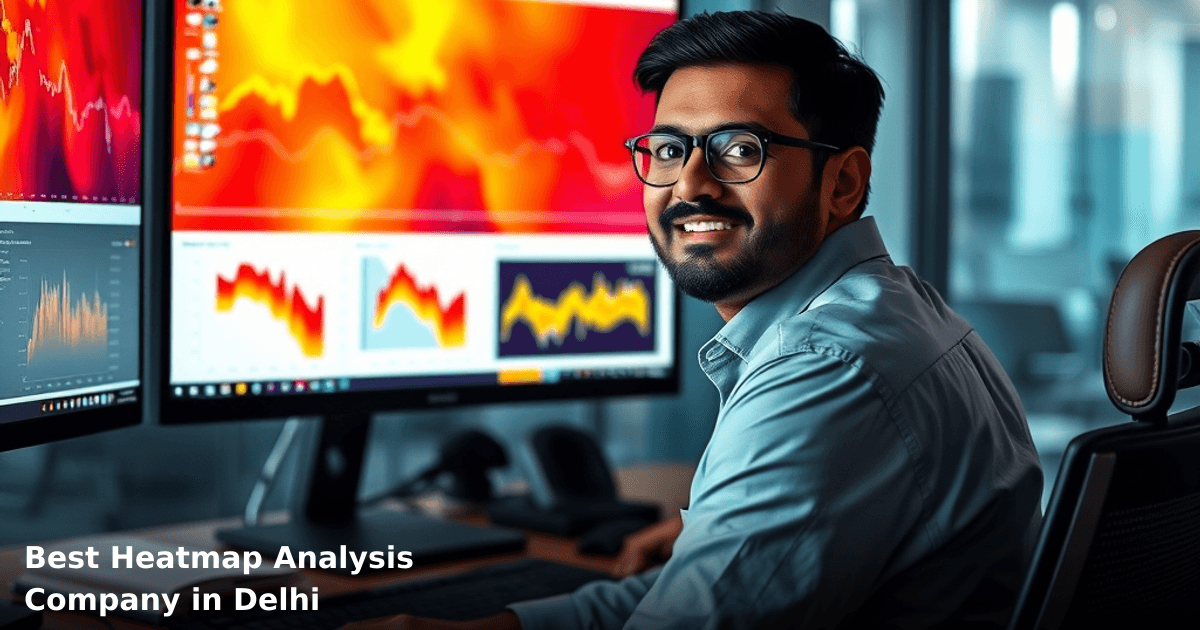
When you're running a business in Delhi, heatmap analysis delhi india isn't just a fancy marketing term—it's the difference between knowing what your customers actually do on your website and guessing. A heatmap shows you exactly where visitors click, how far they scroll, and where they abandon your pages. For Indian SMBs fighting for every rupee of marketing spend, this data is gold.
Quick Answer: Heatmap analysis in Delhi helps you see exactly where your website visitors click, scroll, and drop off—typically revealing 30–40% of conversion issues you'd miss otherwise. A good heatmap provider costs ₹5,000–₹25,000/month and integrates with your existing analytics in 1–2 weeks. Choose one that understands Indian user behavior (mobile-first, low bandwidth) and offers session recordings, not just heat maps.
Why Heatmap Analysis Matters for Indian Businesses
Your website is your 24/7 salesman. But unlike a real salesman, it can't tell you why a customer walked away at the checkout page or why they never scrolled past the fold.
According to a McKinsey report, companies that optimize user experience based on behavioral data see 15–30% improvement in conversion rates. For a Delhi-based e-commerce business doing ₹50 lakh/month in revenue, a 20% conversion lift means ₹10 lakh extra every month.
Here's what we've seen: one of our clients, a B2B software company in Gurugram, discovered through heatmap analysis that 67% of visitors never saw their pricing page because it was hidden under three clicks. After restructuring the navigation, their demo requests jumped 42% in 60 days.
The problem? Most Delhi businesses still rely on Google Analytics numbers alone. You see "1,000 visitors, 2% conversion rate," but you don't see why the other 98% left. Heatmap analysis fills that gap.
Why Delhi-Based Businesses Need This Now
Delhi NCR has fierce competition. Your competitors are already tracking user behavior. If you're not, you're flying blind while they optimize. Plus, with GST compliance, multiple payment gateways (UPI, card, wallet), and cart abandonment rates hitting 70% for Indian e-commerce, you need to know exactly where users get stuck.
What Is Heatmap Analysis and How Does It Work?
Heatmap analysis is behavioral analytics software that records how visitors interact with your website. It works in three main ways:
1. Click Heatmaps — Shows which buttons, links, and images get the most clicks. Red zones = high clicks, blue zones = low or no clicks.
2. Scroll Heatmaps — Reveals how far down your pages people scroll. You'll see if they're reading your entire page or bouncing after the first section.
3. Session Recordings — Video playback of actual visitor sessions. You watch someone click, type, hover, and abandon—exactly like watching them use your site.
When combined, these three show you the complete customer journey. A Delhi real estate portal, for example, might discover that visitors click the "Contact Agent" button 5 times because it's unclear whether it sends a message or makes a phone call. One clarity fix, and contact form submissions jump 18%.
The best heatmap analysis companies in Delhi integrate this data with your CRM or analytics platform, so you're not jumping between 10 different dashboards.
Comparison Table: Top Features to Look For in a Heatmap Analysis Provider
| Feature | Essential? | Why It Matters for Delhi SMBs | Budget Impact |
|---|---|---|---|
| Click, scroll, and session recording | Yes | Gives you the complete picture—not just one metric | Included in most |
| Mobile heatmaps | Yes | 78% of Indian internet users are mobile-first; desktop-only is useless | Usually included |
| Form analytics | Yes | Identify which form fields cause drop-off (payment, address, OTP) | Included |
| Funnel analysis | Highly recommended | See exactly where your sales funnel leaks (cart → checkout → payment) | ₹2,000–₹8,000/mo extra |
| Segmentation (by traffic source, device, location) | Recommended | Understand if mobile users behave differently from desktop users | ₹3,000–₹10,000/mo extra |
| CRM/analytics integration | Highly recommended | Sync heatmap insights directly into your CRM or Google Analytics | ₹1,000–₹5,000/mo extra |
| Session replay with filtering | Recommended | Filter replays by "users who didn't convert" to see what went wrong | ₹2,000–₹6,000/mo extra |
| API access for developers | Optional | Only needed if you're building custom dashboards | ₹5,000–₹15,000/mo extra |
Step-by-Step Guide: How to Choose the Best Heatmap Analysis Company in Delhi
We run campaigns like this for Indian businesses
From Google Ads to Meta — we handle strategy, creatives, targeting and weekly reporting end-to-end.
1. Define Your Primary Goal
Before you even look at vendors, ask yourself: What do I want to fix?
- Low conversion rate? You need funnel analysis + session recordings.
- High cart abandonment? You need form analytics + scroll heatmaps.
- High bounce rate on specific pages? You need click heatmaps + scroll depth.
We helped a Delhi-based SaaS startup that was confused about why their free trial signup page had a 45% bounce rate. Once they defined their goal (reduce bounce rate on the signup page), they knew exactly which heatmap features mattered. Turns out, visitors were scrolling past the signup form because it was below a 2,000-word "Why Choose Us" section. They moved the form above the fold, and bounce rate dropped to 18% in 30 days.
2. Check for Mobile-First Heatmapping
This is non-negotiable for India. According to Statista data, 78% of Indian web traffic comes from mobile devices. If a heatmap analysis company doesn't offer mobile heatmaps, they don't understand your market.
Ask vendors: "Do you show separate heatmaps for mobile and desktop? Can I filter by device type?" If they hesitate, move on.
3. Verify Integration Capabilities
Your heatmap data is useless if it lives in a silo. You need integration with:
- Google Analytics 4 — Your primary traffic source
- CRM (Zoho, HubSpot, Salesforce) — So your sales team sees which visitors converted
- Shopify / WooCommerce — If you're e-commerce
- Email marketing platforms — To retarget abandoned visitors
A logistics company in Noida we worked with was collecting heatmap data but never connecting it to their Zoho CRM. They couldn't tell which site visitors were high-value leads. Once we set up the integration, they could prioritize follow-up calls based on how far each visitor scrolled. Sales cycle dropped from 45 days to 28 days.
4. Look for India-Specific Support
Heatmap analysis companies based in the US or Europe often don't understand Indian business constraints. You need a vendor who:
- Responds to support tickets in IST (not just US timezones)
- Understands GST compliance and Indian payment flows
- Has case studies from Indian businesses (not just US SaaS companies)
- Knows about low-bandwidth user behavior (not everyone has 4G)
When you contact a vendor, ask: "Do you have dedicated support for Indian businesses?" or "Can you show me case studies from Delhi or Bangalore companies?" Their answer tells you everything.
5. Test with a Free Trial or Demo
Most reputable heatmap analysis companies offer a 14–30 day free trial. Use it to:
- Install their tracking code on your live website (takes 5 minutes)
- Collect 500–1,000 visitor sessions (takes 3–7 days)
- Check if the insights actually match your gut feeling about user behavior
- Test the integration with your existing tools
One of our clients, a D2C fashion brand in Delhi, tested three different heatmap providers. Provider A showed beautiful dashboards but no actionable insights. Provider B had clunky UI but revealed that 34% of visitors never saw their size guide—a one-line fix that reduced returns by 12%. They went with Provider B because the data was real, not the interface.
Common Mistakes to Avoid
Mistake 1: Choosing based on price alone ₹2,000/month sounds cheap until you realize it doesn't include session recordings or mobile heatmaps. You end up buying add-ons and spending ₹12,000/month anyway. Budget ₹8,000–₹15,000/month for a solid provider with all core features.
Mistake 2: Installing heatmaps but not acting on the data We've seen Delhi businesses collect heatmap data for 6 months and never change anything. Heatmaps are only valuable if you act on them. Set a rule: every heatmap insight gets tested. If 40% of visitors click a non-clickable element, make it clickable. If they scroll past a CTA, move it higher.
Mistake 3: Ignoring privacy and data compliance Your heatmap provider is recording visitor behavior. Make sure they comply with:
- GDPR (if you have EU visitors)
- India's Digital Personal Data Protection Act (2023)
- Your own website's privacy policy
Ask vendors: "Is session recording anonymized? Do you store data in India or abroad?" If they can't answer clearly, that's a red flag.
Mistake 4: Not segmenting your data Looking at heatmaps across all visitors is useless. You need to segment by:
- Traffic source (Google Ads vs. organic vs. email)
- Device (mobile vs. desktop)
- Geography (Delhi vs. other cities)
- User behavior (first-time visitors vs. returning)
A B2B manufacturing company in Gurugram discovered that Google Ads visitors and organic visitors had completely different scroll patterns. Google Ads visitors bounced after 15 seconds; organic visitors spent 3+ minutes reading. They restructured their pages to hook Google Ads visitors faster, and cost per lead dropped 28%.
Mistake 5: Forgetting about low-bandwidth users Not all Indian users have fast internet. If your heatmap provider's tracking code is bloated, it'll slow down your site for users on 3G. Ask: "How much does your tracking code add to page load time?" Anything over 200ms is too much.
Key Takeaways
- Heatmap analysis shows you exactly where visitors click, scroll, and abandon—revealing conversion issues that Google Analytics alone won't catch.
- Mobile heatmaps are non-negotiable for Indian businesses; 78% of traffic is mobile-first.
- Integration with your CRM and analytics is essential; siloed data is worthless.
- Budget ₹8,000–₹15,000/month for a provider with click heatmaps, scroll heatmaps, session recordings, and mobile support.
- Test with a free trial before committing; collect 500+ sessions and see if the insights are actionable.
- Act on the data; heatmaps are only valuable if you change something based on what you learn.
Frequently Asked Questions
Quick answers about heatmap-analysis-delhi
01 How much should I budget for heatmap analysis tools and services in Delhi? ›
A: Most heatmap tools run ₹5,000–₹15,000/month for SMB-level plans (tracking 10,000–50,000 monthly visitors), while full-service agencies in Delhi charge ₹40,000–₹1,50,000 for a 3-month project including setup, analysis, and optimization recommendations. If you're just starting, Hotjar or Microsoft Clarity offer free tiers that work well for websites under 100K monthly visitors—I'd recommend testing these before committing to paid services.
02 How long does it typically take to get actionable insights from heatmap analysis? ›
A: You'll need at least 2–4 weeks of data collection (minimum 5,000–10,000 session recordings) before patterns emerge clearly, and another 1–2 weeks for proper analysis and recommendations. Most Delhi-based agencies deliver their first report within 30–45 days; if someone promises insights in 7 days, they're likely working with insufficient data and you'll get surface-level observations rather than conversion-driving insights.
03 Is heatmap analysis worth it for a small e-commerce store with ₹10 lakh annual revenue? ›
A: Absolutely—in fact, smaller stores see faster ROI because they have fewer pages to optimize; even a 2–3% improvement in checkout completion (typically ₹2,000–₹5,000 monthly gain) pays for a ₹8,000/month tool within 2–3 months. I've seen Delhi-based D2C brands with ₹5–20 lakh revenue identify that 40% of users drop at the same form field, fix it, and recover ₹15,000–₹30,000 in lost conversions monthly—that's the real power for SMBs.
04 What's the biggest mistake SMB owners make when choosing a heatmap analysis company? ›
A: The biggest mistake is hiring an agency that focuses only on "pretty heatmaps" without connecting findings to your actual business metrics—they'll show you red zones on your page but won't tell you whether fixing them will increase revenue or just reduce bounce rate. Always ask potential vendors: "Will you map heatmap findings to my conversion funnel and show me the expected ₹ impact?" If they can't answer specifically, move on.
05 What's the first step to get started with heatmap analysis for my Delhi-based business? ›
A: Start by auditing your current traffic: identify which 2–3 pages drive 60–70% of your conversions or revenue, then install a free tool (Hotjar or Clarity) on just those pages for 2 weeks to see if user behavior matches your assumptions. After you spot clear friction points (users clicking non-clickable elements, rage-scrolling, form abandonment), then approach a Delhi agency with specific questions—this prep work helps you hire smarter and cuts onboarding time by 50%.
Need this built for your business?
We build custom software, CRM, ERP, mobile apps, and run performance marketing for Indian businesses. Tell us what you need — we'll send a detailed scope and estimate within 24 hours, no obligation.
- Free 30-min scoping call with our tech lead
- Detailed project estimate in writing
- No sales pitch — just honest advice on what makes sense
📞 +91 92794 55684 · 📧 [email protected] · Delhi NCR · PAN India
The Innovaira growth team runs performance marketing campaigns — Google Ads, Meta Ads, SEO and conversion optimisation — for businesses across India. Data-driven, ROI-accountable, DPIIT-recognised startup.