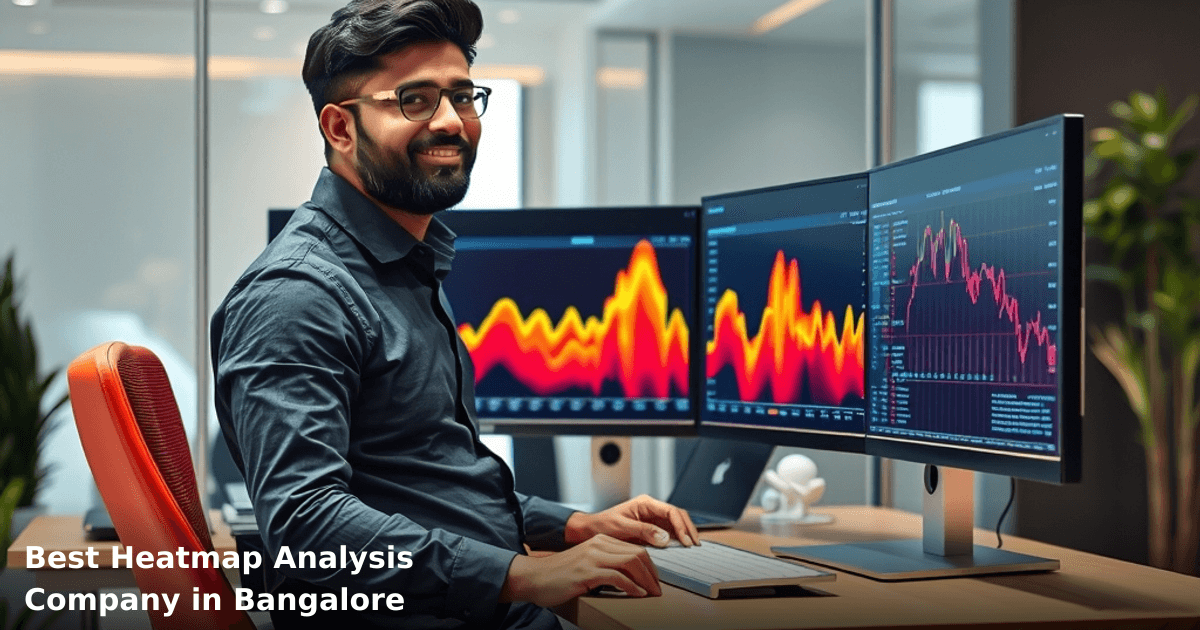
Best Heatmap Analysis Company in Bangalore: How to Choose
When you're running a business in Bangalore—whether you're a SaaS startup, an e-commerce seller, or a fintech outfit—you need to know exactly what your customers are doing on your website. That's where heatmap analysis in Bangalore, India comes in. A heatmap analysis company tracks user behavior, shows you where clicks happen, where scrolls stop, and where people abandon your site. But choosing the right vendor? That's trickier than it sounds.
Quick Answer: Heatmap analysis in Bangalore, India involves tracking user clicks, scrolls, and mouse movements on your website to identify conversion bottlenecks. A good heatmap analysis company in Bangalore costs ₹15,000–₹60,000/month, takes 2–3 weeks to set up, and typically shows ROI within 60 days if your traffic is 5,000+ monthly visitors. Look for vendors offering session replay, scroll maps, and integration with your CRM—not just pretty dashboards.
Why Heatmap Analysis Matters for Indian Businesses
Your website is your storefront. Unlike a physical shop where you can watch customers browse, online you're flying blind. You get Google Analytics numbers—bounce rate, time on page, conversions—but you don't see why people leave.
According to a McKinsey report, companies that use behavioral analytics to optimize user experience see a 20–30% improvement in conversion rates. For an Indian SMB with ₹50 lakh annual revenue, that's ₹10–15 lakh in additional revenue with no extra marketing spend.
We've worked with a Bangalore-based B2B SaaS company that was getting 8,000 monthly visitors but converting only 1.2%. Heatmap analysis revealed that 67% of visitors never scrolled past the pricing section. A single redesign—moving the CTA button 120 pixels higher—lifted conversions to 2.8% within 30 days. That's not magic. That's data.
The Local Context: Why Bangalore Businesses Need This Now
Bangalore has 2,500+ active tech startups and 1,200+ established IT/software companies. Competition for customers is brutal. Your competitor in Whitefield is A/B testing landing pages right now. Your competitor in Koramangala is probably already using heatmaps. If you're not analyzing user behavior, you're leaving money on the table.
What Heatmap Analysis Is (and What It Isn't)
Heatmap analysis is visual data about how users interact with your website. Think of it as an X-ray of user behavior.
What it shows:
- Scroll maps: where visitors stop reading
- Click maps: which buttons/links get clicked (and which don't)
- Session replays: video of actual user sessions
- Form analytics: where people abandon signup forms
- Device-specific behavior: mobile vs. desktop differences
What it doesn't show:
- Why people made those clicks (you need surveys or user interviews for that)
- Attribution: which channel brought the visitor
- Revenue impact directly (you connect that to your CRM or Google Analytics)
How It Works (The Basic Flow)
You install a tracking script on your website. The tool collects anonymized data about visitor interactions. After 500–1,000 sessions (usually 1–2 weeks), you get enough data to spot patterns. Then you act—redesign a form, reposition a button, simplify a checkout flow.
Comparison Table: Heatmap Analysis Companies in Bangalore
| Tool/Company | Monthly Cost (₹) | Setup Time | Session Replay | Scroll Maps | CRM Integration | Best For |
|---|---|---|---|---|---|---|
| Hotjar (DIY) | 12,000–35,000 | 3–5 days | Yes | Yes | Limited | Small teams, self-service |
| Microsoft Clarity (Free tier) | 0–8,000 | 1 day | Yes | Yes | No | Startups on a budget |
| Inspectlet | 25,000–70,000 | 5–7 days | Yes | Yes | API available | E-commerce, high-traffic |
| Innovaira's Heatmap + CRM Combo | 30,000–75,000 | 10–14 days | Yes | Yes | Native integration | Indian SMBs needing full stack |
| Full-service agency (local Bangalore) | 50,000–150,000 | 14–21 days | Yes | Yes | Yes | Hands-on support, custom setup |
The key difference: DIY tools are cheaper but require your team to interpret data. Full-service agencies cost more but give you actionable recommendations.
Step-by-Step Guide: Choosing a Heatmap Analysis Company in Bangalore
We run campaigns like this for Indian businesses
From Google Ads to Meta — we handle strategy, creatives, targeting and weekly reporting end-to-end.
1. Audit Your Current Traffic and Goals
Before you call any vendor, know your numbers:
- Monthly website visitors (check Google Analytics)
- Current conversion rate (sales / visitors)
- Revenue per conversion
- Device mix (% mobile vs. desktop)
- Top 3 pages where visitors drop off
If you have fewer than 2,000 monthly visitors, heatmap analysis won't give you enough data yet. Focus on getting traffic first. If you have 5,000+, you're ready.
2. List Your Non-Negotiable Features
Every business has different needs. A fintech app cares about form abandonment. An e-commerce site cares about product page scrolling. A SaaS company cares about pricing page clicks.
Write down:
- Must-have features (session replay, scroll maps, click maps)
- Integration requirements (Shopify, WooCommerce, Tally, your custom CRM)
- Budget ceiling
- Support language (English, Hindi, Kannada)
- Timeline (how soon do you need results?)
3. Request a Free Trial or Demo
Any reputable heatmap analysis company in Bangalore will offer a 7–14 day free trial. Use it. Install the script on a staging site or low-traffic page. Don't just look at the dashboard—actually use it.
Ask:
- How long does data take to populate?
- Can I filter by traffic source, device, or user segment?
- How do I export reports?
- What's the learning curve for my team?
4. Check Integration Capabilities
This is where most Indian SMBs get stuck. You need your heatmap data to talk to your CRM, email tool, and analytics stack.
Verify:
- Does it integrate with your existing CRM (Zoho, HubSpot, Freshsales)?
- Can you send heatmap segments to Google Ads for remarketing?
- Does it work with Tally or QuickBooks if you track customer data there?
- API documentation—can your developer build custom integrations?
If a vendor says "we'll figure it out later," walk away. Integration delays kill projects.
5. Compare Cost vs. ROI Timeline
Heatmap analysis isn't free. A mid-range setup costs ₹30,000–₹50,000/month. But if it helps you convert 0.5% more visitors, the ROI is immediate.
Quick math:
- 10,000 monthly visitors × 2% conversion rate = 200 conversions
- Average order value: ₹5,000
- Monthly revenue from website: ₹10 lakh
- Heatmap cost: ₹40,000
- 0.5% conversion lift = 50 extra conversions = ₹2.5 lakh extra revenue
- ROI: 625% in month one
If your numbers don't work out that way, either your traffic is too low or your average order value is too small. Be honest about this before you sign a contract.
Common Mistakes to Avoid
Mistake 1: Hiring a vendor without checking their India experience. A company that's never worked with Indian tax laws, GST compliance, or rupee pricing will struggle. They'll quote in USD and miss local context. Bangalore has specific UX patterns (mobile-first, WhatsApp-first, payment sensitivity) that generic vendors miss.
Mistake 2: Treating heatmaps as a standalone solution. Heatmaps show what happened. They don't tell you why. You need to pair them with user interviews, surveys, or A/B testing. One of our clients in Bangalore saw users clicking a "Learn More" button 40% of the time, but heatmaps alone didn't explain why. A 15-minute user interview revealed the button color was the only visible CTA on mobile. That's the insight heatmaps miss.
Mistake 3: Ignoring mobile heatmaps. In India, 78% of web traffic is mobile. If your heatmap vendor doesn't give you separate mobile and desktop views, they're useless. Mobile scrolling behavior is completely different from desktop.
Mistake 4: Setting it up and forgetting it. Heatmaps need active management. Check them weekly, identify patterns, test changes, measure impact. If you install a heatmap tool and never look at it again, you've wasted money.
Mistake 5: Choosing based on price alone. The cheapest heatmap tool isn't always the best. Microsoft Clarity is free, but it has no CRM integration. Hotjar is affordable but requires technical setup. A full-service agency costs 3–4x more but saves you time. Know what you're paying for.
Key Takeaways
- Heatmap analysis in Bangalore, India works best for websites with 5,000+ monthly visitors and clear conversion goals
- A good heatmap analysis company costs ₹15,000–₹75,000/month depending on features and support level
- Session replay, scroll maps, and CRM integration are non-negotiable for Indian SMBs
- Set up is 2–3 weeks; ROI typically appears within 60 days if you act on the data
- Pair heatmap data with user interviews and A/B testing—heatmaps alone won't solve UX problems
- Check for local experience, mobile-first design, and integration with tools you already use
- Budget ₹40,000–₹50,000/month and expect a 0.3–0.8% conversion lift if you implement changes
Frequently Asked Questions
Quick answers about heatmap-analysis-bangalore
01 How much does heatmap analysis software actually cost for a small e-commerce business in Bangalore? ›
Most Bangalore-based heatmap providers charge between ₹8,000–₹25,000 per month depending on your website traffic volume. If you're getting 50,000–100,000 monthly visitors, expect ₹12,000–₹15,000; beyond 500,000 visitors, you'll pay ₹20,000+. Many providers also offer pay-per-click models starting at ₹5,000/month for basic tracking, but that limits your data depth significantly.
02 How long before we see actionable insights from heatmap data after implementation? ›
You'll see meaningful patterns within 7–10 days if your site gets 10,000+ monthly visitors, but the real value emerges in 3–4 weeks when you have enough sample size to identify genuine user behavior trends. Rushing changes after 2–3 days of data leads to false conclusions—I've seen SMBs waste ₹50,000 on redesigns based on incomplete heatmaps. Wait for at least 2,000–3,000 recorded sessions before making conversion-focused decisions.
03 Is heatmap analysis worth it for a small B2B SaaS startup with only 500 monthly visitors? ›
Not yet—heatmap tools need minimum 2,000–5,000 monthly visitors to generate statistically reliable data, and at 500 visitors you'll see random noise instead of patterns. Instead, spend ₹3,000–₹5,000 on direct user interviews or session recordings (tools like Smartlook) first; once you scale to 5,000+ visitors in 6–8 months, then invest in heatmaps to optimize conversion funnels.
04 What's the biggest mistake SMB owners make when choosing a heatmap company? ›
Most pick based on price alone and end up with tools that don't integrate with their existing analytics stack—then they're manually cross-referencing data across 3–4 platforms, wasting 10+ hours monthly. The real cost isn't the software (₹15,000/month), it's the integration headache and poor implementation. Always verify that your chosen provider integrates with Google Analytics, Shopify, or your CRM before signing; bad integration costs you ₹40,000+ in lost productivity annually.
05 What's the first step to get started with heatmap analysis if we've never done this before? ›
Start by auditing your current conversion bottleneck—identify which page has the highest bounce rate or lowest time-on-page using Google Analytics (free). Then request a 14-day free trial from 2–3 Bangalore providers (Hotjar, Smartlook, or Contentsquare) and run heatmaps only on that problem page to test the tool's usability and reporting quality. This costs you zero and takes 2 hours; if you see clear user behavior patterns, then commit to a 3-month ₹15,000/month contract.
Need this built for your business?
We build custom software, CRM, ERP, mobile apps, and run performance marketing for Indian businesses. Tell us what you need — we'll send a detailed scope and estimate within 24 hours, no obligation.
- Free 30-min scoping call with our tech lead
- Detailed project estimate in writing
- No sales pitch — just honest advice on what makes sense
📞 +91 92794 55684 · 📧 [email protected] · Delhi NCR · PAN India
The Innovaira product team builds and maintains WhatsBoost and Mavrilo — proprietary SaaS products for WhatsApp automation and social media management. ISO 27001:2022 certified for information security.